Tensorflow-bin
Tensorflow-bin 是一个专为树莓派(RaspberryPi)和英伟达 Jetson Nano 等边缘计算设备打造的 TensorFlow 预编译二进制包集合。它主要解决了开发者在这些资源受限的硬件上从零编译 TensorFlow 耗时极长、环境配置复杂且容易失败的痛点,让用户能够直接安装并运行深度学习模型。
该项目特别适合嵌入式 AI 开发者、研究人员以及希望在边缘设备上部署视觉应用的工程师使用。其核心亮点在于全面启用了 TensorFlow Lite 支持,并针对 ARM 架构进行了深度优化:不仅集成了 XNNPACK 加速引擎以提升推理速度,还支持半精度(Float16)推断,据称可使端侧性能翻倍。此外,它还兼容 MediaPipe 自定义算子及 FlexDelegate,极大地扩展了模型部署的灵活性。
Tensorflow-bin 提供了覆盖从 Python 2.7 到 3.11 多个版本、适配 Raspbian、Ubuntu、Debian 等不同操作系统及 32/64 位架构的丰富 Wheel 文件。无论是需要维护旧版 TF 1.15 项目的用户,还是追求最新 TF 2.x 特性的开发者,都能在这里找到即装即用的解决方案,从而将精力集中于算法优化与应用落地,而非繁琐的环境搭建。
使用场景
某农业科技公司正在树莓派 4B 上部署一套实时作物病害识别系统,需要在边缘端运行轻量级的 TensorFlow Lite 模型以监测田间摄像头画面。
没有 Tensorflow-bin 时
- 编译环境极其复杂:开发者需在资源受限的树莓派上手动安装 HDF5、Eigen、OpenBLAS 等数十个底层依赖库,并尝试从源码编译 TensorFlow,耗时数小时且极易因内存不足而失败。
- 推理性能低下:即使勉强运行官方基础包,由于缺乏针对 ARM 架构优化的 XNNPACK 后端支持,模型推理帧率仅为 2-3 FPS,无法满足实时监测需求。
- 版本兼容性差:难以找到与特定 Raspbian 或 Ubuntu 版本(如 glibc 2.28/2.31)严格匹配的预编译 Wheel 包,常出现"undefined symbol"导致程序无法启动。
- 功能支持缺失:若模型包含 MediaPipe 自定义算子或缺少 FlexDelegate 支持,官方精简版无法加载模型,迫使团队放弃边缘部署方案。
使用 Tensorflow-bin 后
- 一键极速部署:直接下载匹配当前系统架构(armv7l/aarch64)和 Python 版本的预编译 .whl 文件,pip 安装即可运行,将环境搭建时间从数小时缩短至几分钟。
- 推理性能倍增:利用内置的 XNNPACK 及半精度(Float16)加速特性,在同等硬件下模型推理速度提升一倍,帧率稳定在 6 FPS 以上,实现流畅实时检测。
- 系统完美适配:提供覆盖从 Debian Stretch 到 Bookworm 等多版本系统的二进制包,彻底解决 glibc 版本冲突问题,确保生产环境稳定运行。
- 高级特性可用:原生支持 FlexDelegate 和 MediaPipe 自定义算子,允许团队直接部署复杂的转换模型,无需修改网络结构或牺牲精度。
Tensorflow-bin 通过提供高度优化且开箱即用的预编译二进制包,彻底消除了边缘设备部署深度学习模型的工程壁垒,让实时 AI 应用落地变得简单高效。
运行环境要求
- Linux
未说明 (该工具为针对 Raspberry Pi 的 CPU 预编译二进制包,支持 Tensorflow Lite,主要依赖 XNNPACK 进行加速,无 GPU/CUDA 需求)
未说明

快速开始
Tensorflow二进制
较旧版本的Wheel文件可以从历史版本下载脚本(GoogleDrive)获取。
已预编译的二进制文件,启用了TensorFlow Lite支持。适用于树莓派。由于树莓派的64位操作系统已正式发布,我已停止在armhf架构上构建Wheel文件。如果您需要armhf架构的Wheel文件,请使用此仓库:TensorflowLite-bin。
- 支持Flex Delegate。
- 支持XNNPACK。
- XNNPACK支持“半精度推理,显著提升设备端推理性能”。
Python API包
| 设备 | 操作系统 | 发行版 | 架构 | Python版本 | 备注 |
|---|---|---|---|---|---|
| 树莓派3/4 | Raspbian/Debian | Stretch | armhf / armv7l | 3.5.3 | 32位,glibc2.24 |
| 树莓派3/4 | Raspbian/Debian | Buster | armhf / armv7l | 3.7.3 / 2.7.16 | 32位,glibc2.28 |
| 树莓派3/4 | RaspberryPiOS/Debian | Buster | aarch64 / armv8 | 3.7.3 | 64位,glibc2.28 |
| 树莓派3/4 | Ubuntu 18.04 | Bionic | aarch64 / armv8 | 3.6.9 | 64位,glibc2.27 |
| 树莓派3/4 | Ubuntu 20.04 | Focal | aarch64 / armv8 | 3.8.2 | 64位,glibc2.31 |
| 树莓派3/4、PiZero | Ubuntu 21.04/Debian/RaspberryPiOS | Hirsute/Bullseye | aarch64 / armv8 | 3.9.x | 64位,glibc2.33/glibc2.31 |
| 树莓派3/4 | Ubuntu 22.04 | Jammy | aarch64 / armv8 | 3.10.x | 64位,glibc2.35 |
| 树莓派4/5、PiZero | Debian/RaspberryPiOS | Bookworm | aarch64 / armv8 | 3.11.x | 64位,glibc2.36 |
TensorFlow Lite的最小化配置独立安装程序。 https://github.com/PINTO0309/TensorflowLite-bin.git
二进制类型
Python 3.x + TensorFlow v2 *FD = FlexDelegate, **XP = XNNPACK Float16加速,***MP = MediaPipe自定义OP,****NP = Numpy 由于本人不具备C语言实现能力,该部分行为尚未确认。
TensorFlow C绑定生成官方教程 附录1. C-API构建流程
树莓派/arm64设备(armhf/aarch64)TensorFlow v2.0.0 C API原生构建流程 附录2. C-API使用方法 Python 3.x + TensorFlow v2系列示例 Python 3.x 系列示例 多线程 x4 示例 多线程 x4 示例 - 使用 USB 摄像头进行实时推理 ============================================================ Tensorflow v1.11.0 ============================================================ Python2.x - Bazel 0.17.2 Python3.x- Bazel 0.17.2 + ZRAM + PythonAPI(多线程) 2019年2月23日,编译工作已完成 请参考以下内容修改程序。 Python3.x + jemalloc + MPI + 多线程 [仅 C++] 编辑 编辑 编辑 Python3.x + jemalloc + XLA JIT(无法构建) Python3.x + TX2 aarch64 - Bazel 0.18.1 (JetPack-L4T-3.3-linux-x64_b39) https://github.com/tensorflow/tensorflow/issues/21574#issuecomment-429758923
https://github.com/tensorflow/serving/issues/832
https://docs.nvidia.com/deeplearning/sdk/nccl-archived/nccl_2213/nccl-install-guide/index.html ============================================================ Tensorflow v1.12.0 - Bazel 0.18.1 ============================================================ Python3.x (Nov 15, 2018 正在建设中) ============================================================ Tensorflow v1.13.1 - Bazel 0.19.2 ============================================================ Python3.x ============================================================ TensorFlow v1.14.0 - Bazel 0.24.1 - Stretch - armhf ============================================================ ============================================================ Tensorflow v1.14.0 - Bazel 0.24.1 - Buster - armhf ============================================================
首先,使用 QEMU 4.0.0 准备一个 armhf 的模拟环境。(CPU 4 核,RAM 4GB)
如何在 QEMU 4.0.0 的硬件模拟模式下从零开始创建 Debian Buster armhf 操作系统镜像(内核 4.19.0-5-armmp-lpae,用于构建 Tensorflow armhf) ============================================================ TensorFlow v1.14.0 - Bazel 0.24.1 - Buster - aarch64 ============================================================ 首先,使用 QEMU 4.0.0 准备一个 aarch64 的模拟环境。
如何在 QEMU 4.0.0 硬件模拟模式下从头开始创建 Debian Buster aarch64 操作系统镜像(内核 4.19.0-5-arm64,用于 TensorFlow aarch64 构建) 接下来,在模拟环境中按照以下步骤构建 Bazel 和 TensorFlow。 ============================================================ TensorFlow v1.15.0 - Bazel 0.26.1 - Buster - armhf ============================================================
首先,请按照以下链接中的步骤安装 openjdk-8-jdk。
[稳定版] 在 Raspbian Buster(Debian 10)环境中安全安装 openjdk-8-jdk
接下来,请按照以下步骤在 Raspberry Pi 3/4 上构建 TensorFlow。 ============================================================ Tensorflow v2.0.0-alpha - Stretch - Bazel 0.19.2 ============================================================ ============================================================ TensorFlow v2.0.0-beta0 - Stretch - Bazel 0.24.1 ============================================================ ============================================================ TensorFlow v2.0.0-beta1 - Stretch - Bazel 0.24.1 ============================================================ ============================================================ Tensorflow v2.0.0-rc0 - Buster - Bazel 0.26.1 ============================================================
首先,按照以下网址中的步骤安装 openjdk-8-jdk。
如何在 Raspbian Buster armhf 上安装 openjdk-8-jdk
或
如何在 Debian Buster (Debian 10) armhf 上安装 openjdk-8-jdk
接下来,按照以下步骤在 RaspberryPi3 上构建 TensorFlow。 ============================================================ Tensorflow v2.0.0-rc1 - Buster - Bazel 0.26.1 ============================================================
首先,按照以下网址的步骤安装 openjdk-8-jdk。
如何在 Raspbian Buster armhf 上安装 openjdk-8-jdk
或
如何在 Debian Buster (Debian 10) armhf 上安装 openjdk-8-jdk
接下来,按照以下步骤在 Raspberry Pi 3 上构建 TensorFlow。 ============================================================ Tensorflow v2.0.0-rc2 - Buster - Bazel 0.26.1 ============================================================
首先,按照以下链接中的步骤安装 openjdk-8-jdk。
如何在 Raspbian Buster armhf 上安装 openjdk-8-jdk
或
如何在 Debian Buster (Debian 10) armhf 上安装 openjdk-8-jdk
接下来,按照以下步骤在 Raspberry Pi 3 上构建 TensorFlow。 ============================================================ TensorFlow v2.0.0 - Stretch - Bazel 0.26.1 ============================================================ ============================================================ Tensorflow v2.0.0 - Buster - Bazel 0.26.1 ============================================================
首先,请按照以下网址中的步骤安装 openjdk-8-jdk。
[稳定版] 在 Raspbian Buster(Debian 10)环境中安全安装 openjdk-8-jdk
接下来,按照以下步骤在 Raspberry Pi 3/4 上构建 TensorFlow。 (1) RaspberryPi3 (2) RaspberryPi4 ============================================================ Tensorflow v2.1.0-rc0 - Buster - Bazel 0.29.1 ============================================================ ============================================================ Tensorflow v2.1.0-rc1 - Buster - Bazel 0.29.1 ============================================================ ============================================================ Tensorflow v2.1.0-rc2 - Buster - Bazel 0.29.1 ============================================================ ============================================================ Tensorflow v2.1.0 - Ubuntu 19.10 aarch64 - Bazel 0.29.1 ============================================================ ============================================================ Tensorflow v2.1.0 - Buster - Bazel 0.29.1 ============================================================ ============================================================ Tensorflow v2.2.0 - Buster - Bazel 2.0.0 ============================================================ ============================================================ Tensorflow v2.2.0 - Ubuntu 19.10 aarch64 - Bazel 2.0.0 ============================================================ ============================================================ Tensorflow v2.3.0-rc0 - Buster - Bazel 3.1.0 ============================================================ ============================================================ Tensorflow v2.3.0-rc0 - Debian Buster aarch64 - Bazel 3.1.0 ============================================================ ============================================================ Tensorflow v2.4.0 - Buster - Bazel 3.1.0 ============================================================ ============================================================ Tensorflow v2.4.0 - Debian Buster aarch64 - Bazel 3.1.0 ============================================================ ============================================================ ============================================================ Tensorflow v2.5.0 - Buster armv7l/armhf - Bazel 3.7.2
原生编译 ============================================================ ============================================================ Tensorflow v2.5.0 - Buster armv7l/armhf - Bazel 3.7.2
通过x86主机进行交叉编译 ============================================================ ============================================================ Tensorflow v2.5.0 - Debian Buster aarch64 - Bazel 3.7.2
使用EC2 m6g.16xlarge ============================================================ ============================================================ ============================================================ TensorFlow v2.6.0 - Buster armv7l/armhf - Bazel 3.7.2
原生构建 ============================================================ ============================================================ TensorFlow v2.6.0 - Buster armv7l/armhf - Bazel 3.7.2
通过 x86 主机进行交叉编译 ============================================================ ============================================================ TensorFlow v2.6.0 - Debian Buster aarch64 - Bazel 3.7.2
使用 EC2 m6g.16xlarge ============================================================ ============================================================ TensorFlow v2.6.0 - CUDA x86_64 - Bazel 3.7.2 ============================================================ ============================================================ ============================================================ TensorFlow v2.7.0 - Buster armv7l/armhf - Bazel 3.7.2
原生构建 ============================================================ ============================================================ TensorFlow v2.7.0 - Buster armv7l/armhf - Bazel 3.7.2
通过 x86 主机进行交叉编译 ============================================================ ============================================================ TensorFlow v2.7.0 - Debian Buster aarch64 - Bazel 3.7.2
使用 EC2 m6g.16xlarge ============================================================ ============================================================ TensorFlow v2.7.0 - CUDA11.4 - TensorRT8.2 - x86_64 - Bazel 3.7.2 ============================================================ ============================================================ ============================================================ Tensorflow v2.8.0 - Debian Bullseye aarch64 - Bazel 4.2.1
使用 EC2 m6g.16xlarge ============================================================ ============================================================ Tensorflow v2.8.0 - CUDA11.4 - TensorRT8.2 - x86_64 - Bazel 4.2.1 ============================================================ ============================================================ ============================================================ Tensorflow v2.9.0 - Debian Bullseye aarch64 - Bazel 5.0.0
使用 EC2 m6g.16xlarge ============================================================ ============================================================ Tensorflow v2.9.0 - CUDA11.6 - TensorRT8.4 - x86_64 - Bazel 5.0.0 ============================================================ ============================================================ ============================================================ TensorFlow v2.10.0 - Debian Bullseye aarch64 - Bazel 5.1.1
使用 EC2 m6g.16xlarge ============================================================ ============================================================ TensorFlow v2.10.0 - CUDA11.7 - TensorRT8.4.3 - x86_64 - Bazel 5.1.1 ============================================================ ============================================================ ============================================================ TensorFlow v2.11.0 - Debian Bullseye aarch64 - Bazel 5.3.0
使用 EC2 m6g.16xlarge ============================================================ ============================================================ TensorFlow v2.11.0 - CUDA11.7 - TensorRT8.4.3 - x86_64 - Bazel 5.3.0 ============================================================ ============================================================ ============================================================ TensorFlow v2.12.0 - Debian 11/Debian 12/Ubuntu 20.04/22.04 aarch64 - Bazel 5.3.0
使用 EC2 m6g.16xlarge ============================================================ ============================================================ <无效> TensorFlow v2.12.0 - CUDA11.7 - TensorRT8.4.3 - x86_64 - Bazel 5.3.0 ============================================================ ============================================================ 向 TFLite 运行时添加自定义 OP 以构建 whl 安装程序(用于 Python),Python 2.x / 3.x + TensorFlow v1.15.0
.whl
4线程
备注
tensorflow-1.15.0-cp35-cp35m-linux_armv7l.whl
○
Raspbian/Debian Stretch,glibc 2.24
tensorflow-1.15.0-cp27-cp27mu-linux_armv7l.whl
○
Raspbian/Debian Buster,glibc 2.28
tensorflow-1.15.0-cp37-cp37m-linux_armv7l.whl
○
Raspbian/Debian Buster,glibc 2.28
tensorflow-1.15.0-cp37-cp37m-linux_aarch64.whl
○
Debian Buster,glibc 2.28
.whl
FD
XP
MP
NP
备注
tensorflow-2.15.0.post1-cp39-none-linux_aarch64.whl
○
1.26
Ubuntu 21.04 glibc 2.33,Debian Bullseye glibc 2.31
tensorflow-2.15.0.post1-cp310-none-linux_aarch64.whl
○
1.26
Ubuntu 22.04 glibc 2.35
tensorflow-2.15.0.post1-cp311-none-linux_aarch64.whl
○
1.26
Debian Bookworm glibc 2.36
【附录】 C库 + TensorFlow v1.x.x / v2.x.x
$ wget https://raw.githubusercontent.com/PINTO0309/Tensorflow-bin/main/C-library/2.2.0-armhf/install-buster.sh
$ ./install-buster.sh
版本
二进制
备注
v1.15.0
C-library/1.15.0-armhf/install-buster.sh
Raspbian/Debian Buster,glibc 2.28
v1.15.0
C-library/1.15.0-aarch64/install-buster.sh
Raspbian/Debian Buster,glibc 2.28
v2.2.0
C-library/2.2.0-armhf/install-buster.sh
Raspbian/Debian Buster,glibc 2.28
v2.3.0
C-library/2.3.0-aarch64/install-buster.sh
RaspberryPiOS/Raspbian/Debian Buster,glibc 2.28
使用方法
Python 3.x + TensorFlow v1系列示例
$ sudo apt-get install -y \
    libhdf5-dev libc-ares-dev libeigen3-dev gcc gfortran \
    libgfortran5 libatlas3-base libatlas-base-dev \
    libopenblas-dev libopenblas-base libblas-dev \
    liblapack-dev cython3 openmpi-bin libopenmpi-dev \
    libatlas-base-dev python3-dev
$ sudo pip3 install pip --upgrade
$ sudo pip3 install keras_applications==1.0.8 --no-deps
$ sudo pip3 install keras_preprocessing==1.1.0 --no-deps
$ sudo pip3 install h5py==2.9.0
$ sudo pip3 install pybind11
$ pip3 install -U --user six wheel mock
$ sudo pip3 uninstall tensorflow
$ wget "https://raw.githubusercontent.com/PINTO0309/Tensorflow-bin/master/previous_versions/download_tensorflow-1.15.0-cp37-cp37m-linux_armv7l.sh"
$ ./download_tensorflow-1.15.0-cp37-cp37m-linux_armv7l.sh
$ sudo pip3 install tensorflow-1.15.0-cp37-cp37m-linux_armv7l.whl
##### Bullseye、Ubuntu22.04
sudo apt update && sudo apt upgrade -y && \
sudo apt install -y \
    libhdf5-dev \
    unzip \
    pkg-config \
    python3-pip \
    cmake \
    make \
    git \
    python-is-python3 \
    wget \
    patchelf && \
pip install -U pip && \
pip install numpy==1.26.2 && \
pip install keras_applications==1.0.8 --no-deps && \
pip install keras_preprocessing==1.1.2 --no-deps && \
pip install h5py==3.6.0 && \
pip install pybind11==2.9.2 && \
pip install packaging && \
pip install protobuf==3.20.3 && \
pip install six wheel mock gdown
##### Bookworm
sudo apt update && sudo apt upgrade -y && \
sudo apt install -y \
    libhdf5-dev \
    unzip \
    pkg-config \
    python3-pip \
    cmake \
    make \
    git \
    python-is-python3 \
    wget \
    patchelf && \
pip install -U pip --打破系统包限制 && \
pip install numpy==1.26.2 --打破系统包限制 && \
pip install keras_applications==1.0.8 --no-deps --打破系统包限制 && \
pip install keras_preprocessing==1.1.2 --no-deps --打破系统包限制 && \
pip install h5py==3.10.0 --打破系统包限制 && \
pip install pybind11==2.9.2 --打破系统包限制 && \
pip install packaging --打破系统包限制 && \
pip install protobuf==3.20.3 --打破系统包限制 && \
pip install six wheel mock gdown --打破系统包限制
pip卸载tensorflow

TFVER=2.15.0.post1

PYVER=39
或
PYVER=310
或
PYVER=311

ARCH=`python -c 'import platform; print(platform.machine())'`
echo CPU架构: ${ARCH}

pip安装\
--no-cache-dir\
https://github.com/PINTO0309/Tensorflow-bin/releases/download/v${TFVER}/tensorflow-${TFVER}-cp${PYVER}-none-linux_${ARCH}.whl
操作检查
$ python -c 'import tensorflow as tf;print(tf.__version__)'
2.15.0.post1
$ cd ~;mkdir test
$ curl https://raw.githubusercontent.com/tensorflow/tensorflow/master/tensorflow/lite/examples/label_image/testdata/grace_hopper.bmp > ~/test/grace_hopper.bmp
$ curl https://storage.googleapis.com/download.tensorflow.org/models/mobilenet_v1_1.0_224_frozen.tgz | tar xzv -C ~/test mobilenet_v1_1.0_224/labels.txt
$ mv ~/test/mobilenet_v1_1.0_224/labels.txt ~/test/
$ curl http://download.tensorflow.org/models/mobilenet_v1_2018_02_22/mobilenet_v1_1.0_224_quant.tgz | tar xzv -C ~/test
$ cp tensorflow/tensorflow/contrib/lite/examples/python/label_image.py ~/test
[示例代码] label_image.py
import argparse
import numpy as np
import time

from PIL import Image

# Tensorflow -v1.12.0
#from tensorflow.contrib.lite.python import interpreter as interpreter_wrapper

# Tensorflow v1.13.0+, v2.x.x
from tensorflow.lite.python import interpreter as interpreter_wrapper

def load_labels(filename):
  my_labels = []
  input_file = open(filename, 'r')
  for l in input_file:
    my_labels.append(l.strip())
  return my_labels
if __name__ == "__main__":
  floating_model = False
  parser = argparse.ArgumentParser()
  parser.add_argument("-i", "--image", default="/tmp/grace_hopper.bmp", \
    help="待分类的图像")
  parser.add_argument("-m", "--model_file", \
    default="/tmp/mobilenet_v1_1.0_224_quant.tflite", \
    help=".tflite 模型文件")
  parser.add_argument("-l", "--label_file", default="/tmp/labels.txt", \
    help="包含标签的文件名")
  parser.add_argument("--input_mean", default=127.5, help="输入均值")
  parser.add_argument("--input_std", default=127.5, \
    help="输入标准差")
  parser.add_argument("--num_threads", default=1, help="线程数")
  args = parser.parse_args()

  ### Tensorflow -v2.2.0
  #interpreter = interpreter_wrapper.Interpreter(model_path=args.model_file)
  ### Tensorflow v2.3.0+
  interpreter = interpreter_wrapper.Interpreter(model_path=args.model_file, num_threads=int(args.num_threads))

  interpreter.allocate_tensors()
  input_details = interpreter.get_input_details()
  output_details = interpreter.get_output_details()
  # 检查输入张量的类型
  if input_details[0]['dtype'] == np.float32:
    floating_model = True
  # NxHxWxC, H:1, W:2
  height = input_details[0]['shape'][1]
  width = input_details[0]['shape'][2]
  img = Image.open(args.image)
  img = img.resize((width, height))
  # 添加 N 维
  input_data = np.expand_dims(img, axis=0)
  if floating_model:
    input_data = (np.float32(input_data) - args.input_mean) / args.input_std

  ### Tensorflow -v2.2.0
  #interpreter.set_num_threads(int(args.num_threads))
  interpreter.set_tensor(input_details[0]['index'], input_data)

  start_time = time.time()
  interpreter.invoke()
  stop_time = time.time()

  output_data = interpreter.get_tensor(output_details[0]['index'])
  results = np.squeeze(output_data)
  top_k = results.argsort()[-5:][::-1]
  labels = load_labels(args.label_file)
  for i in top_k:
    if floating_model:
      print('{0:08.6f}'.format(float(results[i]))+":", labels[i])
    else:
      print('{0:08.6f}'.format(float(results[i]/255.0))+":", labels[i])

  print("时间: ", stop_time - start_time)
$ cd ~/test
$ python3 label_image.py \
--num_threads 1 \
--image grace_hopper.bmp \
--model_file mobilenet_v1_1.0_224_quant.tflite \
--label_file labels.txt

0.415686: 653:军装
0.352941: 907:温莎领结
0.058824: 668:学士帽
0.035294: 458:蝴蝶结领带、领结
0.035294: 835:西装、套装
时间:  0.4152982234954834
$ cd ~/test
$ python3 label_image.py \
--num_threads 4 \
--image grace_hopper.bmp \
--model_file mobilenet_v1_1.0_224_quant.tflite \
--label_file labels.txt

0.415686: 653:军装
0.352941: 907:温莎领结
0.058824: 668:学士帽
0.035294: 458:蝴蝶结领带、领结
0.035294: 835:西装、套装
时间:  0.1647195816040039
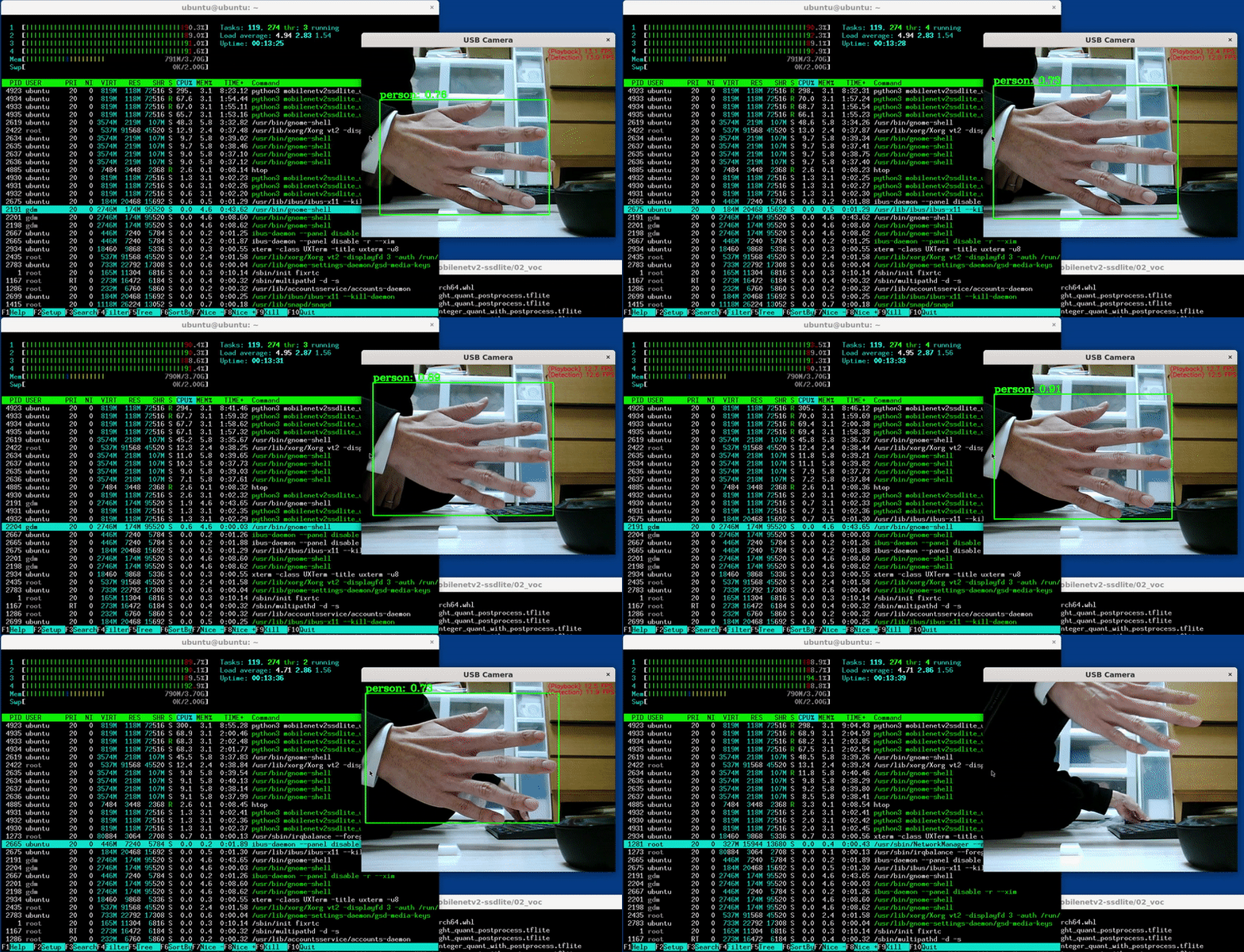
构建参数
Tensorflow v1.11.0
$ sudo apt-get install -y openmpi-bin libopenmpi-dev libhdf5-dev

$ cd ~
$ git clone https://github.com/tensorflow/tensorflow.git
$ cd tensorflow
$ git checkout -b v1.11.0
$ ./configure

请指定 Python 的安装路径。[默认为 /usr/bin/python]:


找到了可能的 Python 库路径:
  /usr/local/lib/python2.7/dist-packages
  /usr/local/lib
  /home/pi/tensorflow/tensorflow/contrib/lite/tools/make/gen/rpi_armv7l/lib
  /usr/lib/python2.7/dist-packages
  /opt/movidius/caffe/python
请输入您希望使用的 Python 库路径。默认路径为 [/usr/local/lib/python2.7/dist-packages]

您是否希望构建支持 jemalloc 作为内存分配器的 TensorFlow?[Y/n]: y
将启用不使用 jemalloc 作为内存分配器的 TensorFlow。

您是否希望构建支持 Google Cloud Platform 的 TensorFlow?[Y/n]: n
将不启用 Google Cloud Platform 支持。

您是否希望构建支持 Hadoop 文件系统的 TensorFlow?[Y/n]: n
将不启用 Hadoop 文件系统支持。

您是否希望构建支持 Amazon AWS 平台的 TensorFlow?[Y/n]: n
将不启用 Amazon AWS 平台支持。

您是否希望构建支持 Apache Kafka 平台的 TensorFlow?[Y/n]: n
将不启用 Apache Kafka 平台支持。

您是否希望构建支持 XLA JIT 的 TensorFlow?[y/N]: n
将不启用 XLA JIT 支持。

您是否希望构建支持 GDR 的 TensorFlow?[y/N]: n
将不启用 GDR 支持。

您是否希望构建支持 VERBS 的 TensorFlow?[y/N]: n
将不启用 VERBS 支持。

您是否希望构建支持 nGraph 的 TensorFlow?[y/N]: n
将不启用 nGraph 支持。

您是否希望构建支持 OpenCL SYCL 的 TensorFlow?[y/N]: n
将不启用 OpenCL SYCL 支持。

您是否希望构建支持 CUDA 的 TensorFlow?[y/N]: n
将不启用 CUDA 支持。

您是否希望下载最新版本的 clang?(实验性功能)[y/N]: n
不会下载 Clang。

您是否希望构建支持 MPI 的 TensorFlow?[y/N]: n
TensorFlow 将不会启用 MPI 支持。

当指定 Bazel 选项 "--config=opt" 时,请指定编译期间要使用的优化标志 [默认值为 -march=native]:


您是否希望以交互方式配置用于 Android 构建的 ./WORKSPACE 文件?[y/N]: n
$ sudo bazel build --config opt --local_resources 1024.0,0.5,0.5 \
--copt=-mfpu=neon-vfpv4 \
--copt=-ftree-vectorize \
--copt=-funsafe-math-optimizations \
--copt=-ftree-loop-vectorize \
--copt=-fomit-frame-pointer \
--copt=-DRASPBERRY_PI \
--host_copt=-DRASPBERRY_PI \
//tensorflow/tools/pip_package:build_pip_package
$ sudo ./bazel-bin/tensorflow/tools/pip_package/build_pip_package /tmp/tensorflow_pkg
$ sudo pip2 install /tmp/tensorflow_pkg/tensorflow-1.11.0-cp27-cp27mu-linux_armv7l.whl
$ sudo nano /etc/dphys-swapfile
CONF_SWAPFILE=2048
CONF_MAXSWAP=2048

$ sudo systemctl stop dphys-swapfile
$ sudo systemctl start dphys-swapfile

$ wget https://github.com/PINTO0309/Tensorflow-bin/raw/master/zram.sh
$ chmod 755 zram.sh
$ sudo mv zram.sh /etc/init.d/
$ sudo update-rc.d zram.sh defaults
$ sudo reboot

$ sudo apt-get install -y libhdf5-dev libc-ares-dev libeigen3-dev
$ sudo pip3 install keras_applications==1.0.7 --no-deps
$ sudo pip3 install keras_preprocessing==1.0.9 --no-deps
$ sudo pip3 install h5py==2.9.0
$ sudo apt-get install -y openmpi-bin libopenmpi-dev

$ cd ~
$ git clone https://github.com/tensorflow/tensorflow.git
$ cd tensorflow
$ git checkout -b v1.11.0
tensorflow/contrib/lite/examples/python/label_image.py
import argparse
import numpy as np
import time

from PIL import Image

from tensorflow.contrib.lite.python import interpreter as interpreter_wrapper
def load_labels(filename):
  my_labels = []
  input_file = open(filename, 'r')
  for l in input_file:
    my_labels.append(l.strip())
  return my_labels
if __name__ == "__main__":
  floating_model = False
  parser = argparse.ArgumentParser()
  parser.add_argument("-i", "--image", default="/tmp/grace_hopper.bmp", \
    help="待分类的图像")
  parser.add_argument("-m", "--model_file", \
    default="/tmp/mobilenet_v1_1.0_224_quant.tflite", \
    help=".tflite 模型文件")
  parser.add_argument("-l", "--label_file", default="/tmp/labels.txt", \
    help="包含标签的文件名")
  parser.add_argument("--input_mean", default=127.5, help="输入均值")
  parser.add_argument("--input_std", default=127.5, \
    help="输入标准差")
  parser.add_argument("--num_threads", default=1, help="线程数")
  args = parser.parse_args()

  interpreter = interpreter_wrapper.Interpreter(model_path=args.model_file)
  interpreter.allocate_tensors()
  input_details = interpreter.get_input_details()
  output_details = interpreter.get_output_details()
  # 检查输入张量的类型
  if input_details[0]['dtype'] == np.float32:
    floating_model = True
  # NxHxWxC, H:1, W:2
  height = input_details[0]['shape'][1]
  width = input_details[0]['shape'][2]
  img = Image.open(args.image)
  img = img.resize((width, height))
  # 添加 N 维
  input_data = np.expand_dims(img, axis=0)
  if floating_model:
    input_data = (np.float32(input_data) - args.input_mean) / args.input_std

  interpreter.set_num_threads(int(args.num_threads))
  interpreter.set_tensor(input_details[0]['index'], input_data)

  start_time = time.time()
  interpreter.invoke()
  stop_time = time.time()

  output_data = interpreter.get_tensor(output_details[0]['index'])
  results = np.squeeze(output_data)
  top_k = results.argsort()[-5:][::-1]
  labels = load_labels(args.label_file)
  for i in top_k:
    if floating_model:
      print('{0:08.6f}'.format(float(results[i]))+":", labels[i])
    else:
      print('{0:08.6f}'.format(float(results[i]/255.0))+":", labels[i])

  print("时间: ", stop_time - start_time)
tensorflow/contrib/lite/python/interpreter.py
#在最后一行添加以下两行

  def set_num_threads(self, i):
    return self._interpreter.SetNumThreads(i)
tensorflow/contrib/lite/python/interpreter_wrapper/interpreter_wrapper.cc
//修正了最后一行附近的代码如下

  PyObject* InterpreterWrapper::ResetVariableTensors() {
  TFLITE_PY_ENSURE_VALID_INTERPRETER();
  TFLITE_PY_CHECK(interpreter_->ResetVariableTensors());
  Py_RETURN_NONE;
}

PyObject* InterpreterWrapper::SetNumThreads(int i) {
  interpreter_->SetNumThreads(i);
  Py_RETURN_NONE;
}

}  // namespace interpreter_wrapper
}  // namespace tflite
tensorflow/contrib/lite/python/interpreter_wrapper/interpreter_wrapper.h
//修改了中间部分的逻辑如下

  // 应该是提供内存的解释器对象。
  PyObject* tensor(PyObject* base_object, int i);

  PyObject* SetNumThreads(int i);

 private:
  // 构建 `InterpreterWrapper` 对象的辅助函数。
  // 它仅在能够构造 `Interpreter` 时返回 InterpreterWrapper。
$ ./configure

请指定 Python 的安装路径。[默认值为 /usr/bin/python]: /usr/bin/python3


找到可能的 Python 库路径:
  /usr/local/lib
  /usr/lib/python3/dist-packages
  /usr/local/lib/python3.5/dist-packages
  /opt/movidius/caffe/python
请输入您希望使用的 Python 库路径。默认值为 [/usr/local/lib] /usr/local/lib/python3.5/dist-packages

您是否希望构建支持 jemalloc 作为内存分配器的 TensorFlow?[Y/n]: y
TensorFlow 将不会启用 jemalloc 作为内存分配器的支持。

您是否希望构建支持 Google Cloud Platform 的 TensorFlow?[Y/n]: n
TensorFlow 将不会启用 Google Cloud Platform 支持。

您是否希望构建支持 Hadoop 文件系统的 TensorFlow?[Y/n]: n
TensorFlow 将不会启用 Hadoop 文件系统支持。

您是否希望构建支持 Amazon AWS 平台的 TensorFlow?[Y/n]: n
TensorFlow 将不会启用 Amazon AWS 平台支持。

您是否希望构建支持 Apache Kafka 平台的 TensorFlow?[Y/n]: n
Tensorflow 将不会启用 Apache Kafka 平台支持。

您是否希望构建支持 XLA JIT 的 TensorFlow?[y/N]: n
TensorFlow 将不会启用 XLA JIT 支持。

您是否希望构建支持 GDR 的 TensorFlow?[y/N]: n
TensorFlow 将不会启用 GDR 支持。

您是否希望构建支持 VERBS 的 TensorFlow?[y/N]: n
TensorFlow 将不会启用 VERBS 支持。

您是否希望构建支持 nGraph 的 TensorFlow?[y/N]: n
TensorFlow 将不会启用 nGraph 支持。

您是否希望构建支持 OpenCL SYCL 的 TensorFlow?[y/N]: n
TensorFlow 将不会启用 OpenCL SYCL 支持。

您是否希望构建支持 CUDA 的 TensorFlow?[y/N]: n
TensorFlow 将不会启用 CUDA 支持。

您是否希望下载最新版本的 Clang?(实验性)[y/N]: n
Clang 不会被下载。

您是否希望构建支持 MPI 的 TensorFlow?[y/N]: n
Tensorflow 将不会启用 MPI 支持。

请指定在使用 Bazel 选项 `--config=opt` 时编译过程中要使用的优化标志 [默认为 -march=native]:


您是否希望以交互方式配置用于 Android 构建的 WORKSPACE 文件?[y/N]: n
不配置用于 Android 构建的 WORKSPACE 文件。

预配置的 Bazel 构建配置。您可以通过在构建命令中添加 `--config=<>` 来使用以下任一配置。更多详情请参阅 tools/bazel.rc。
    --config=mkl            # 使用 MKL 支持进行构建。
    --config=monolithic     # 主要采用静态单体式构建的配置。
配置已完成。
$ sudo bazel build --config opt --local_resources 1024.0,0.5,0.5 \
--copt=-mfpu=neon-vfpv4 \
--copt=-ftree-vectorize \
--copt=-funsafe-math-optimizations \
--copt=-ftree-loop-vectorize \
--copt=-fomit-frame-pointer \
--copt=-DRASPBERRY_PI \
--host_copt=-DRASPBERRY_PI \
//tensorflow/tools/pip_package:build_pip_package
$ sudo -s


# ./bazel-bin/tensorflow/tools/pip_package/build_pip_package /tmp/tensorflow_pkg
# exit
$ sudo pip3 install /tmp/tensorflow_pkg/tensorflow-1.11.0-cp35-cp35m-linux_armv7l.whl
tensorflow/tensorflow/contrib/mpi/mpi_rendezvous_mgr.cc 第139行/第140行、第261行。 MPIRendezvousMgr* mgr =
reinterpret_cast<MPIRendezvousMgr*>(this->rendezvous_mgr_);
- mgr->QueueRequest(parsed.FullKey().ToString(), step_id_,
- std::move(request_call), rendezvous_call);
+ mgr->QueueRequest(string(parsed.FullKey()), step_id_, std::move(request_call),
+ rendezvous_call);
}
MPIRemoteRendezvous::~MPIRemoteRendezvous() {}
std::function<MPISendTensorCall*()> res = std::bind(
send_cb, status, send_args, recv_args, val, is_dead, mpi_send_call);
- SendQueueEntry req(parsed.FullKey().ToString().c_str(), std::move(res));
+ SendQueueEntry req(string(parsed.FullKey()), std::move(res));
this->QueueSendRequest(req);
tensorflow/tensorflow/contrib/mpi/mpi_rendezvous_mgr.h 第74行。 void Init(const Rendezvous::ParsedKey& parsed, const int64 step_id,
const bool is_dead) {
- mRes_.set_key(parsed.FullKey().ToString());
+ mRes_.set_key(string(parsed.FullKey()));
mRes_.set_step_id(step_id;
mRes_.mutable_response()->set_is_dead(is_dead;
mRes_.mutable_response()->set_send_start_micros(
tensorflow/tensorflow/contrib/lite/interpreter.cc 第127行。- context_.recommended_num_threads = -1;
+ context_.recommended_num_threads = 4;
$ sudo apt-get install -y libhdf5-dev
$ sudo pip3 install keras_applications==1.0.4 --no-deps
$ sudo pip3 install keras_preprocessing==1.0.2 --no-deps
$ sudo pip3 install h5py==2.8.0
$ sudo apt-get install -y openmpi-bin libopenmpi-dev

$ cd ~
$ git clone https://github.com/tensorflow/tensorflow.git
$ cd tensorflow
$ git checkout -b v1.11.0
$ ./configure

请指定 Python 的安装路径。[默认为 /usr/bin/python]: /usr/bin/python3


找到了可能的 Python 库路径:
  /usr/local/lib
  /usr/lib/python3/dist-packages
  /usr/local/lib/python3.5/dist-packages
  /opt/movidius/caffe/python
请输入您希望使用的 Python 库路径。默认值为 [/usr/local/lib] /usr/local/lib/python3.5/dist-packages

您是否希望构建使用 jemalloc 作为内存分配器的 TensorFlow?[Y/n]: y
Tensorflow 将启用 jemalloc 作为内存分配器的支持。

您是否希望构建支持 Google Cloud Platform 的 TensorFlow?[Y/n]: n
Tensorflow 将不会启用 Google Cloud Platform 支持。

您是否希望构建支持 Hadoop 文件系统的 TensorFlow?[Y/n]: n
Tensorflow 将不会启用 Hadoop 文件系统支持。

您是否希望构建支持 Amazon AWS 平台的 TensorFlow?[Y/n]: n
Tensorflow 将不会启用 Amazon AWS 平台支持。

您是否希望构建支持 Apache Kafka 平台的 TensorFlow?[Y/n]: n
Tensorflow 将不会启用 Apache Kafka 平台支持。

您是否希望构建支持 XLA JIT 的 TensorFlow?[y/N]: n
Tensorflow 将不会启用 XLA JIT 支持。

您是否希望构建支持 GDR 的 TensorFlow?[y/N]: n
Tensorflow 将不会启用 GDR 支持。

您是否希望构建支持 VERBS 的 TensorFlow?[y/N]: n
Tensorflow 将不会启用 VERBS 支持。

您是否希望构建支持 nGraph 的 TensorFlow?[y/N]: n
Tensorflow 将不会启用 nGraph 支持。

您是否希望构建支持 OpenCL SYCL 的 TensorFlow?[y/N]: n
Tensorflow 将不会启用 OpenCL SYCL 支持。

您是否希望构建支持 CUDA 的 TensorFlow?[y/N]: n
Tensorflow 将不会启用 CUDA 支持。

您是否希望下载最新版本的 Clang?(实验性)[y/N]: n
Clang 不会被下载。

您是否希望构建支持 MPI 的 TensorFlow?[y/N]: y
Tensorflow 将启用 MPI 支持。

请指定 MPI 工具包的安装目录。[默认为 /usr]: /usr/lib/arm-linux-gnueabihf/openmpi

请指定在使用 Bazel 选项 `--config=opt` 时编译过程中要使用的优化标志 [默认为 -march=native]:


您是否希望以交互方式配置用于 Android 构建的 WORKSPACE 文件?[y/N]: n
不配置用于 Android 构建的 WORKSPACE 文件。

预配置的 Bazel 构建配置。您可以通过在构建命令中添加 `--config=<>` 来使用以下任一配置。更多详情请参阅 tools/bazel.rc。
    --config=mkl            # 使用 MKL 支持进行构建。
    --config=monolithic     # 主要采用静态单体式构建的配置。
配置已完成。
$ sudo bazel build --config opt --local_resources 1024.0,0.5,0.5 \
--copt=-mfpu=neon-vfpv4 \
--copt=-ftree-vectorize \
--copt=-funsafe-math-optimizations \
--copt=-ftree-loop-vectorize \
--copt=-fomit-frame-pointer \
--copt=-DRASPBERRY_PI \
--host_copt=-DRASPBERRY_PI \
//tensorflow/tools/pip_package:build_pip_package
$ sudo apt-get install -y libhdf5-dev
$ sudo pip3 install keras_applications==1.0.4 --no-deps
$ sudo pip3 install keras_preprocessing==1.0.2 --no-deps
$ sudo pip3 install h5py==2.8.0
$ sudo apt-get install -y openmpi-bin libopenmpi-dev
$ JAVA_OPTIONS=-Xmx256M

$ cd ~
$ git clone https://github.com/tensorflow/tensorflow.git
$ cd tensorflow
$ git checkout -b v1.11.0
$ ./configure

请指定 Python 的安装路径。[默认为 /usr/bin/python]: /usr/bin/python3

找到可能的 Python 库路径:
  /usr/local/lib
  /usr/lib/python3/dist-packages
  /usr/local/lib/python3.5/dist-packages
  /opt/movidius/caffe/python

请输入您希望使用的 Python 库路径。默认值为 [/usr/local/lib] /usr/local/lib/python3.5/dist-packages

您是否希望使用 jemalloc 作为 TensorFlow 的内存分配支持?[Y/n]: y
TensorFlow 将启用 jemalloc 作为内存分配支持。

您是否希望构建具有 Google Cloud Platform 支持的 TensorFlow?[Y/n]: n
TensorFlow 将不启用 Google Cloud Platform 支持。

您是否希望构建具有 Hadoop 文件系统支持的 TensorFlow?[Y/n]: n
TensorFlow 将不启用 Hadoop 文件系统支持。

您是否希望构建具有 Amazon AWS 平台支持的 TensorFlow?[Y/n]: n
TensorFlow 将不启用 Amazon AWS 平台支持。

您是否希望构建具有 Apache Kafka 平台支持的 TensorFlow?[Y/n]: n
TensorFlow 将不启用 Apache Kafka 平台支持。

您是否希望构建具有 XLA JIT 支持的 TensorFlow?[y/N]: y
TensorFlow 将不启用 XLA JIT 支持。

您是否希望构建具有 GDR 支持的 TensorFlow?[y/N]: n
TensorFlow 将不启用 GDR 支持。

您是否希望构建具有 VERBS 支持的 TensorFlow?[y/N]: n
TensorFlow 将不启用 VERBS 支持。

您是否希望构建具有 nGraph 支持的 TensorFlow?[y/N]: n
TensorFlow 将不启用 nGraph 支持。

您是否希望构建具有 OpenCL SYCL 支持的 TensorFlow?[y/N]: n
TensorFlow 将不启用 OpenCL SYCL 支持。

您是否希望构建具有 CUDA 支持的 TensorFlow?[y/N]: n
TensorFlow 将不启用 CUDA 支持。

您是否希望下载最新版本的 Clang(实验性)?[y/N]: n
不会下载 Clang。

您是否希望构建具有 MPI 支持的 TensorFlow?[y/N]: n
MPI 支持将被启用用于 TensorFlow。

请指定在使用 Bazel 选项 "--config=opt" 时编译过程中要使用的优化标志 [默认值为 -march=native]:


您是否希望交互式配置用于 Android 构建的 WORKSPACE 文件?[y/N]: n
不配置用于 Android 构建的 WORKSPACE 文件。

预配置的 Bazel 构建配置如下。您可以通过在构建命令中添加 "--config=<>" 来使用以下任一配置。更多详情请参阅 tools/bazel.rc。
    --config=mkl            # 启用 MKL 支持的构建。
    --config=monolithic     # 主要采用静态单体式构建的配置。
配置已完成
$ sudo bazel build --config opt --local_resources 1024.0,0.5,0.5 \
--copt=-mfpu=neon-vfpv4 \
--copt=-ftree-vectorize \
--copt=-funsafe-math-optimizations \
--copt=-ftree-loop-vectorize \
--copt=-fomit-frame-pointer \
--copt=-DRASPBERRY_PI \
--host_copt=-DRASPBERRY_PI \
//tensorflow/tools/pip_package:build_pip_package
- L4T R28.2.1(TX2 / TX2i)
- L4T R28.2(TX1)
- CUDA 9.0
- cuDNN 7.1.5
- TensorRT 4.0
- VisionWorks 1.6
构建 --action_env PYTHON_BIN_PATH="/usr/bin/python3"
构建 --action_env PYTHON_LIB_PATH="/usr/local/lib/python3.5/dist-packages"
构建 --python_path="/usr/bin/python3"
构建 --define with_jemalloc=true
构建:gcp --define with_gcp_support=true
构建:hdfs --define with_hdfs_support=true
构建:aws --define with_aws_support=true
构建:kafka --define with_kafka_support=true
构建:xla --define with_xla_support=true
构建:gdr --define with_gdr_support=true
构建:verbs --define with_verbs_support=true
构建:ngraph --define with_ngraph_support=true
构建 --action_env TF_NEED_OPENCL_SYCL="0"
构建 --action_env TF_NEED_CUDA="1"
构建 --action_env CUDA_TOOLKIT_PATH="/usr/local/cuda-9.0"
构建 --action_env TF_CUDA_VERSION="9.0"
构建 --action_env CUDNN_INSTALL_PATH="/usr/lib/aarch64-linux-gnu"
构建 --action_env TF_CUDNN_VERSION="7"
构建 --action_env NCCL_INSTALL_PATH="/usr/local"
构建 --action_env TF_NCCL_VERSION="2"
构建 --action_env TF_CUDA_COMPUTE_CAPABILITIES="3.5,7.0"
构建 --action_env LD_LIBRARY_PATH="/usr/local/cuda-9.0/lib64:../src/.libs"
构建 --action_env TF_CUDA_CLANG="0"
构建 --action_env GCC_HOST_COMPILER_PATH="/usr/bin/gcc"
构建 --config=cuda
测试 --config=cuda
构建 --define grpc_no_ares=true
构建:opt --copt=-march=native
构建:opt --host_copt=-march=native
构建:opt --define with_default_optimizations=true
$ sudo apt-get install -y libhdf5-dev
$ sudo pip3 install keras_applications==1.0.4 --no-deps
$ sudo pip3 install keras_preprocessing==1.0.2 --no-deps
$ sudo pip3 install h5py==2.8.0
$ sudo apt-get install -y openmpi-bin libopenmpi-dev
$ bazel build -c opt --config=cuda --local_resources 3072.0,4.0,1.0 --verbose_failures //tensorflow/tools/pip_package:build_pip_package
Tensorflow v1.12.0
config_setting(
    name = "no_aws_support",
    define_values = {"no_aws_support": "false"},
    visibility = ["//visibility:public"],
)

config_setting(
    name = "no_gcp_support",
    define_values = {"no_gcp_support": "false"},
    visibility = ["//visibility:public"],
)

config_setting(
    name = "no_hdfs_support",
    define_values = {"no_hdfs_support": "false"},
    visibility = ["//visibility:public"],
)

config_setting(
    name = "no_ignite_support",
    define_values = {"no_ignite_support": "false"},
    visibility = ["//visibility:public"],
)

config_setting(
    name = "no_kafka_support",
    define_values = {"no_kafka_support": "false"},
    visibility = ["//visibility:public"],
)
# 用于禁用默认功能的选项
build:noaws --define=no_aws_support=true
build:nogcp --define=no_gcp_support=true
build:nohdfs --define=no_hdfs_support=true
build:nokafka --define=no_kafka_support=true
build:noignite --define=no_ignite_support=true
  #set_build_var(environ_cp, 'TF_NEED_IGNITE', 'Apache Ignite',
  #              'with_ignite_support', True, 'ignite')


  ## 在 Windows 上,我们没有 MKL 支持,并且构建始终是单体式的。
  ## 因此无需打印以下消息。
  ## TODO(pcloudy): 当这些选项在 Windows 上有意义时,移除下面的 if 检查
  #if not is_windows():
  #  print('预配置的 Bazel 构建配置。您可以通过在构建命令中添加 "--config=<>" 来使用以下任一配置。有关详细信息,请参阅 tools/bazel.rc 文件。')
  #  config_info_line('mkl', '启用 MKL 支持的构建。')
  #  config_info_line('monolithic', '主要用于静态单体式构建的配置。')
  #  config_info_line('gdr', '启用 GDR 支持的构建。')
  #  config_info_line('verbs', '启用 libverbs 支持的构建。')
  #  config_info_line('ngraph', '启用 Intel nGraph 支持的构建。')
  print('预配置的 Bazel 构建配置。您可以通过在构建命令中添加 "--config=<>" 来使用以下任一配置。有关详细信息,请参阅 .bazelrc 文件。')
  config_info_line('mkl', '启用 MKL 支持的构建。')
  config_info_line('monolithic', '主要用于静态单体式构建的配置。')
  config_info_line('gdr', '启用 GDR 支持的构建。')
  config_info_line('verbs', '启用 libverbs 支持的构建。')
  config_info_line('ngraph', '启用 Intel nGraph 支持的构建。')

  print('用于禁用默认功能的预配置 Bazel 构建配置:')
  config_info_line('noaws', '禁用 AWS S3 文件系统支持。')
  config_info_line('nogcp', '禁用 GCP 支持。')
  config_info_line('nohdfs', '禁用 HDFS 支持。')
  config_info_line('noignite', '禁用 Apache Ignite 支持。')
  config_info_line('nokafka', '禁用 Apache Kafka 支持。')
# 描述:
#   包含 TensorFlow 中实验性或不稳定的、不受支持的部分。

licenses(["notice"])  # Apache 2.0

package(default_visibility = ["//tensorflow:__subpackages__"])

load("//third_party/mpi:mpi.bzl", "if_mpi")
load("@local_config_cuda//cuda:build_defs.bzl", "if_cuda")
load("//tensorflow:tensorflow.bzl", "if_not_windows")
load("//tensorflow:tensorflow.bzl", "if_not_windows_cuda")

py_library(
    name = "contrib_py",
    srcs = glob(
        ["**/*.py"],
        exclude = [
            "**/*_test.py",
        ],
    ),
    srcs_version = "PY2AND3",
    visibility = ["//visibility:public"],
    deps = [
        "//tensorflow/contrib/all_reduce",
        "//tensorflow/contrib/batching:batch_py",
        "//tensorflow/contrib/bayesflow:bayesflow_py",
        "//tensorflow/contrib/boosted_trees:init_py",
        "//tensorflow/contrib/checkpoint/python:checkpoint",
        "//tensorflow/contrib/cluster_resolver:cluster_resolver_py",
        "//tensorflow/contrib/coder:coder_py",
        "//tensorflow/contrib/compiler:compiler_py",
        "//tensorflow/contrib/compiler:xla",
        "//tensorflow/contrib/autograph",
        "//tensorflow/contrib/constrained_optimization",
        "//tensorflow/contrib/copy_graph:copy_graph_py",
        "//tensorflow/contrib/crf:crf_py",
        "//tensorflow/contrib/cudnn_rnn:cudnn_rnn_py",
        "//tensorflow/contrib/data",
        "//tensorflow/contrib/deprecated:deprecated_py",
        "//tensorflow/contrib/distribute:distribute",
        "//tensorflow/contrib/distributions:distributions_py",
        "//tensorflow/contrib/eager/python:tfe",
        "//tensorflow/contrib/estimator:estimator_py",
        "//tensorflow/contrib/factorization:factorization_py",
        "//tensorflow/contrib/feature_column:feature_column_py",
        "//tensorflow/contrib/framework:framework_py",
        "//tensorflow/contrib/gan",
        "//tensorflow/contrib/graph_editor:graph_editor_py",
        "//tensorflow/contrib/grid_rnn:grid_rnn_py",
        "//tensorflow/contrib/hadoop",
        "//tensorflow/contrib/hooks",
        "//tensorflow/contrib/image:distort_image_py",
        "//tensorflow/contrib/image:image_py",
        "//tensorflow/contrib/image:single_image_random_dot_stereograms_py",
        "//tensorflow/contrib/input_pipeline:input_pipeline_py",
        "//tensorflow/contrib/integrate:integrate_py",
        "//tensorflow/contrib/keras",
        "//tensorflow/contrib/kernel_methods",
        "//tensorflow/contrib/labeled_tensor",
        "//tensorflow/contrib/layers:layers_py",
        "//tensorflow/contrib/learn",
        "//tensorflow/contrib/legacy_seq2seq:seq2seq_py",
        "//tensorflow/contrib/libsvm",
        "//tensorflow/contrib/linear_optimizer:sdca_estimator_py",
        "//tensorflow/contrib/linear_optimizer:sdca_ops_py",
        "//tensorflow/contrib/lite/python:lite",
        "//tensorflow/contrib/lookup:lookup_py",
        "//tensorflow/contrib/losses:losses_py",
        "//tensorflow/contrib/losses:metric_learning_py",
        "//tensorflow/contrib/memory_stats:memory_stats_py",
        "//tensorflow/contrib/meta_graph_transform",
        "//tensorflow/contrib/metrics:metrics_py",
        "//tensorflow/contrib/mixed_precision:mixed_precision",
        "//tensorflow/contrib/model_pruning",
        "//tensorflow/contrib/nccl:nccl_py",
        "//tensorflow/contrib/nearest_neighbor:nearest_neighbor_py",
        "//tensorflow/contrib/nn:nn_py",
        "//tensorflow/contrib/opt:opt_py",
        "//tensorflow/contrib/optimizer_v2:optimizer_v2_py",
        "//tensorflow/contrib/periodic_resample:init_py",
        "//tensorflow/contrib/predictor",
        "//tensorflow/contrib/proto",
        "//tensorflow/contrib/quantization:quantization_py",
        "//tensorflow/contrib/quantize:quantize_graph",
        "//tensorflow/contrib/receptive_field:receptive_field_py",
        "//tensorflow/contrib/recurrent:recurrent_py",
        "//tensorflow/contrib/reduce_slice_ops:reduce_slice_ops_py",
        "//tensorflow/contrib/remote_fused_graph/pylib:remote_fused_graph_ops_py",
        "//tensorflow/contrib/resampler:resampler_py",
        "//tensorflow/contrib/rnn:rnn_py",
        "//tensorflow/contrib/rpc",
        "//tensorflow/contrib/saved_model:saved_model_py",
        "//tensorflow/contrib/seq2seq:seq2seq_py",
        "//tensorflow/contrib/signal:signal_py",
        "//tensorflow/contrib/slim",
        "//tensorflow/contrib/slim:nets",
        "//tensorflow/contrib/solvers:solvers_py",
        "//tensorflow/contrib/sparsemax:sparsemax_py",
        "//tensorflow/contrib/specs",
        "//tensorflow/contrib/staging",
        "//tensorflow/contrib/stat_summarizer:stat_summarizer_py",
        "//tensorflow/contrib/stateless",
        "//tensorflow/contrib/summary:summary",
        "//tensorflow/contrib/tensor_forest:init_py",
        "//tensorflow/contrib/tensorboard",
        "//tensorflow/contrib/testing:testing_py",
        "//tensorflow/contrib/text:text_py",
        "//tensorflow/contrib/tfprof",
        "//tensorflow/contrib/timeseries",
        "//tensorflow/contrib/tpu",
        "//tensorflow/contrib/training:training_py",
        "//tensorflow/contrib/util:util_py",
        "//tensorflow/python:util",
        "//tensorflow/python/estimator:estimator_py",
    ] + if_mpi(["//tensorflow/contrib/mpi_collectives:mpi_collectives_py"]) + select({
        "//tensorflow:android": [],
        "//tensorflow:ios": [],
        "//tensorflow:linux_s390x": [],
        "//tensorflow:windows": [],
        "//tensorflow:no_kafka_support": [],
        "//conditions:default": [
            "//tensorflow/contrib/kafka",
        ],
    }) + select({
        "//tensorflow:android": [],
        "//tensorflow:ios": [],
        "//tensorflow:linux_s390x": [],
        "//tensorflow:windows": [],
        "//tensorflow:no_aws_support": [],
        "//conditions:default": [
             "//tensorflow/contrib/kinesis",
        ],
    }) + select({
        "//tensorflow:android": [],
        "//tensorflow:ios": [],
        "//tensorflow:linux_s390x": [],
        "//tensorflow:windows": [],
        "//conditions:default": [
            "//tensorflow/contrib/fused_conv:fused_conv_py",
             "//tensorflow/contrib/tensorrt:init_py",
             "//tensorflow/contrib/ffmpeg:ffmpeg_ops_py",
         ],
     }) + select({
        "//tensorflow:android": [],
        "//tensorflow:ios": [],
        "//tensorflow:linux_s390x": [],
        "//tensorflow:windows": [],
        "//tensorflow:no_gcp_support": [],
        "//conditions:default": [
            "//tensorflow/contrib/bigtable",
            "//tensorflow/contrib/cloud:cloud_py",
        ],
    }) + select({
        "//tensorflow:android": [],
        "//tensorflow:ios": [],
        "//tensorflow:linux_s390x": [],
        "//tensorflow:windows": [],
        "//tensorflow:no_ignite_support": [],
        "//conditions:default": [
             "//tensorflow/contrib/ignite",
         ],
     }),
 )

cc_library(
    name = "contrib_kernels",
    visibility = ["//visibility:public"],
    deps = [
        "//tensorflow/contrib/boosted_trees:boosted_trees_kernels",
        "//tensorflow/contrib/coder:all_kernels",
        "//tensorflow/contrib/factorization/kernels:all_kernels",
        "//tensorflow/contrib/hadoop:dataset_kernels",
        "//tensorflow/contrib/input_pipeline:input_pipeline_ops_kernels",
        "//tensorflow/contrib/layers:sparse_feature_cross_op_kernel",
        "//tensorflow/contrib/nearest_neighbor:nearest_neighbor_ops_kernels",
        "//tensorflow/contrib/rnn:all_kernels",
        "//tensorflow/contrib/seq2seq:beam_search_ops_kernels",
        "//tensorflow/contrib/tensor_forest:model_ops_kernels",
        "//tensorflow/contrib/tensor_forest:stats_ops_kernels",
        "//tensorflow/contrib/tensor_forest:tensor_forest_kernels",
        "//tensorflow/contrib/text:all_kernels",
     ] + if_mpi(["//tensorflow/contrib/mpi_collectives:mpi_collectives_py"]) + if_cuda([
         "//tensorflow/contrib/nccl:nccl_kernels",
     ]) + select({
        "//tensorflow:android": [],
        "//tensorflow:ios": [],
         "//tensorflow:linux_s390x": [],
         "//tensorflow:windows": [],
        "//tensorflow:no_kafka_support": [],
         "//conditions:default": [
             "//tensorflow/contrib/kafka:dataset_kernels",
        ],
    }) + select({
        "//tensorflow:android": [],
        "//tensorflow:ios": [],
        "//tensorflow:linux_s390x": [],
        "//tensorflow:windows": [],
        "//tensorflow:no_aws_support": [],
        "//conditions:default": [
            "//tensorflow/contrib/kinesis:dataset_kernels",
        ],
    }) + if_not_windows([
        "//tensorflow/contrib/tensorrt:trt_engine_op_kernel",
    ]),
 )

cc_library(
    name = "contrib_ops_op_lib",
    visibility = ["//visibility:public"],
    deps = [
        "//tensorflow/contrib/boosted_trees:boosted_trees_ops_op_lib",
        "//tensorflow/contrib/coder:all_ops",
        "//tensorflow/contrib/factorization:all_ops",
        "//tensorflow/contrib/framework:all_ops",
        "//tensorflow/contrib/hadoop:dataset_ops_op_lib",
        "//tensorflow/contrib/input_pipeline:input_pipeline_ops_op_lib",
        "//tensorflow/contrib/layers:sparse_feature_cross_op_op_lib",
        "//tensorflow/contrib/nccl:nccl_ops_op_lib",
        "//tensorflow/contrib/nearest_neighbor:nearest_neighbor_ops_op_lib",
        "//tensorflow/contrib/rnn:all_ops",
        "//tensorflow/contrib/seq2seq:beam_search_ops_op_lib",
        "//tensorflow/contrib/tensor_forest:model_ops_op_lib",
        "//tensorflow/contrib/tensor_forest:stats_ops_op_lib",
        "//tensorflow/contrib/tensor_forest:tensor_forest_ops_op_lib",
        "//tensorflow/contrib/text:all_ops",
        "//tensorflow/contrib/tpu:all_ops",
    ] + select({
        "//tensorflow:android": [],
        "//tensorflow:ios": [],
         "//tensorflow:linux_s390x": [],
         "//tensorflow:windows": [],
        "//tensorflow:no_kafka_support": [],
         "//conditions:default": [
             "//tensorflow/contrib/kafka:dataset_ops_op_lib",
         ],
     }) + select({
        "//tensorflow:android": [],
        "//tensorflow:ios": [],
        "//tensorflow:linux_s390x": [],
        "//tensorflow:windows": [],
        "//tensorflow:no_aws_support": [],
        "//conditions:default": [
            "//tensorflow/contrib/kinesis:dataset_ops_op_lib",
        ],
    }) + if_not_windows([
        "//tensorflow/contrib/tensorrt:trt_engine_op_op_lib",
    ]) + select({
        "//tensorflow:android": [],
        "//tensorflow:ios": [],
        "//tensorflow:linux_s390x": [],
        "//tensorflow:windows": [],
        "//tensorflow:no_ignite_support": [],
        "//conditions:default": [
             "//tensorflow/contrib/ignite:dataset_ops_op_lib",
         ],
     }),
 )
# 平台特定的构建配置。

load("@protobuf_archive//:protobuf.bzl", "proto_gen")
load("//tensorflow:tensorflow.bzl", "if_not_mobile")
load("//tensorflow:tensorflow.bzl", "if_windows")
load("//tensorflow:tensorflow.bzl", "if_not_windows")
load("//tensorflow/core:platform/default/build_config_root.bzl", "if_static")
load("@local_config_cuda//cuda:build_defs.bzl", "if_cuda")
load(
    "//third_party/mkl:build_defs.bzl",
    "if_mkl_ml",
)

# 向依赖列表添加后缀。
def tf_deps(deps, suffix):
    tf_deps = []

    # 如果包名是简写形式(即不包含“:”),
    # 则将其扩展为完整名称。
    for dep in deps:
        tf_dep = dep

        if not ":" in dep:
            dep_pieces = dep.split("/")
            tf_dep += ":" + dep_pieces[len(dep_pieces) - 1]

        tf_deps += [tf_dep + suffix]

    return tf_deps

# 修改自 @cython//:Tools/rules.bzl
def pyx_library(
        name,
        deps = [],
        py_deps = [],
        srcs = [],
        **kwargs):
    """编译一组 .pyx / .pxd / .py 文件。

    首先运行 Cython,为每个输入的 .pyx 或 .py + .pxd 对生成 .cpp 文件。然后为每个文件构建一个共享对象,并将 "deps" 传递给每个 cc_binary 规则(默认包含 Python 头文件)。最后,使用这些共享对象以及任何纯 Python 的 "srcs" 创建一个 py_library 规则,其依赖项为 py_deps;这些共享对象可以像普通 Python 文件一样被导入。

    参数:
      name: 规则的名称。
      deps: Cython 的 C/C++ 依赖项(例如 NumPy 头文件)。
      py_deps: 最终库的纯 Python 依赖项。
      srcs: 要编译或直接传递的 .py、.pyx 或 .pxd 文件。
      **kwargs: 传递给 py_library 的额外关键字参数。
    """

    # 首先过滤出需要编译和直接传递的文件。
    py_srcs = []
    pyx_srcs = []
    pxd_srcs = []
    for src in srcs:
        if src.endswith(".pyx") 或 (src.endswith(".py") 并且 src[:-3] + ".pxd" 在 srcs 中):
            pyx_srcs.append(src)
        elif src.endswith(".py"):
            py_srcs.append(src)
        else:
            pxd_srcs.append(src)
        如果 src.endswith("__init__.py"):
            pxd_srcs.append(src)

    # 调用 cython 生成共享对象库。
    for filename in pyx_srcs:
        native.genrule(
            name = filename + "_cython_translation",
            srcs = [filename],
            outs = [filename.split(".")[0] + ".cpp"],
            # 在 Linux 平台上可以选择使用 PYTHON_BIN_PATH,以便使用 Python 3。Windows 上使用 cython_binary 会有问题,因此跳过 PYTHON_BIN_PATH。
            cmd = "PYTHONHASHSEED=0 $(location @cython//:cython_binary) --cplus $(SRCS) --output-file $(OUTS)",
            tools = ["@cython//:cython_binary"] + pxd_srcs,
        )

    shared_objects = []
    for src in pyx_srcs:
        stem = src.split(".")[0]
        shared_object_name = stem + ".so"
        native.cc_binary(
            name = shared_object_name,
            srcs = [stem + ".cpp"],
            deps = deps + ["//third_party/python_runtime:headers"],
            linkshared = 1,
        )
        shared_objects.append(shared_object_name)

    # 现在创建一个 py_library,将这些共享对象作为 data。
    native.py_library(
        name = name,
        srcs = py_srcs,
        deps = py_deps,
        srcs_version = "PY2AND3",
        data = shared_objects,
        **kwargs
    )

def _proto_cc_hdrs(srcs, use_grpc_plugin = False):
    ret = [s[:-len(".proto")] + ".pb.h" for s in srcs]
    如果 use_grpc_plugin:
        ret += [s[:-len(".proto")] + ".grpc.pb.h" for s in srcs]
    返回 ret

def _proto_cc_srcs(srcs, use_grpc_plugin = False):
    ret = [s[:-len(".proto")] + ".pb.cc" for s in srcs]
    如果 use_grpc_plugin:
        ret += [s[:-len(".proto")] + ".grpc.pb.cc" for s in srcs]
    返回 ret

def _proto_py_outs(srcs, use_grpc_plugin = False):
    ret = [s[:-len(".proto")] + "_pb2.py" for s in srcs]
    如果 use_grpc_plugin:
        ret += [s[:-len(".proto")] + "_pb2_grpc.py" for s in srcs]
    返回 ret

# 重新定义协议缓冲规则,以允许构建“仅头文件”协议缓冲区,从而避免重复注册。同时也支持非可迭代的 cc_libs。

# 包含 select() 语句。
def cc_proto_library(
        name,
        srcs = [],
        deps = [],
        cc_libs = [],
        include = None,
        protoc = "@protobuf_archive//:protoc",
        internal_bootstrap_hack = False,
        use_grpc_plugin = False,
        use_grpc_namespace = False,
        default_header = False,
        **kargs):
    """用于从 proto 源文件创建 C++ protobuf 库的 Bazel 规则。

    Args:
      name: cc_proto_library 的名称。
      srcs: cc_proto_library 的 .proto 文件。
      deps: 依赖标签列表;必须是 cc_proto_library。
      cc_libs: 由生成的 cc_library 所依赖的其他 cc_library 目标列表。
      include: 指示 .proto 文件包含路径的字符串。
      protoc: 用于生成源代码的协议编译器标签。
      internal_bootstrap_hack: 标志,表示该 cc_proto_library 仅用于引导加载。当设置为 True 时,不会生成任何文件。该规则将简单地作为 .proto 文件的提供者,以便其他 cc_proto_library 可以依赖它。
      use_grpc_plugin: 标志,用于指示在处理 proto 文件时是否调用 grpc C++ 插件。
      default_header: 控制生成规则的命名。如果为 True,则 `name` 规则将是纯头文件规则,而 _impl 规则将包含实现。否则,必须显式引用纯头文件规则(name + "_headers_only")。
      **kargs: 传递给 cc_library 的其他关键字参数。
    """

    includes = []
    if include != None:
        includes = [include]

    if internal_bootstrap_hack:
        # 对于预先检入的生成文件,我们添加 internal_bootstrap_hack 标志,这将跳过代码生成操作。
        proto_gen(
            name = name + "_genproto",
            srcs = srcs,
            includes = includes,
            protoc = protoc,
            visibility = ["//visibility:public"],
            deps = [s + "_genproto" for s in deps],
        )

        # 一个空的 cc_library,以使规则依赖关系一致。
        native.cc_library(
            name = name,
            **kargs
        )
        return

    grpc_cpp_plugin = None
    plugin_options = []
    if use_grpc_plugin:
        grpc_cpp_plugin = "//external:grpc_cpp_plugin"
        if use_grpc_namespace:
            plugin_options = ["services_namespace=grpc"]

    gen_srcs = _proto_cc_srcs(srcs, use_grpc_plugin)
    gen_hdrs = _proto_cc_hdrs(srcs, use_grpc_plugin)
    outs = gen_srcs + gen_hdrs

    proto_gen(
        name = name + "_genproto",
        srcs = srcs,
        outs = outs,
        gen_cc = 1,
        includes = includes,
        plugin = grpc_cpp_plugin,
        plugin_language = "grpc",
        plugin_options = plugin_options,
        protoc = protoc,
        visibility = ["//visibility:public"],
        deps = [s + "_genproto" for s in deps],
    )

    if use_grpc_plugin:
        cc_libs += select({
            "//tensorflow:linux_s390x": ["//external:grpc_lib_unsecure"],
            "//conditions:default": ["//external:grpc_lib"],
        })

    if default_header:
        header_only_name = name
        impl_name = name + "_impl"
    else:
        header_only_name = name + "_headers_only"
        impl_name = name

    native.cc_library(
        name = impl_name,
        srcs = gen_srcs,
        hdrs = gen_hdrs,
        deps = cc_libs + deps,
        includes = includes,
        **kargs
    )
    native.cc_library(
        name = header_only_name,
        deps = ["@protobuf_archive//:protobuf_headers"] + if_static([impl_name]),
        hdrs = gen_hdrs,
        **kargs
    )

# 重新定义协议缓冲区规则,以引入 commit https://github.com/google/protobuf/commit/294b5758c373cbab4b72f35f4cb62dc1d8332b68 中引入的更改,
# 该更改并未包含在 2018 年 4 月的稳定版 protobuf 发布中。
# TODO(jsimsa): 一旦 protobuf 依赖版本更新到包含上述 commit,就移除此规则。
def py_proto_library(
        name,
        srcs = [],
        deps = [],
        py_libs = [],
        py_extra_srcs = [],
        include = None,
        default_runtime = "@protobuf_archive//:protobuf_python",
        protoc = "@protobuf_archive//:protoc",
        use_grpc_plugin = False,
        **kargs):
    """用于从 proto 源文件创建 Python protobuf 库的 Bazel 规则

    注意:该规则仅为内部 workaround,用于生成 proto。接口可能会发生变化,并且当 Bazel 引入原生规则时,该规则可能会被移除。

    Args:
      name: py_proto_library 的名称。
      srcs: py_proto_library 的 .proto 文件。
      deps: 依赖标签列表;必须是 py_proto_library。
      py_libs: 由生成的 py_library 所依赖的其他 py_library 目标列表。
      py_extra_srcs: 将添加到输出 py_library 中的额外源文件。此属性用于内部引导加载。
      include: 指示 .proto 文件包含路径的字符串。
      default_runtime: 默认运行时,生成的 py_library 目标将依赖于此。
      protoc: 用于生成源代码的协议编译器标签。
      use_grpc_plugin: 标志,用于指示在处理 proto 文件时是否调用 Python C++ 插件。
      **kargs: 传递给 cc_library 的其他关键字参数。
    """
    outs = _proto_py_outs(srcs, use_grpc_plugin)

    includes = []
    if include != None:
        includes = [include]

    grpc_python_plugin = None
    if use_grpc_plugin:
        grpc_python_plugin = "//external:grpc_python_plugin"
        # 注意:生成的 grpc 代码依赖于 Python grpc 模块。此依赖项并未明确列在 py_libs 中,而是假定主机系统已安装 grpc。

    proto_gen(
        name = name + "_genproto",
        srcs = srcs,
        outs = outs,
        gen_py = 1,
        includes = includes,
        plugin = grpc_python_plugin,
        plugin_language = "grpc",
        protoc = protoc,
        visibility = ["//visibility:public"],
        deps = [s + "_genproto" for s in deps],
    )

    if default_runtime 和 default_runtime 不在 py_libs + deps 中:
        py_libs = py_libs + [default_runtime]

    native.py_library(
        name = name,
        srcs = outs + py_extra_srcs,
        deps = py_libs + deps,
        imports = includes,
        **kargs
    )

def tf_proto_library_cc(
        name,
        srcs = [],
        has_services = None,
        protodeps = [],
        visibility = [],
        testonly = 0,
        cc_libs = [],
        cc_stubby_versions = None,
        cc_grpc_version = None,
        j2objc_api_version = 1,
        cc_api_version = 2,
        dart_api_version = 2,
        java_api_version = 2,
        py_api_version = 2,
        js_api_version = 2,
        js_codegen = "jspb",
        default_header = False):
    js_codegen = js_codegen  # 未使用的参数
    js_api_version = js_api_version  # 未使用的参数
    native.filegroup(
        name = name + "_proto_srcs",
        srcs = srcs + tf_deps(protodeps, "_proto_srcs"),
        testonly = testonly,
        visibility = visibility,
    )

    use_grpc_plugin = None
    if cc_grpc_version:
        use_grpc_plugin = True

    cc_deps = tf_deps(protodeps, "_cc")
    cc_name = name + "_cc"
    if not srcs:
        # 这是一个子库的集合。构建仅包含头文件和实现的库,其中包含所有源文件。
        proto_gen(
            name = cc_name + "_genproto",
            protoc = "@protobuf_archive//:protoc",
            visibility = ["//visibility:public"],
            deps = [s + "_genproto" for s in cc_deps],
        )
        native.cc_library(
            name = cc_name,
            deps = cc_deps + ["@protobuf_archive//:protobuf_headers"] + if_static([name + "_cc_impl"]),
            testonly = testonly,
            visibility = visibility,
        )
        native.cc_library(
            name = cc_name + "_impl",
            deps = [s + "_impl" for s in cc_deps] + ["@protobuf_archive//:cc_wkt_protos"],
        )

        return

    cc_proto_library(
        name = cc_name,
        testonly = testonly,
        srcs = srcs,
        cc_libs = cc_libs + if_static(
            ["@protobuf_archive//:protobuf"],
            ["@protobuf_archive//:protobuf_headers"],
        ),
        copts = if_not_windows([
            "-Wno-unknown-warning-option",
            "-Wno-unused-but-set-variable",
            "-Wno-sign-compare",
        ]),
        default_header = default_header,
        protoc = "@protobuf_archive//:protoc",
        use_grpc_plugin = use_grpc_plugin,
        visibility = visibility,
        deps = cc_deps + ["@protobuf_archive//:cc_wkt_protos"],
    )

def tf_proto_library_py(
        name,
        srcs = [],
        protodeps = [],
        deps = [],
        visibility = [],
        testonly = 0,
        srcs_version = "PY2AND3",
        use_grpc_plugin = False):
    py_deps = tf_deps(protodeps, "_py")
    py_name = name + "_py"
    if not srcs:
        # 这是一个子库的集合。构建仅包含头文件和实现的库,其中包含所有源文件。
        proto_gen(
            name = py_name + "_genproto",
            protoc = "@protobuf_archive//:protoc",
            visibility = ["//visibility:public"],
            deps = [s + "_genproto" for s in py_deps],
        )
        native.py_library(
            name = py_name,
            deps = py_deps + ["@protobuf_archive//:protobuf_python"],
            testonly = testonly,
            visibility = visibility,
        )
        return

    py_proto_library(
        name = py_name,
        testonly = testonly,
        srcs = srcs,
        default_runtime = "@protobuf_archive//:protobuf_python",
        protoc = "@protobuf_archive//:protoc",
        srcs_version = srcs_version,
        use_grpc_plugin = use_grpc_plugin,
        visibility = visibility,
        deps = deps + py_deps + ["@protobuf_archive//:protobuf_python"],
    )

def tf_jspb_proto_library(**kwargs):
    pass

def tf_nano_proto_library(**kwargs):
    pass

def tf_proto_library(
        name,
        srcs = [],
        has_services = None,
        protodeps = [],
        visibility = [],
        testonly = 0,
        cc_libs = [],
        cc_api_version = 2,
        cc_grpc_version = None,
        dart_api_version = 2,
        j2objc_api_version = 1,
        java_api_version = 2,
        py_api_version = 2,
        js_api_version = 2,
        js_codegen = "jspb",
        provide_cc_alias = False,
        default_header = False):
    """创建一个协议缓冲区库,可能依赖于其他协议缓冲区库。"""
    _ignore = (js_api_version, js_codegen, provide_cc_alias)

    tf_proto_library_cc(
        name = name,
        testonly = testonly,
        srcs = srcs,
        cc_grpc_version = cc_grpc_version,
        cc_libs = cc_libs,
        default_header = default_header,
        protodeps = protodeps,
        visibility = visibility,
    )

    tf_proto_library_py(
        name = name,
        testonly = testonly,
        srcs = srcs,
        protodeps = protodeps,
        srcs_version = "PY2AND3",
        use_grpc_plugin = has_services,
        visibility = visibility,
    )


# 平台下所有符合‘files’中模式的文件列表。与下面的‘tf_platform_srcs’不同,后者有选择性地收集必须在‘default’平台上编译的文件,而这是一个包含所有头文件的列表。

# 在 platform/* 文件中提及。
def tf_platform_hdrs(files):
    return native.glob(["platform/*/" + f for f in files])

def tf_platform_srcs(files):
    base_set = ["platform/default/" + f for f in files]
    windows_set = base_set + ["platform/windows/" + f for f in files]
    posix_set = base_set + ["platform/posix/" + f for f in files]

    # 处理必须同时引入 POSIX 文件的情况。通常,在 Windows 构建中要编译的文件列表只是 windows_set 中的所有内容。然而,在某些情况下,'posix/' 中的实现正是所需的,从历史上看,我们选择直接使用 POSIX 文件,而不是在 'windows/' 中复制一份。
    for f in files:
        if f == "error.cc":
            windows_set.append("platform/posix/" + f)

    return select({
        "//tensorflow:windows": native.glob(windows_set),
        "//conditions:default": native.glob(posix_set),
    })

def tf_additional_lib_hdrs(exclude = []):
    windows_hdrs = native.glob([
        "platform/default/*.h",
        "platform/windows/*.h",
        "platform/posix/error.h",
    ], exclude = exclude)
    return select({
        "//tensorflow:windows": windows_hdrs,
        "//conditions:default": native.glob([
            "platform/default/*.h",
            "platform/posix/*.h",
        ], exclude = exclude),
    })

def tf_additional_lib_srcs(exclude = []):
    windows_srcs = native.glob([
        "platform/default/*.cc",
        "platform/windows/*.cc",
        "platform/posix/error.cc",
    ], exclude = exclude)
    return select({
        "//tensorflow:windows": windows_srcs,
        "//conditions:default": native.glob([
            "platform/default/*.cc",
            "platform/posix/*.cc",
        ], exclude = exclude),
    })

def tf_additional_minimal_lib_srcs():
    return [
        "platform/default/integral_types.h",
        "platform/default/mutex.h",
    ]

def tf_additional_proto_hdrs():
    return [
        "platform/default/integral_types.h",
        "platform/default/logging.h",
        "platform/default/protobuf.h",
    ] + if_windows([
        "platform/windows/integral_types.h",
    ])

def tf_additional_proto_compiler_hdrs():
    return [
        "platform/default/protobuf_compiler.h",
    ]

def tf_additional_proto_srcs():
    return [
        "platform/default/protobuf.cc",
    ]

def tf_additional_human_readable_json_deps():
    return []

def tf_additional_all_protos():
    return ["//tensorflow/core:protos_all"]

def tf_protos_all_impl():
    return ["//tensorflow/core:protos_all_cc_impl"]

def tf_protos_all():
    return if_static(
        extra_deps = tf_protos_all_impl(),
        otherwise = ["//tensorflow/core:protos_all_cc"],
    )

def tf_protos_grappler_impl():
    return ["//tensorflow/core/grappler/costs:op_performance_data_cc_impl"]

def tf_protos_grappler():
    return if_static(
        extra deps = tf_protos_grappler_impl(),
        otherwise = ["//tensorflow/core/grappler/costs:op_performance_data_cc"],
    )

def tf_additional_cupti_wrapper_deps():
    return ["//tensorflow/core/platform/default/gpu:cupti_wrapper"]

def tf_additional_device_tracer_srcs():
    return ["platform/default/device_tracer.cc"]

def tf_additional_device_tracer_cuda_deps():
    return []

def tf_additional_device_tracer_deps():
    return []

def tf_additional_libdevice_data():
    return []

def tf_additional_libdevice_deps():
    return ["@local_config_cuda//cuda:cuda_headers"]

def tf_additional_libdevice_srcs():
    return ["platform/default/cuda_libdevice_path.cc"]

def tf_additional_test_deps():
    return []

def tf additional_test srcs():
    return [
        "platform/default/test_benchmark.cc",
    ] + select({
        "//tensorflow:windows": [
            "platform/windows/test.cc",
        ],
        "//conditions:default": [
            "platform/posix/test.cc",
        ],
    })

def tf_kernel_tests_linkstatic():
    return 0

def tf_additional_lib_defines():
    """构建 TF 库所需的额外宏定义"""
    return []

def tf_additional_lib_deps():
    """构建 TF 库所需的额外依赖"""
    return [
        "@com_google_absl//absl/base:base",
        "@com_google_absl//absl/container:inlined_vector",
        "@com_google_absl//absl/types:span",
        "@com_google_absl//absl/types:optional",
    ] + if_static(
        ["@nsync//:nsync_cpp"],
        ["@nsync//:nsync_headers"],
    )

def tf_additional_core_deps():
     return select({
         "//tensorflow:android": [],
         "//tensorflow:ios": [],
         "//tensorflow:linux_s390x": [],
         "//tensorflow:windows": [],
         "//tensorflow:no_gcp_support": [],
         "//conditions:default": [
             "//tensorflow/core/platform/cloud:gcs_file_system",
         ],
     }) + select({
         "//tensorflow:android": [],
         "//tensorflow:ios": [],
         "//tensorflow:linux_s390x": [],
         "//tensorflow:windows": [],
         "//tensorflow:no_hdfs_support": [],
         "//conditions:default": [
             "//tensorflow/core/platform/hadoop:hadoop_file_system",
         ],
     }) + select({
         "//tensorflow:android": [],
         "//tensorflow:ios": [],
         "//tensorflow:linux_s390x": [],
         "//tensorflow:windows": [],
         "//tensorflow:no_aws_support": [],
         "//conditions:default": [
             "//tensorflow/core/platform/s3:s3_file_system",
         ],
     })

# TODO(jart, jhseu): 当 GCP 成为默认配置时删除。
def tf_additional_cloud_op_deps():
    return select({
        "//tensorflow:android": [],
        "//tensorflow:ios": [],
        "//tensorflow:linux_s390x": [],
        "//tensorflow:windows": [],
        "//tensorflow:no_gcp_support": [],
        "//conditions:default": [
           "//tensorflow/contrib/cloud:bigquery_reader_ops_op_lib",
           "//tensorflow/contrib/cloud:gcs_config_ops_op_lib",
       ],
   })

# TODO(jart, jhseu): 在 GCP 成为默认启用时删除
def tf_additional_cloud_kernel_deps():
    return select({
        "//tensorflow:android": [],
        "//tensorflow:windows": [],
        "//tensorflow:ios": [],
        "//tensorflow:linux_s390x": [],
        "//conditions:default": [
            "//tensorflow/contrib/cloud/kernels:bigquery_reader_ops",
            "//tensorflow/contrib/cloud/kernels:gcs_config_ops",
        ],
    })

def tf_lib_proto_parsing_deps():
    return [
        ":protos_all_cc",
        "//third_party/eigen3",
        "//tensorflow/core/platform/default/build_config:proto_parsing",
    ]

def tf_lib_proto_compiler_deps():
    return [
        "@protobuf_archive//:protoc_lib",
    ]

def tf_additional_verbs_lib_defines():
    return select({
        "//tensorflow:with_verbs_support": ["TENSORFLOW_USE_VERBS"],
        "//conditions:default": [],
    })

def tf_additional_mpi_lib_defines():
    return select({
        "//tensorflow:with_mpi_support": ["TENSORFLOW_USE_MPI"],
        "//conditions:default": [],
    })

def tf_additional_gdr_lib_defines():
    return select({
        "//tensorflow:with_gdr_support": ["TENSORFLOW_USE_GDR"],
        "//conditions:default": [],
    })

def tf_py_clif_cc(name, visibility = None, **kwargs):
    pass

def tf_pyclif_proto_library(
        name,
        proto_lib,
        proto_srcfile = "",
        visibility = None,
        **kwargs):
    pass

def tf_additional_binary_deps():
    return ["@nsync//:nsync_cpp"] + if_cuda(
        [
            "//tensorflow/stream_executor:cuda_platform",
            "//tensorflow/core/platform/default/build_config:cuda",
        ],
    ) + [
        // TODO(allenl): 将这些拆分成各自的共享对象(目前放在这里是因为它们在 contrib/ 操作的共享对象和 core 之间共享)。
        "//tensorflow/core/kernels:lookup_util",
        "//tensorflow/core/util/tensor_bundle",
    ] + if_mkl_ml(
        [
            "//third_party/mkl:intel_binary_blob",
        ],
    )
# 用于 TensorFlow 非 Python API(pip whl)相关工件的打包。
# 包括 C API、Java API 和协议缓冲区文件。

package(default_visibility = ["//visibility:private"])

load("@bazel_tools//tools/build_defs/pkg:pkg.bzl", "pkg_tar")
load("@local_config_syslibs//:build_defs.bzl", "if_not_system_lib")
load("//tensorflow:tensorflow.bzl", "tf_binary_additional_srcs")
load("//tensorflow:tensorflow.bzl", "if_cuda")
load("//third_party/mkl:build_defs.bzl", "if_mkl")

genrule(
    name = "libtensorflow_proto",
    srcs = ["//tensorflow/core:protos_all_proto_srcs"],
    outs = ["libtensorflow_proto.zip"],
    cmd = "zip $@ $(SRCS)",
)

pkg_tar(
    name = "libtensorflow",
    extension = "tar.gz",
    # 标记为“manual”直到
    # https://github.com/bazelbuild/bazel/issues/2352
    # 和 https://github.com/bazelbuild/bazel/issues/1580
    # 解决,否则这些规则在使用 Python 3 构建时会出错。
    tags = ["manual"],
    deps = [
        ":cheaders",
        ":clib",
        ":clicenses",
        ":eager_cheaders",
    ],
)

pkg_tar(
    name = "libtensorflow_jni",
    extension = "tar.gz",
    files = [
        "include/tensorflow/jni/LICENSE",
        "//tensorflow/java:libtensorflow_jni",
    ],
    # 标记为“manual”直到
    # https://github.com/bazelbuild/bazel/issues/2352
    # 和 https://github.com/bazelbuild/bazel/issues/1580
    # 解决,否则这些规则在使用 Python 3 构建时会出错。
    tags = ["manual"],
    deps = [":common_deps"],
)

# 所有 TensorFlow 库都依赖的共享对象。
pkg_tar(
    name = "common_deps",
    files = tf_binary_additional_srcs(),
    tags = ["manual"],
)

pkg_tar(
    name = "cheaders",
    files = [
        "//tensorflow/c:headers",
    ],
    package_dir = "include/tensorflow/c",
    # 标记为“manual”直到
    # https://github.com/bazelbuild/bazel/issues/2352
    # 和 https://github.com/bazelbuild/bazel/issues/1580
    # 解决,否则这些规则在使用 Python 3 构建时会出错。
    tags = ["manual"],
)

pkg_tar(
    name = "eager_cheaders",
    files = [
        "//tensorflow/c/eager:headers",
    ],
    package_dir = "include/tensorflow/c/eager",
    # 标记为“manual”直到
    # https://github.com/bazelbuild/bazel/issues/2352
    # 和 https://github.com/bazelbuild/bazel/issues/1580
    # 解决,否则这些规则在使用 Python 3 构建时会出错。
    tags = ["manual"],
)

pkg_tar(
    name = "clib",
    files = ["//tensorflow:libtensorflow.so"],
    package_dir = "lib",
    # 标记为“manual”直到
    # https://github.com/bazelbuild/bazel/issues/2352
    # 和 https://github.com/bazelbuild/bazel/issues/1580
    # 解决,否则这些规则在使用 Python 3 构建时会出错。
    tags = ["manual"],
    deps = [":common_deps"],
)

pkg_tar(
    name = "clicenses",
    files = [":include/tensorflow/c/LICENSE"],
    package_dir = "include/tensorflow/c",
    # 标记为“manual”直到
    # https://github.com/bazelbuild/bazel/issues/2352
    # 和 https://github.com/bazelbuild/bazel/issues/1580
    # 解决,否则这些规则在使用 Python 3 构建时会出错。
    tags = ["manual"],
)

genrule(
    name = "clicenses_generate",
    srcs = [
        "//third_party/hadoop:LICENSE.txt",
        "//third_party/eigen3:LICENSE",
        "//third_party/fft2d:LICENSE",
        "@boringssl//:LICENSE",
        "@com_googlesource_code_re2//:LICENSE",
        "@curl//:COPYING",
        "@double_conversion//:LICENSE",
        "@eigen_archive//:COPYING.MPL2",
        "@farmhash_archive//:COPYING",
        "@fft2d//:fft/readme.txt",
        "@gemmlowp//:LICENSE",
        "@gif_archive//:COPYING",
        "@highwayhash//:LICENSE",
        "@icu//:icu4c/LICENSE",
        "@jpeg//:LICENSE.md",
        "@llvm//:LICENSE.TXT",
        "@lmdb//:LICENSE",
        "@local_config_sycl//sycl:LICENSE.text",
        "@nasm//:LICENSE",
        "@nsync//:LICENSE",
        "@png_archive//:LICENSE",
        "@protobuf_archive//:LICENSE",
        "@snappy//:COPYING",
        "@zlib_archive//:zlib.h",
    ] + select({
        "//tensorflow:android": [],
        "//tensorflow:ios": [],
        "//tensorflow:linux_s390x": [],
        "//tensorflow:windows": [],
        "//tensorflow:no_aws_support": [],
        "//conditions:default": [
            "@aws//:LICENSE",
        ],
    }) + select({
        "//tensorflow:android": [],
        "//tensorflow:ios": [],
        "//tensorflow:linux_s390x": [],
        "//tensorflow:windows": [],
        "//tensorflow:no_gcp_support": [],
        "//conditions:default": [
            "@com_github_googlecloudplatform_google_cloud_cpp//:LICENSE",
        ],
   }) + select({

"//tensorflow/core/kernels:xsmm": [
            "@libxsmm_archive//:LICENSE.md",
        ],
        "//conditions:default": [],
    }) + if_cuda([
        "@cub_archive//:LICENSE.TXT",
    ]) + if_mkl([
        "//third_party/mkl:LICENSE",
        "//third_party/mkl_dnn:LICENSE",
    ]) + if_not_system_lib(
        "grpc",
        [
            "@grpc//:LICENSE",
            "@grpc//third_party/nanopb:LICENSE.txt",
            "@grpc//third_party/address_sorting:LICENSE",
        ],
    ),
    outs = ["include/tensorflow/c/LICENSE"],
    cmd = "$(location :concat_licenses.sh) $(SRCS) >$@",
    tools = [":concat_licenses.sh"],
)

genrule(
    name = "jnilicenses_generate",
    srcs = [
        "//third_party/hadoop:LICENSE.txt",
        "//third_party/eigen3:LICENSE",
        "//third_party/fft2d:LICENSE",
        "@boringssl//:LICENSE",
        "@com_googlesource_code_re2//:LICENSE",
        "@curl//:COPYING",
        "@double_conversion//:LICENSE",
        "@eigen_archive//:COPYING.MPL2",
        "@farmhash_archive//:COPYING",
        "@fft2d//:fft/readme.txt",
        "@gemmlowp//:LICENSE",
        "@gif_archive//:COPYING",
        "@highwayhash//:LICENSE",
        "@icu//:icu4j/main/shared/licenses/LICENSE",
        "@jpeg//:LICENSE.md",
        "@llvm//:LICENSE.TXT",
        "@lmdb//:LICENSE",
        "@local_config_sycl//sycl:LICENSE.text",
        "@nasm//:LICENSE",
        "@nsync//:LICENSE",
        "@png_archive//:LICENSE",
        "@protobuf_archive//:LICENSE",
        "@snappy//:COPYING",
        "@zlib_archive//:zlib.h",
    ] + select({
        "//tensorflow:android": [],
        "//tensorflow:ios": [],
        "//tensorflow:linux_s390x": [],
        "//tensorflow:windows": [],
        "//tensorflow:no_aws_support": [],
        "//conditions:default": [
            "@aws//:LICENSE",
        ],
    }) + select({
        "//tensorflow:android": [],
        "//tensorflow:ios": [],
        "//tensorflow:linux_s390x": [],
        "//tensorflow:windows": [],
        "//tensorflow:no_gcp_support": [],
        "//conditions:default": [
            "@com_github_googlecloudplatform_google_cloud_cpp//:LICENSE",
        ],
    }) + select({
        "//tensorflow/core/kernels:xsmm": [
            "@libxsmm_archive//:LICENSE.md",
        ],
        "//conditions:default": [],
   }) + if_cuda([
        "@cub_archive//:LICENSE.TXT",
    ]) + if_mkl([
        "//third_party/mkl:LICENSE",
        "//third_party/mkl_dnn:LICENSE",
    ]),
    outs = ["include/tensorflow/jni/LICENSE"],
    cmd = "$(location :concat_licenses.sh) $(SRCS) >$@",
    tools = [":concat_licenses.sh"],
)

sh_test(
    name = "libtensorflow_test",
    size = "small",
    srcs = ["libtensorflow_test.sh"],
    data = [
        "libtensorflow_test.c",
        ":libtensorflow.tar.gz",
    ],
    # 标记为“手动”,直到
    # https://github.com/bazelbuild/bazel/issues/2352
    # 和 https://github.com/bazelbuild/bazel/issues/1580
    # 得到解决,否则这些规则在使用 Python 3 构建时会出错。
    # 在此之前,该测试会在构建发布版时由 tensorflow/tools/ci_build/builds/libtensorflow.sh 显式执行。
    tags = ["manual"],
)

sh_test(
    name = "libtensorflow_java_test",
    size = "small",
    srcs = ["libtensorflow_java_test.sh"],
    data = [
        ":LibTensorFlowTest.java",
        ":libtensorflow_jni.tar.gz",
        "//tensorflow/java:libtensorflow.jar",
    ],
    # 标记为“手动”,直到
    # https://github.com/bazelbuild/bazel/issues/2352
    # 和 https://github.com/bazelbuild/bazel/issues/1580
    # 得到解决,否则这些规则在使用 Python 3 构建时会出错。
    # 在此之前,该测试会在构建发布版时由 tensorflow/tools/ci_build/builds/libtensorflow.sh 显式执行。
    tags = ["manual"],
)
# 描述:
#  用于构建 TensorFlow pip 包的工具。

package(default_visibility = ["//visibility:private"])

load(
    "//tensorflow:tensorflow.bzl",
    "if_not_windows",
    "if_windows",
    "transitive_hdrs",
)
load("//third_party/mkl:build_defs.bzl", "if_mkl", "if_mkl_ml")
load("//tensorflow:tensorflow.bzl", "if_cuda")
load("@local_config_syslibs//:build_defs.bzl", "if_not_system_lib")
load("//tensorflow/core:platform/default/build_config_root.bzl", "tf_additional_license_deps")
load(
    "//third_party/ngraph:build_defs.bzl",
    "if_ngraph",
)

# 这个函数返回所有公共头文件库(例如,框架、库)及其所有传递依赖项的头文件列表。虽然文件组中返回的并非所有头文件都是公开的(例如,被公共头文件包含的内部头文件),但为了确保公共头文件能够正确包含,这些内部头文件也需要被打包到 pip 包中。
#
# 因此,公共头文件的定义是同时满足以下两个条件的头文件:
#
# 1) 按照 Bazel 的定义,“公开可见”
# 2) 具有文档说明。

# 这与我们 Python API 的“public”策略相符。
transitive_hdrs(
    name = "included_headers",
    deps = [
        "//tensorflow/core:core_cpu",
        "//tensorflow/core:framework",
        "//tensorflow/core:lib",
        "//tensorflow/core:protos_all_cc",
        "//tensorflow/core:stream_executor",
        "//third_party/eigen3",
    ] + if_cuda([
        "@local_config_cuda//cuda:cuda_headers",
    ]),
)

py_binary(
    name = "simple_console",
    srcs = ["simple_console.py"],
    srcs_version = "PY2AND3",
    deps = ["//tensorflow:tensorflow_py"],
)

COMMON_PIP_DEPS = [
    ":licenses",
    "MANIFEST.in",
    "README",
    "setup.py",
    ":included_headers",
    "//tensorflow:tensorflow_py",
    "//tensorflow/contrib/autograph:autograph",
    "//tensorflow/contrib/boosted_trees:boosted_trees_pip",
    "//tensorflow/contrib/cluster_resolver:cluster_resolver_pip",
    "//tensorflow/contrib/compiler:xla",
    "//tensorflow/contrib/constrained_optimization:constrained_optimization_pip",
    "//tensorflow/contrib/eager/python/examples:examples_pip",
    "//tensorflow/contrib/eager/python:evaluator",
    "//tensorflow/contrib/gan:gan",
    "//tensorflow/contrib/graph_editor:graph_editor_pip",
    "//tensorflow/contrib/keras:keras",
    "//tensorflow/contrib/labeled_tensor:labeled_tensor_pip",
    "//tensorflow/contrib/nn:nn_py",
    "//tensorflow/contrib/predictor:predictor_pip",
    "//tensorflow/contrib/proto:proto",
    "//tensorflow/contrib/receptive_field:receptive_field_pip",
    "//tensorflow/contrib/rate:rate",
    "//tensorflow/contrib/rpc:rpc_pip",
    "//tensorflow/contrib/session_bundle:session_bundle_pip",
    "//tensorflow/contrib/signal:signal_py",
    "//tensorflow/contrib/signal:test_util",
    "//tensorflow/contrib/slim:slim",
    "//tensorflow/contrib/slim/python/slim/data:data_pip",
    "//tensorflow/contrib/slim/python/slim/nets:nets_pip",
    "//tensorflow/contrib/specs:specs",
    "//tensorflow/contrib/summary:summary_test_util",
    "//tensorflow/contrib/tensor_forest:init_py",
    "//tensorflow/contrib/tensor_forest/hybrid:hybrid_pip",
    "//tensorflow/contrib/timeseries:timeseries_pip",
    "//tensorflow/contrib/tpu",
    "//tensorflow/examples/tutorials/mnist:package",
    # "//tensorflow/python/autograph/converters:converters",
    # "//tensorflow/python/autograph/core:core",
    "//tensorflow/python/autograph/core:test_lib",
    # "//tensorflow/python/autograph/impl:impl",
    # "//tensorflow/python/autograph/lang:lang",
    # "//tensorflow/python/autograph/operators:operators",
    # "//tensorflow/python/autograph/pyct:pyct",
    # "//tensorflow/python/autograph/pyct/testing:testing",
    # "//tensorflow/python/autograph/pyct/static_analysis:static_analysis",
    "//tensorflow/python/autograph/pyct/common_transformers:common_transformers",
    "//tensorflow/python:cond_v2",
    "//tensorflow/python:distributed_framework_test_lib",
    "//tensorflow/python:meta_graph_testdata",
    "//tensorflow/python:spectral_ops_test_util",
    "//tensorflow/python:util_example_parser_configuration",
    "//tensorflow/python/data/experimental/kernel_tests/serialization:dataset_serialization_test_base",
    "//tensorflow/python/data/experimental/kernel_tests:stats_dataset_test_base",
    "//tensorflow/python/data/kernel_tests:test_base",
    "//tensorflow/python/debug:debug_pip",
    "//tensorflow/python/eager:eager_pip",
    "//tensorflow/python/kernel_tests/testdata:self_adjoint_eig_op_test_files",
    "//tensorflow/python/saved_model:saved_model",
    "//tensorflow/python/tools:tools_pip",
    "//tensorflow/python/tools/api/generator:create_python_api",
    "//tensorflow/python:test_ops",
    "//tensorflow/python:while_v2",
    "//tensorflow/tools/dist_test/server:grpc_tensorflow_server",
]

# 在 Windows 上,Python 二进制文件是一个包含运行文件树的 ZIP 文件。
# 将所有内容添加到其数据依赖中,以生成运行文件树。

# 用于在 Windows 上构建 pip 包。
py_binary(
    name = "simple_console_for_windows",
    srcs = ["simple_console_for_windows.py"],
    data = COMMON_PIP_DEPS,
    srcs_version = "PY2AND3",
    deps = ["//tensorflow:tensorflow_py"],
)

filegroup(
    name = "licenses",
    data = [
        "//third_party/eigen3:LICENSE",
        "//third_party/fft2d:LICENSE",
        "//third_party/hadoop:LICENSE.txt",
        "@absl_py//absl/flags:LICENSE",
        "@arm_neon_2_x86_sse//:LICENSE",
        "@astor_archive//:LICENSE",
        "@boringssl//:LICENSE",
        "@com_google_absl//:LICENSE",
        "@com_googlesource_code_re2//:LICENSE",
        "@curl//:COPYING",
        "@double_conversion//:LICENSE",
        "@eigen_archive//:COPYING.MPL2",
        "@farmhash_archive//:COPYING",
        "@fft2d//:fft/readme.txt",
        "@flatbuffers//:LICENSE.txt",
        "@gast_archive//:PKG-INFO",
        "@gemmlowp//:LICENSE",
        "@gif_archive//:COPYING",
        "@highwayhash//:LICENSE",
        "@icu//:icu4c/LICENSE",
        "@jpeg//:LICENSE.md",
        "@lmdb//:LICENSE",
        "@local_config_sycl//sycl:LICENSE.text",
        "@nasm//:LICENSE",
        "@nsync//:LICENSE",
        "@pcre//:LICENCE",
        "@png_archive//:LICENSE",
        "@protobuf_archive//:LICENSE",
        "@six_archive//:LICENSE",
        "@snappy//:COPYING",
        "@swig//:LICENSE",
        "@termcolor_archive//:COPYING.txt",
        "@zlib_archive//:zlib.h",
        "@org_python_pypi_backports_weakref//:LICENSE",
    ] + select({
        "//tensorflow:android": [],
        "//tensorflow:ios": [],
        "//tensorflow:linux_s390x": [],
        "//tensorflow:windows": [],
        "//tensorflow:no_aws_support": [],
        "//conditions:default": [
            "@aws//:LICENSE",
        ],
    }) + select({
        "//tensorflow:android": [],
        "//tensorflow:ios": [],
        "//tensorflow:linux_s390x": [],
        "//tensorflow:windows": [],
        "//tensorflow:no_gcp_support": [],
        "//conditions:default": [
            "@com_github_googleapis_googleapis//:LICENSE",
            "@com_github_googlecloudplatform_google_cloud_cpp//:LICENSE",
        ],
    }) + select({
        "//tensorflow:android": [],
        "//tensorflow:ios": [],
        "//tensorflow:linux_s390x": [],
        "//tensorflow:windows": [],
        "//tensorflow:no_kafka_support": [],
        "//conditions:default": [
            "@kafka//:LICENSE",
        ],
    }) + select({
        "//tensorflow/core/kernels:xsmm": [
            "@libxsmm_archive//:LICENSE.md",
        ],
        "//conditions:default": [],
    }) + if_cuda([
        "@cub_archive//:LICENSE.TXT",
        "@local_config_nccl//:LICENSE",
    ]) + if_mkl([
        "//third_party/mkl:LICENSE",
        "//third_party/mkl_dnn:LICENSE",
    ]) + if_not_system_lib(
        "grpc",
        [
            "@grpc//:LICENSE",
            "@grpc//third_party/nanopb:LICENSE.txt",
            "@grpc//third_party/address_sorting:LICENSE",
        ],
    ) + if_ngraph([
        "@ngraph//:LICENSE",
        "@ngraph_tf//:LICENSE",
        "@nlohmann_json_lib//:LICENSE.MIT",
        "@tbb//:LICENSE",
    ]) + tf_additional_license_deps(),
)

sh_binary(
    name = "build_pip_package",
    srcs = ["build_pip_package.sh"],
    data = select({
        "//tensorflow:windows": [
            ":simple_console_for_windows",
            "//tensorflow/contrib/lite/python:interpreter_test_data",
            "//tensorflow/contrib/lite/python:tflite_convert",
            "//tensorflow/contrib/lite/toco/python:toco_from_protos",
        ],
        "//conditions:default": COMMON_PIP_DEPS + [
            ":simple_console",
            "//tensorflow/contrib/lite/python:interpreter_test_data",
            "//tensorflow/contrib/lite/python:tflite_convert",
            "//tensorflow/contrib/lite/toco/python:toco_from_protos",
        ],
    }) + if_mkl_ml(["//third_party/mkl:intel_binary_blob"]),
)

# 用于在 Windows 上为 pip 包生成标记文件的 genrule
#
# 这仅适用于 Windows,因为 :simple_console_for_windows 是一个包含构建 pip 包所需一切内容的 Python zip 文件。然而,在其他平台上,由于 https://github.com/bazelbuild/bazel/issues/4223,

# 当 C++ 扩展发生变化时,此 genrule 不会重新构建。
genrule(
    name = "win_pip_package_marker",
    srcs = if_windows([
        ":build_pip_package",
        ":simple_console_for_windows",
    ]),
    outs = ["win_pip_package_marker_file"],
    cmd = select({
        "//conditions:default": "touch $@",
        "//tensorflow:windows": "md5sum $(locations :build_pip_package) $(locations :simple_console_for_windows) > $@",
    }),
    visibility = ["//visibility:public"],
)
$ sudo nano /etc/dphys-swapfile
CONF_SWAPFILE=2048
CONF_MAXSWAP=2048

$ sudo systemctl stop dphys-swapfile
$ sudo systemctl start dphys-swapfile

$ wget https://github.com/PINTO0309/Tensorflow-bin/raw/master/zram.sh
$ chmod 755 zram.sh
$ sudo mv zram.sh /etc/init.d/
$ sudo update-rc.d zram.sh defaults
$ sudo reboot

$ sudo apt-get install -y libhdf5-dev libc-ares-dev libeigen3-dev
$ sudo pip3 install keras_applications==1.0.7 --no-deps
$ sudo pip3 install keras_preprocessing==1.0.9 --no-deps
$ sudo pip3 install h5py==2.9.0
$ sudo apt-get install -y openmpi-bin libopenmpi-dev
$ sudo -H pip3 install -U --user six numpy wheel mock

$ cd ~
$ git clone https://github.com/tensorflow/tensorflow.git
$ cd tensorflow

$ ./configure
WARNING: Processed legacy workspace file /home/pi/work/tensorflow/tools/bazel.rc. This file will not be processed in the next release of Bazel. Please read https://github.com/bazelbuild/bazel/issues/6319 for further information, including how to upgrade.
WARNING: Running Bazel server needs to be killed, because the startup options are different.
WARNING: --batch mode is deprecated. Please instead explicitly shut down your Bazel server using the command "bazel shutdown".
You have bazel 0.18.1- (@non-git) installed.
Please specify the location of python. [Default is /usr/bin/python]: /usr/bin/python3


Found possible Python library paths:
  /home/pi/inference_engine_vpu_arm/python/python3.5/armv7l
  /usr/local/lib
  /home/pi/inference_engine_vpu_arm/python/python3.5
  /usr/local/lib/python3.5/dist-packages
  /usr/lib/python3/dist-packages
Please input the desired Python library path to use.  Default is [/home/pi/inference_engine_vpu_arm/python/python3.5/armv7l]
/usr/local/lib/python3.5/dist-packages
Do you wish to build TensorFlow with XLA JIT support? [Y/n]: n
No XLA JIT support will be enabled for TensorFlow.

Do you wish to build TensorFlow with OpenCL SYCL support? [y/N]: n
No OpenCL SYCL support will be enabled for TensorFlow.

Do you wish to build TensorFlow with ROCm support? [y/N]: n
No ROCm support will be enabled for TensorFlow.

Do you wish to build TensorFlow with CUDA support? [y/N]: n
No CUDA support will be enabled for TensorFlow.

Do you wish to download a fresh release of clang? (Experimental) [y/N]: n
Clang will not be downloaded.

Do you wish to build TensorFlow with MPI support? [y/N]: n
No MPI support will be enabled for TensorFlow.

Please specify optimization flags to use during compilation when bazel option "--config=opt" is specified [Default is -march=native]:


Would you like to interactively configure ./WORKSPACE for Android builds? [y/N]: n
Not configuring the WORKSPACE for Android builds.

Preconfigured Bazel build configs. You can use any of the below by adding "--config=<>" to your build command. See .bazelrc for more details.
	--config=mkl         	# Build with MKL support.
	--config=monolithic  	# Config for mostly static monolithic build.
	--config=gdr         	# Build with GDR support.
	--config=verbs       	# Build with libverbs support.
	--config=ngraph      	# Build with Intel nGraph support.
Preconfigured Bazel build configs to DISABLE default on features:
	--config=noaws       	# Disable AWS S3 filesystem support.
	--config=nogcp       	# Disable GCP support.
	--config=nohdfs      	# Disable HDFS support.
	--config=noignite    	# Disable Apacha Ignite support.
	--config=nokafka     	# Disable Apache Kafka support.
Configuration finished
https://github.com/tensorflow/tensorflow/issues/22819
https://github.com/tensorflow/tensorflow/commit/d80eb525e94763e09cbb9fa3cbef9a0f64e2cb2a
https://github.com/tensorflow/tensorflow/commit/5847293aeb9ab45a02c4231c40569a15bd4541c6
https://github.com/tensorflow/tensorflow/issues/23721
https://github.com/tensorflow/tensorflow/pull/25748
https://github.com/tensorflow/tensorflow/issues/25120#issuecomment-464296755
https://github.com/tensorflow/tensorflow/tree/master/tensorflow/lite/tools/pip_package
https://github.com/tensorflow/tensorflow/issues/24372
https://gist.github.com/fyhertz/4cef0b696b37d38964801d3ef21e8ce2$ sudo bazel --host_jvm_args=-Xmx512m build \
--config=opt \
--config=noaws \
--config=nogcp \
--config=nohdfs \
--config=noignite \
--config=nokafka \
--local_resources=1024.0,0.5,0.5 \
--copt=-mfpu=neon-vfpv4 \
--copt=-ftree-vectorize \
--copt=-funsafe-math-optimizations \
--copt=-ftree-loop-vectorize \
--copt=-fomit-frame-pointer \
--copt=-DRASPBERRY_PI \
--host_copt=-DRASPBERRY_PI \
//tensorflow/tools/pip_package:build_pip_package
Tensorflow v1.13.1
$ sudo nano /etc/dphys-swapfile
CONF_SWAPFILE=2048
CONF_MAXSWAP=2048

$ sudo systemctl stop dphys-swapfile
$ sudo systemctl start dphys-swapfile

$ wget https://github.com/PINTO0309/Tensorflow-bin/raw/master/zram.sh
$ chmod 755 zram.sh
$ sudo mv zram.sh /etc/init.d/
$ sudo update-rc.d zram.sh defaults
$ sudo reboot

$ sudo apt-get install -y libhdf5-dev libc-ares-dev libeigen3-dev
$ sudo pip3 install keras_applications==1.0.7 --no-deps
$ sudo pip3 install keras_preprocessing==1.0.9 --no-deps
$ sudo pip3 install h5py==2.9.0
$ sudo apt-get install -y openmpi-bin libopenmpi-dev
$ sudo -H pip3 install -U --user six numpy wheel mock
$ sudo apt update;sudo apt upgrade

$ cd ~
$ git clone https://github.com/PINTO0309/Bazel_bin.git
$ cd Bazel_bin
$ ./0.19.2/Raspbian_armhf/install.sh

$ cd ~
$ git clone https://github.com/tensorflow/tensorflow.git
$ cd tensorflow
import sys
import numpy as np

# pylint: disable=g-import-not-at-top
try:
  from tensorflow.python.util.lazy_loader import LazyLoader
  from tensorflow.python.util.tf_export import tf_export as _tf_export

  # Lazy load since some of the performance benchmark skylark rules
  # break dependencies. Must use double quotes to match code internal rewrite
  # rule.
  # pylint: disable=g-inconsistent-quotes
  _interpreter_wrapper = LazyLoader(
      "_interpreter_wrapper", globals(),
      "tensorflow.lite.python.interpreter_wrapper."
      "tensorflow_wrap_interpreter_wrapper")
  # pylint: enable:g-inconsistent-quotes

从 LazyLoader 导入
except ImportError:
  # 当完整的 TensorFlow Python PIP 不可用时,不使用延迟加载,
  # 而是使用 tflite_runtime 路径。
  from tflite_runtime.lite.python import interpreter_wrapper as _interpreter_wrapper

  def tf_export_dummy(*x, **kwargs):
    del x, kwargs
    return lambda x: x
  _tf_export = tf_export_dummy


@_tf_export('lite.Interpreter')
class Interpreter(object):
  """用于 TF-Lite 模型的解释器接口。"""

  def __init__(self, model_path=None, model_content=None):
    """构造函数。
    Args:
      model_path: TF-Lite Flatbuffer 文件的路径。
      model_content: 模型内容。
    Raises:
      ValueError: 如果无法创建解释器。
    """
    if model_path and not model_content:
      self._interpreter = (
          _interpreter_wrapper.InterpreterWrapper_CreateWrapperCPPFromFile(
              model_path))
      if not self._interpreter:
        raise ValueError('无法打开 {}'.format(model_path))
    elif model_content和not model_path:
      # 取一个引用,以确保指针有效。
      # 由于 Python 字符串是不可变的,因此 PyString_XX 函数
      # 将始终返回相同的指针。
      self._model_content = model_content
      self._interpreter = (
          _interpreter_wrapper.InterpreterWrapper_CreateWrapperCPPFromBuffer(
              model_content))
    elif not model_path 和 not model_content:
      raise ValueError('必须指定 `model_path` 或 `model_content`。')
    else:
      raise ValueError('不能同时提供 `model_path` 和 `model_content`')

  def allocate_tensors(self):
    self._ensure_safe()
    return self._interpreter.AllocateTensors()

  def _safe_to_run(self):
    """如果不存在指向内部缓冲区的 NumPy 数组,则返回 True。
    这意味着可以安全地执行可能破坏内部分配内存的 TFLite 调用。
    这是因为在 wrapper.cc 中,我们将 NumPy 基类设置为 self._interpreter。
    """
    # 注意,我们在 C++ 中调用 tensor() 时会将 _interpreter 作为基指针。
    # 如果当前环境是唯一的 _interpreter,那么引用计数应为 2(1 在 self 中,1 在 sys.getrefcount 的临时引用中)。
    return sys.getrefcount(self._interpreter) == 2

  def _ensure_safe(self):
    """确保没有指向内部缓冲区的 NumPy 数组处于活动状态。
    应该在任何调用 _interpreter 上可能重新分配内存的函数之前调用此方法,
    例如 invoke() 等。
    Raises:
      RuntimeError: 如果存在指向内部内存的 NumPy 对象,则抛出异常。
    """
    if not self._safe_to_run():
      raise RuntimeError("""解释器中至少有一个指向内部数据的引用,
      形式为 NumPy 数组或切片。如果您使用原始数据访问方式,
      请仅保留从 tensor() 返回的函数。""")

  def _get_tensor_details(self, tensor_index):
    """获取张量详情。
    Args:
      tensor_index: 要查询的张量索引。
    Returns:
      包含张量名称、索引、形状和类型的一个字典。
    Raises:
      ValueError: 如果 tensor_index 无效。
    """
    tensor_index = int(tensor_index)
    tensor_name = self._interpreter.TensorName(tensor_index)
    tensor_size = self._interpreter.TensorSize(tensor_index)
    tensor_type = self._interpreter.TensorType(tensor_index)
    tensor_quantization = self._interpreter.TensorQuantization(tensor_index)

    if not tensor_name 或 not tensor_type:
      raise ValueError('无法获取张量详情')

    details = {
        'name': tensor_name,
        'index': tensor_index,
        'shape': tensor_size,
        'dtype': tensor_type,
        'quantization': tensor_quantization,
    }

    return details

  def get_tensor_details(self):
    """获取所有具有有效张量详情的张量信息。
    对于未找到必要信息的张量,不会将其加入列表,包括没有名称的临时张量。
    Returns:
      包含张量信息的字典列表。
    """
    tensor_details = []
    for idx in range(self._interpreter.NumTensors()):
      try:
        tensor_details.append(self._get_tensor_details(idx))
      except ValueError:
        pass
    return tensor_details

  def get_input_details(self):
    """获取模型输入详情。
    Returns:
      输入详情列表。
    """
    return [
        self._get_tensor_details(i) for i in self._interpreter.InputIndices()
    ]

  def set_tensor(self, tensor_index, value):
    """设置输入张量的值。请注意,此操作会复制 `value` 中的数据。
    如果您希望避免复制,可以使用 `tensor()` 函数来获取指向 TFLite 解释器输入缓冲区的 NumPy 缓冲区。
    Args:
      tensor_index: 要设置的张量索引。此值可以从 get_input_details 中的 'index' 字段获得。
      value: 要设置的张量值。
    Raises:
      ValueError: 如果解释器无法设置张量。
    """
    self._interpreter.SetTensor(tensor_index, value)

  def resize_tensor_input(self, input_index, tensor_size):
    """调整输入张量的大小。
    Args:
      input_index: 要调整的输入张量索引。此值可以从 get_input_details 中的 'index' 字段获得。
      tensor_size: 要调整到的新张量形状。
    Raises:
      ValueError: 如果解释器无法调整输入张量的大小。
    """
    self._ensure_safe()
    # `ResizeInputTensor` 现在只接受 int32 类型的 NumPy 数组作为 `tensor_size` 参数。
    tensor_size = np.array(tensor_size, dtype=np.int32)
    self._interpreter.ResizeInputTensor(input_index, tensor_size)

  def get_output_details(self):
    """获取模型输出详情。
    Returns:
      输出详情列表。
    """
    return [
        self._get_tensor_details(i) for i in self._interpreter.OutputIndices()
    ]

  def get_tensor(self, tensor_index):
    """获取输入张量的值(获取副本)。
    如果您希望避免复制,请使用 `tensor()`。此函数不能用于读取中间结果。
    Args:
      tensor_index: 要获取的张量索引。此值可以从 get_output_details 中的 'index' 字段获得。
    Returns:
      一个 NumPy 数组。
    """
    return self._interpreter.GetTensor(tensor_index)

def tensor(self, tensor_index):
    """返回一个函数,该函数提供当前张量缓冲区的 NumPy 视图。
    这允许在不进行复制的情况下读取和写入这些张量。这更接近 C++ Interpreter 类接口中的 tensor() 成员函数,因此得名。请注意,在调用 `allocate_tensors()` 和 `invoke()` 时,不要保留这些输出引用。此函数不能用于读取中间结果。
    使用示例:
    ```
    interpreter.allocate_tensors()
    input = interpreter.tensor(interpreter.get_input_details()[0]["index"])
    output = interpreter.tensor(interpreter.get_output_details()[0]["index"])
    for i in range(10):
      input().fill(3.)
      interpreter.invoke()
      print("inference %s" % output())
    ```
    注意,该函数避免直接创建 NumPy 数组。这是因为重要的是不要比必要的时间更长时间地持有数据的实际 NumPy 视图。如果这样做,Interpreter 就无法再被调用,因为 Interpreter 可能会调整大小并使所引用的张量失效。NumPy API 不允许对底层缓冲区进行任何可变操作。
    错误示例:
    ```
    input = interpreter.tensor(interpreter.get_input_details()[0]["index"])()
    output = interpreter.tensor(interpreter.get_output_details()[0]["index"])()
    interpreter.allocate_tensors()  # 这将抛出 RuntimeError
    for i in range(10):
      input.fill(3.)
      interpreter.invoke()  # 这将抛出 RuntimeError,因为 input 和 output
    ```
    参数:
      tensor_index: 要获取的张量索引。该值可以从 get_output_details 中的 'index' 字段获得。
    返回:
      一个函数,可以在任何时候返回指向内部 TFLite 张量状态的新 NumPy 数组。可以永久保留该函数,但不能永久保留 NumPy 数组。
    """
    return lambda: self._interpreter.tensor(self._interpreter, tensor_index)

  def invoke(self):
    """调用 Interpreter。
    在调用此方法之前,请确保已设置输入尺寸、分配张量并填充数值。
    异常:
      ValueError:当底层 Interpreter 调用失败时,将抛出 ValueError。
    """
    self._ensure_safe()
    self._interpreter.Invoke()

  def reset_all_variables(self):
    return self._interpreter.ResetVariableTensors()

  def set_num_threads(self, i):
    """设置 TFLite 内核使用的线程数。
    如果未设置,内核将以单线程运行。需要注意的是,目前只有部分内核(如卷积)支持多线程。
    参数:
      i:线程数。
    """
    return self._interpreter.SetNumThreads(i)
// 修正了最后一行附近的代码如下
PyObject* InterpreterWrapper::ResetVariableTensors() {
  TFLITE_PY_ENSURE_VALID_INTERPRETER();
  TFLITE_PY_CHECK(interpreter_->ResetVariableTensors());
  Py_RETURN_NONE;
}

PyObject* InterpreterWrapper::SetNumThreads(int i) {
  interpreter_->SetNumThreads(i);
  Py_RETURN_NONE;
}

}  // namespace interpreter_wrapper
}  // namespace tflite
  // 应该是提供内存的 Interpreter 对象。
  PyObject* tensor(PyObject* base_object, int i);

  PyObject* SetNumThreads(int i);

 private:
  // 构建 `InterpreterWrapper` 对象的辅助函数。
  // 它仅在能够构建 `Interpreter` 时返回 InterpreterWrapper。
cc_library(
    name = "linalg",
    deps = [
        ":cholesky_grad",
        ":cholesky_op",
        ":determinant_op",
        ":lu_op",
        ":matrix_exponential_op",
        ":matrix_inverse_op",
        ":matrix_logarithm_op",
        ":matrix_solve_ls_op",
        ":matrix_solve_op",
        ":matrix_triangular_solve_op",
        ":qr_op",
        ":self_adjoint_eig_op",
        ":self_adjoint_eig_v2_op",
        ":svd_op",
    ],
)
tf_kernel_library(
    name = "matrix_square_root_op",
    prefix = "matrix_square_root_op",
    deps = LINALG_DEPS,
)
BUILD_WITH_NNAPI=false
ifeq ($(BUILD_WITH_NNAPI),true)
	CORE_CC_EXCLUDE_SRCS += tensorflow/lite/nnapi_delegate_disabled.cc
else
	CORE_CC_EXCLUDE_SRCS += tensorflow/lite/nnapi_delegate.cc
endif

ifeq ($(TARGET),ios)
	CORE_CC_EXCLUDE_SRCS += tensorflow/lite/minimal_logging_android.cc
	CORE_CC_EXCLUDE_SRCS += tensorflow/lite/minimal_logging_default.cc
else
	CORE_CC_EXCLUDE_SRCS += tensorflow/lite/minimal_logging_android.cc
	CORE_CC_EXCLUDE_SRCS += tensorflow/lite/minimal_logging_ios.cc
endif
$ ./configure
正在提取 Bazel 安装...
警告:--batch 模式已弃用。请改用命令“bazel shutdown”显式关闭您的 Bazel 服务器。
您已安装 bazel 0.19.2- (@non-git)。
请指定 Python 的位置。[默认为 /usr/bin/python]:/usr/bin/python3


找到可能的 Python 库路径:
  /usr/local/lib
  /home/b920405/git/caffe-jacinto/python
  /opt/intel//computer_vision_sdk_2018.5.455/python/python3.5/ubuntu16
  /opt/intel//computer_vision_sdk_2018.5.455/python/python3.5
  .
  /opt/intel//computer_vision_sdk_2018.5.455/deployment_tools/model_optimizer
  /opt/movidius/caffe/python
  /usr/lib/python3/dist-packages
  /usr/local/lib/python3.5/dist-packages
请输入您希望使用的 Python 库路径。默认为 [/usr/local/lib]
/usr/local/lib/python3.5/dist-packages
您是否希望构建具有 XLA JIT 支持的 TensorFlow?[Y/n]:n
TensorFlow 将不会启用 XLA JIT 支持。

您是否希望构建具有 OpenCL SYCL 支持的 TensorFlow?[y/N]:n
TensorFlow 将不会启用 OpenCL SYCL 支持。

您是否希望构建具有 ROCm 支持的 TensorFlow?[y/N]:n
TensorFlow 将不会启用 ROCm 支持。

您是否希望构建具有 CUDA 支持的 TensorFlow?[y/N]:n
TensorFlow 将不会启用 CUDA 支持。

您是否希望下载最新版本的 clang?(实验性)[y/N]:n
不会下载 clang。

您是否希望构建具有 MPI 支持的 TensorFlow?[y/N]:n
TensorFlow 将不会启用 MPI 支持。

请指定在使用 bazel 选项 "--config=opt" 时编译过程中要使用的优化标志 [默认为 -march=native -Wno-sign-compare]:


您是否希望交互式配置 ./WORKSPACE 以用于 Android 构建?[y/N]:n
不配置 WORKSPACE 用于 Android 构建。

预配置的 Bazel 构建配置。您可以通过在构建命令中添加 `--config=<>` 来使用以下任一配置。更多详细信息请参阅 `.bazelrc`。
    --config=mkl            # 使用 MKL 支持进行构建。
    --config=monolithic     # 用于大部分静态单体构建的配置。
    --config=gdr            # 使用 GDR 支持进行构建。
    --config=verbs          # 使用 libverbs 支持进行构建。
    --config=ngraph         # 使用 Intel nGraph 支持进行构建。
    --config=dynamic_kernels    # (实验性)将内核构建为单独的共享对象。
预配置的 Bazel 构建配置,用于禁用默认启用的功能:
    --config=noaws          # 禁用 AWS S3 文件系统支持。
    --config=nogcp          # 禁用 GCP 支持。
    --config=nohdfs         # 禁用 HDFS 支持。
    --config=noignite       # 禁用 Apache Ignite 支持。
    --config=nokafka        # 禁用 Apache Kafka 支持。
    --config=nonccl         # 禁用 NVIDIA NCCL 支持。
配置完成
$ sudo bazel --host_jvm_args=-Xmx512m build \
--config=opt \
--config=noaws \
--config=nogcp \
--config=nohdfs \
--config=noignite \
--config=nokafka \
--config=nonccl \
--local_resources=1024.0,0.5,0.5 \
--copt=-mfpu=neon-vfpv4 \
--copt=-ftree-vectorize \
--copt=-funsafe-math-optimizations \
--copt=-ftree-loop-vectorize \
--copt=-fomit-frame-pointer \
--copt=-DRASPBERRY_PI \
--host_copt=-DRASPBERRY_PI \
//tensorflow/tools/pip_package:build_pip_package
$ su --preserve-environment


# ./bazel-bin/tensorflow/tools/pip_package/build_pip_package /tmp/tensorflow_pkg
# exit
$ sudo cp /tmp/tensorflow_pkg/tensorflow-1.13.1-cp35-cp35m-linux_arm7l.whl ~
$ cd ~
$ sudo pip3 uninstall tensorflow
$ sudo -H pip3 install tensorflow-1.13.1-cp35-cp35m-linux_armv7l.whl
Tensorflow v1.14.0
$ sudo nano /etc/dphys-swapfile
CONF_SWAPFILE=2048
CONF_MAXSWAP=2048

$ sudo systemctl stop dphys-swapfile
$ sudo systemctl start dphys-swapfile

$ wget https://github.com/PINTO0309/Tensorflow-bin/raw/master/zram.sh
$ chmod 755 zram.sh
$ sudo mv zram.sh /etc/init.d/
$ sudo update-rc.d zram.sh defaults
$ sudo reboot

$ sudo apt-get install -y libhdf5-dev libc-ares-dev libeigen3-dev openjdk-8-jdk

$ sudo pip3 install keras_applications==1.0.7 --no-deps
$ sudo pip3 install keras_preprocessing==1.0.9 --no-deps
$ sudo pip3 install h5py==2.9.0
$ sudo apt-get install -y openmpi-bin libopenmpi-dev
$ sudo -H pip3 install -U --user six numpy wheel mock
$ sudo apt update;sudo apt upgrade

$ cd ~
$ git clone https://github.com/PINTO0309/Bazel_bin.git
$ cd Bazel_bin
$ ./0.24.1/Raspbian_Stretch_armhf/install.sh

$ cd ~
$ git clone -b v1.14.0 https://github.com/tensorflow/tensorflow.git
$ cd tensorflow
$ git checkout -b v1.14.0
# 在最后一行添加以下两行
  def set_num_threads(self, i):
    return self._interpreter.SetNumThreads(i)
// 将最后一行附近的代码修正如下
PyObject* InterpreterWrapper::ResetVariableTensors() {
  TFLITE_PY_ENSURE_VALID_INTERPRETER();
  TFLITE_PY_CHECK(interpreter_->ResetVariableTensors());
  Py_RETURN_NONE;
}

PyObject* InterpreterWrapper::SetNumThreads(int i) {
  interpreter_->SetNumThreads(i);
  Py_RETURN_NONE;
}

}  // namespace interpreter_wrapper
}  // namespace tflite
  // 应该是提供内存的解释器对象。
  PyObject* tensor(PyObject* base_object, int i);

  PyObject* SetNumThreads(int i);

 private:
  // 构建 `InterpreterWrapper` 对象的辅助函数。
  // 它仅在能够构建 `Interpreter` 时返回 InterpreterWrapper。
cc_library(
    name = "linalg",
    deps = [
        ":cholesky_grad",
        ":cholesky_op",
        ":determinant_op",
        ":lu_op",
        ":matrix_exponential_op",
        ":matrix_inverse_op",
        ":matrix_logarithm_op",
        ":matrix_solve_ls_op",
        ":matrix_solve_op",
        ":matrix_triangular_solve_op",
        ":qr_op",
        ":self_adjoint_eig_op",
        ":self_adjoint_eig_v2_op",
        ":svd_op",
        ":tridiagonal_solve_op",
    ],
)
tf_kernel_library(
    name = "matrix_square_root_op",
    prefix = "matrix_square_root_op",
    deps = LINALG_DEPS,
)
BUILD_WITH_NNAPI=false
$ ./configure
正在提取 Bazel 安装文件……
警告:--batch 模式已弃用。请改用命令“bazel shutdown”显式关闭您的 Bazel 服务器。
您已安装 bazel 0.24.1- (@non-git)。
请指定 Python 的安装路径。[默认为 /usr/bin/python]:/usr/bin/python3


找到了可能的 Python 库路径:
  /usr/local/lib
  /usr/lib/python3/dist-packages
  /home/pi/inference_engine_vpu_arm/python/python3.5
  /usr/local/lib/python3.5/dist-packages
请输入您希望使用的 Python 库路径。默认值为 [/usr/local/lib]
/usr/local/lib/python3.5/dist-packages
您是否希望构建支持 XLA JIT 的 TensorFlow?[Y/n]:n
TensorFlow 将不会启用 XLA JIT 支持。

您是否希望构建支持 OpenCL SYCL 的 TensorFlow?[y/N]:n
TensorFlow 将不会启用 OpenCL SYCL 支持。

您是否希望构建支持 ROCm 的 TensorFlow?[y/N]:n
TensorFlow 将不会启用 ROCm 支持。

您是否希望构建支持 CUDA 的 TensorFlow?[y/N]:n
TensorFlow 将不会启用 CUDA 支持。

您是否希望下载最新版本的 Clang?(实验性)[y/N]:n
Clang 不会被下载。

您是否希望构建支持 MPI 的 TensorFlow?[y/N]:n
TensorFlow 将不会启用 MPI 支持。

请指定在使用 bazel 选项“--config=opt”时编译过程中要使用的优化标志。[默认为 -march=native -Wno-sign-compare]:


您是否希望交互式配置用于 Android 构建的 WORKSPACE 文件?[y/N]:n
不配置用于 Android 构建的 WORKSPACE 文件。

预配置的 Bazel 构建配置如下。您可以通过在构建命令中添加“--config=<配置名>”来使用它们。更多详细信息请参阅 .bazelrc 文件。
	--config=mkl         	# 启用 MKL 支持。
	--config=monolithic  	# 静态单体式构建配置。
	--config=gdr         	# 启用 GDR 支持。
	--config=verbs       	# 启用 libverbs 支持。
	--config=ngraph      	# 启用 Intel nGraph 支持。
	--config=numa        	# 启用 NUMA 支持。
	--config=dynamic_kernels	# (实验性)将内核构建为独立的共享对象。
预配置的 Bazel 构建配置,用于禁用默认功能:
	--config=noaws       	# 禁用 AWS S3 文件系统支持。
	--config=nogcp       	# 禁用 GCP 支持。
	--config=nohdfs      	# 禁用 HDFS 支持。
	--config=noignite    	# 禁用 Apache Ignite 支持。
	--config=nokafka     	# 禁用 Apache Kafka 支持。
	--config=nonccl      	# 禁用 NVIDIA NCCL 支持。
配置已完成。
$ sudo bazel --host_jvm_args=-Xmx512m build \
--config=opt \
--config=noaws \
--config=nogcp \
--config=nohdfs \
--config=noignite \
--config=nokafka \
--config=nonccl \
--local_resources=1024.0,0.5,0.5 \
--copt=-mfpu=neon-vfpv4 \
--copt=-ftree-vectorize \
--copt=-funsafe-math-optimizations \
--copt=-ftree-loop-vectorize \
--copt=-fomit-frame-pointer \
--copt=-DRASPBERRY_PI \
--host_copt=-DRASPBERRY_PI \
//tensorflow/tools/pip_package:build_pip_package
$ su --preserve-environment
# ./bazel-bin/tensorflow/tools/pip_package/build_pip_package /tmp/tensorflow_pkg
# exit
$ sudo cp /tmp/tensorflow_pkg/tensorflow-1.14.0-cp35-cp35m-linux_arm7l.whl ~
$ cd ~
$ sudo pip3 uninstall tensorflow
$ sudo -H pip3 install tensorflow-1.14.0-cp35-cp35m-linux_armv7l.whl
$ sudo apt-get install -y libhdf5-dev libc-ares-dev libeigen3-dev openjdk-11-jdk

$ sudo pip3 install keras_applications==1.0.7 --no-deps
$ sudo pip3 install keras_preprocessing==1.0.9 --no-deps
$ wget https://github.com/PINTO0309/Tensorflow-bin/raw/master/packages/numpy-1.16.4-cp37-cp37m-linux_armv7l.whl
$ wget https://github.com/PINTO0309/Tensorflow-bin/raw/master/packages/h5py-2.9.0-cp37-cp37m-linux_armv7l.whl
$ sudo pip3 install numpy-1.16.4-cp37-cp37m-linux_armv7l.whl
$ sudo pip3 install h5py-2.9.0-cp37-cp37m-linux_armv7l.whl
$ sudo apt-get install -y openmpi-bin libopenmpi-dev
$ sudo -H pip3 install -U --user six wheel mock
$ sudo apt update;sudo apt upgrade

$ cd ~
$ git clone https://github.com/PINTO0309/Bazel_bin.git
$ cd Bazel_bin
$ ./0.24.1/Raspbian_Buster_armhf/install.sh

$ cd ~
$ git clone -b v1.14.0 https://github.com/tensorflow/tensorflow.git
$ cd tensorflow
$ git checkout -b v1.14.0
# 在最后一行添加以下两行
  def set_num_threads(self, i):
    return self._interpreter.SetNumThreads(i)
// 将最后一行附近的代码更正如下
PyObject* InterpreterWrapper::ResetVariableTensors() {
  TFLITE_PY_ENSURE_VALID_INTERPRETER();
  TFLITE_PY_CHECK(interpreter_->ResetVariableTensors());
  Py_RETURN_NONE;
}

PyObject* InterpreterWrapper::SetNumThreads(int i) {
  interpreter_->SetNumThreads(i);
  Py_RETURN_NONE;
}

}  // namespace interpreter_wrapper
}  // namespace tflite
  // 应该是提供内存的解释器对象。
  PyObject* tensor(PyObject* base_object, int i);

  PyObject* SetNumThreads(int i);

 private:
  // 构建 `InterpreterWrapper` 对象的辅助函数。
  // 它仅在能够构建 `Interpreter` 时返回 `InterpreterWrapper`。
BUILD_WITH_NNAPI=false
from tensorflow.contrib import checkpoint
#if os.name != "nt" and platform.machine() != "s390x":
#  from tensorflow.contrib import cloud
from tensorflow.contrib import cluster_resolver
from tensorflow.contrib.summary import summary

if os.name != "nt" and platform.machine() != "s390x":
  try:
    from tensorflow.contrib import cloud
  except ImportError:
    pass

from tensorflow.python.util.lazy_loader import LazyLoader
ffmpeg = LazyLoader("ffmpeg", globals(),
                    "tensorflow.contrib.ffmpeg")
$ ./configure
正在提取 Bazel 安装文件……
警告:--batch 模式已弃用。请改用命令“bazel shutdown”显式关闭您的 Bazel 服务器。
您已安装 bazel 0.24.1- (@non-git)。
请指定 Python 的位置。[默认为 /usr/bin/python]:/usr/bin/python3


找到可能的 Python 库路径:
  /usr/local/lib
  /usr/lib/python3/dist-packages
  /home/pi/inference_engine_vpu_arm/python/python3.5
  /usr/local/lib/python3.5/dist-packages
请输入您希望使用的 Python 库路径。默认值为 [/usr/local/lib]
/usr/local/lib/python3.5/dist-packages
您是否希望构建支持 XLA JIT 的 TensorFlow?[Y/n]:n
TensorFlow 将不会启用 XLA JIT 支持。

您是否希望构建支持 OpenCL SYCL 的 TensorFlow?[y/N]:n
TensorFlow 将不会启用 OpenCL SYCL 支持。

您是否希望构建支持 ROCm 的 TensorFlow?[y/N]:n
TensorFlow 将不会启用 ROCm 支持。

您是否希望构建支持 CUDA 的 TensorFlow?[y/N]:n
TensorFlow 将不会启用 CUDA 支持。

您是否希望下载最新版本的 clang?(实验性功能)[y/N]:n
不会下载 clang。

您是否希望构建支持 MPI 的 TensorFlow?[y/N]:n
TensorFlow 将不会启用 MPI 支持。

请指定在使用 bazel 选项“--config=opt”时编译过程中要使用的优化标志 [默认为 -march=native -Wno-sign-compare]:


您是否希望以交互方式配置用于 Android 构建的 ./WORKSPACE 文件?[y/N]:n
不配置用于 Android 构建的 WORKSPACE 文件。

预配置的 Bazel 构建配置。您可以通过在构建命令中添加“--config=<配置名>”来使用以下任一配置。更多详细信息请参阅 .bazelrc 文件。
	--config=mkl         	# 使用 MKL 支持进行构建。
	--config=monolithic  	# 主要用于静态单体式构建的配置。
	--config=gdr         	# 使用 GDR 支持进行构建。
	--config=verbs       	# 使用 libverbs 支持进行构建。
	--config=ngraph      	# 使用 Intel nGraph 支持进行构建。
	--config=numa        	# 使用 NUMA 支持进行构建。
	--config=dynamic_kernels	# (实验性功能)将内核构建为独立的共享对象。
预配置的 Bazel 构建配置,用于禁用默认启用的功能:
	--config=noaws       	# 禁用 AWS S3 文件系统支持。
	--config=nogcp       	# 禁用 GCP 支持。
	--config=nohdfs      	# 禁用 HDFS 支持。
	--config=noignite    	# 禁用 Apache Ignite 支持。
	--config=nokafka     	# 禁用 Apache Kafka 支持。
	--config=nonccl      	# 禁用 NVIDIA NCCL 支持。
配置已完成
$ sudo bazel build \
--config=opt \
--config=noaws \
--config=nogcp \
--config=nohdfs \
--config=noignite \
--config=nokafka \
--config=nonccl \
--local_resources=4096.0,2.0,1.0 \
--copt=-mfpu=neon-vfpv4 \
--copt=-ftree-vectorize \
--copt=-funsafe-math-optimizations \
--copt=-ftree-loop-vectorize \
--copt=-fomit-frame-pointer \
--copt=-DRASPBERRY_PI \
--host_copt=-DRASPBERRY_PI \
//tensorflow/tools/pip_package:build_pip_package
$ su --preserve-environment
# ./bazel-bin/tensorflow/tools/pip_package/build_pip_package /tmp/tensorflow_pkg

# 退出
$ sudo cp /tmp/tensorflow_pkg/tensorflow-1.14.0-cp37-cp37m-linux_arm7l.whl ~
$ cd ~
$ sudo pip3 uninstall tensorflow
$ sudo -H pip3 install tensorflow-1.14.0-cp37-cp37m-linux_armv7l.whl
$ sudo apt-get install -y \
libhdf5-dev libc-ares-dev libeigen3-dev \
libatlas3-base net-tools build-essential \
zip unzip python3-pip curl wget git zip unzip
$ sudo pip3 install pip --upgrade
$ sudo pip3 install zipper
$ sudo pip3 install keras_applications==1.0.7 --no-deps
$ sudo pip3 install keras_preprocessing==1.0.9 --no-deps
$ wget https://github.com/PINTO0309/Tensorflow-bin/raw/master/packages/absl_py-0.7.1-cp37-none-any.whl
$ wget https://github.com/PINTO0309/Tensorflow-bin/raw/master/packages/gast-0.2.2-cp37-none-any.whl
$ wget https://github.com/PINTO0309/Tensorflow-bin/raw/master/packages/grpcio-1.21.1-cp37-cp37m-linux_aarch64.whl
$ wget https://github.com/PINTO0309/Tensorflow-bin/raw/master/packages/h5py-2.9.0-cp37-cp37m-linux_aarch64.whl
$ wget https://github.com/PINTO0309/Tensorflow-bin/raw/master/packages/numpy-1.16.4-cp37-cp37m-linux_aarch64.whl
$ wget https://github.com/PINTO0309/Tensorflow-bin/raw/master/packages/wrapt-1.11.2-cp37-cp37m-linux_aarch64.whl
$ sudo pip3 install *.whl
$ sudo apt-get install -y openmpi-bin libopenmpi-dev
$ sudo pip3 install -U --user mock zipper wheel

$ sudo apt-get update
$ sudo apt-get remove -y openjdk-8* --purge
$ sudo apt-get install -y openjdk-11-jdk

$ cd ~
$ mkdir bazel;cd bazel
$ wget https://github.com/bazelbuild/bazel/releases/download/0.24.1/bazel-0.24.1-dist.zip
$ unzip bazel-0.24.1-dist.zip
$ env EXTRA_BAZEL_ARGS="--host_javabase=@local_jdk//:jdk"

$ nano compile.sh

#################################################################################
bazel_build "src:bazel_nojdk${EXE_EXT}" \
  --action_env=PATH \
  --host_platform=@bazel_tools//platforms:host_platform \
  --platforms=@bazel_tools//platforms:target_platform \
  || fail "无法构建 Bazel"
#################################################################################
↓
#################################################################################
bazel_build "src:bazel_nojdk${EXE_EXT}" \
  --host_javabase=@local_jdk//:jdk \
  --action_env=PATH \
  --host_platform=@bazel_tools//platforms:host_platform \
  --platforms=@bazel_tools//platforms:target_platform \
  || fail "无法构建 Bazel"
#################################################################################

$ sudo bash ./compile.sh
$ sudo cp output/bazel /usr/local/bin

$ bazel version
正在提取 Bazel 安装...
警告:--batch 模式已弃用。请改用命令“bazel shutdown”显式关闭您的 Bazel 服务器。
构建标签:0.24.1- (@non-git)
构建目标:bazel-out/aarch64-opt/bin/src/main/java/com/google/devtools/build/lib/bazel/BazelServer_deploy.jar
构建时间:2019年6月23日星期日 20:46:48 (1561322808)
构建时间戳:1561322808
构建时间戳整数:1561322808

$ cd ~
$ git clone -b v1.14.0 https://github.com/tensorflow/tensorflow.git
$ cd tensorflow
$ git checkout -b v1.14.0
# 在最后一行添加以下两行
  def set_num_threads(self, i):
    return self._interpreter.SetNumThreads(i)
// 修正最后一行附近的代码如下
PyObject* InterpreterWrapper::ResetVariableTensors() {
  TFLITE_PY_ENSURE_VALID_INTERPRETER();
  TFLITE_PY_CHECK(interpreter_->ResetVariableTensors());
  Py_RETURN_NONE;
}

PyObject* InterpreterWrapper::SetNumThreads(int i) {
  interpreter_->SetNumThreads(i);
  Py_RETURN_NONE;
}

}  // namespace interpreter_wrapper
}  // namespace tflite
  // 应该是提供内存的解释器对象。
  PyObject* tensor(PyObject* base_object, int i);

  PyObject* SetNumThreads(int i);

 private:
  // 辅助函数,用于构造一个 `InterpreterWrapper` 对象。
  // 它仅在能够构造一个 `Interpreter` 时才返回 InterpreterWrapper。
BUILD_WITH_NNAPI=false
# 针对 Odroid C2 或 Pine64 等通用 aarch64 板的设置。
ifeq ($(TARGET),aarch64)
  # aarch64 架构涵盖所有 64 位 ARM 芯片。该架构强制要求 NEON,因此下方不需要 FPU 标志。
  TARGET_ARCH := armv8-a
  TARGET_TOOLCHAIN_PREFIX := aarch64-linux-gnu-

  CXXFLAGS += \
    -march=armv8-a \
    -funsafe-math-optimizations \
    -ftree-vectorize \
    -flax-vector-conversions \
    -fomit-frame-pointer \
    -fPIC

  CFLAGS += \
    -march=armv8-a \
    -funsafe-math-optimizations \
    -ftree-vectorize \
    -flax-vector-conversions \
    -fomit-frame-pointer \
    -fPIC

  LDFLAGS := \
    -Wl,--no-export-dynamic \
    -Wl,--exclude-libs,ALL \
    -Wl,--gc-sections \
    -Wl,--as-needed


  LIBS := \
    -lstdc++ \
    -lpthread \
    -lm \
    -ldl \
    -lrt

endif
            "/DTF_COMPILE_LIBRARY",
            "/wd4018",  # -Wno-sign-compare
        ],
+       str(Label("//tensorflow:linux_aarch64")): [
+           "-flax-vector-conversions",
+           "-fomit-frame-pointer",
+       ],
        "//conditions:default": [
            "-Wno-sign-compare",
        ],
from tensorflow.contrib import checkpoint
#if os.name != "nt" and platform.machine() != "s390x":

#  from tensorflow.contrib import cloud
from tensorflow.contrib import cluster_resolver
from tensorflow.contrib.summary import summary

if os.name != "nt" and platform.machine() != "s390x":
  try:
    from tensorflow.contrib import cloud
  except ImportError:
    pass

from tensorflow.python.util.lazy_loader import LazyLoader
ffmpeg = LazyLoader("ffmpeg", globals(),
                    "tensorflow.contrib.ffmpeg")
$ ./configure
请指定 Python 的安装路径。[默认为 /usr/bin/python]:/usr/bin/python3


找到了可能的 Python 库路径:
  /usr/local/lib/python3.7/dist-packages
  /usr/lib/python3/dist-packages
请输入您希望使用的 Python 库路径。默认路径为 [/usr/local/lib/python3.7/dist-packages]

您是否希望构建支持 XLA JIT 的 TensorFlow?[Y/n]:n
将不会启用 TensorFlow 的 XLA JIT 支持。

您是否希望构建支持 OpenCL SYCL 的 TensorFlow?[y/N]:n
将不会启用 TensorFlow 的 OpenCL SYCL 支持。

您是否希望构建支持 ROCm 的 TensorFlow?[y/N]:n
将不会启用 TensorFlow 的 ROCm 支持。

您是否希望构建支持 CUDA 的 TensorFlow?[y/N]:n
将不会启用 TensorFlow 的 CUDA 支持。

您是否希望下载最新版本的 Clang?(实验性功能)[y/N]:n
不会下载 Clang。

您是否希望构建支持 MPI 的 TensorFlow?[y/N]:n
将不会启用 TensorFlow 的 MPI 支持。

请指定在使用 Bazel 的 "--config=opt" 选项进行编译时要使用的优化标志 [默认为 -march=native -Wno-sign-compare]:


您是否希望交互式配置用于 Android 构建的 WORKSPACE 文件?[y/N]:n
不配置用于 Android 构建的 WORKSPACE 文件。

预配置的 Bazel 构建配置如下。您可以通过在构建命令中添加 "--config=<>" 来使用以下任一配置。更多详细信息请参阅 .bazelrc 文件。
	--config=mkl         	# 使用 MKL 支持进行构建。
	--config=monolithic  	# 主要采用静态单体式构建的配置。
	--config=gdr         	# 使用 GDR 支持进行构建。
	--config=verbs       	# 使用 libverbs 支持进行构建。
	--config=ngraph      	# 使用 Intel nGraph 支持进行构建。
	--config=numa        	# 使用 NUMA 支持进行构建。
	--config=dynamic_kernels	# (实验性功能)将内核构建为独立的共享对象。
预配置的 Bazel 构建配置,用于禁用默认启用的功能:
	--config=noaws       	# 禁用 AWS S3 文件系统支持。
	--config=nogcp       	# 禁用 GCP 支持。
	--config=nohdfs      	# 禁用 HDFS 支持。
	--config=noignite    	# 禁用 Apache Ignite 支持。
	--config=nokafka     	# 禁用 Apache Kafka 支持。
	--config=nonccl      	# 禁用 NVIDIA NCCL 支持。
配置已完成
$ sudo bazel build \
--config=opt \
--config=noaws \
--config=nogcp \
--config=nohdfs \
--config=noignite \
--config=nokafka \
--config=nonccl \
--local_resources=8192.0,4.0,1.0 \
--copt=-ftree-vectorize \
--copt=-funsafe-math-optimizations \
--copt=-ftree-loop-vectorize \
--copt=-flax-vector-conversions \
--copt=-fomit-frame-pointer \
//tensorflow/tools/pip_package:build_pip_package
$ su --preserve-environment
# ./bazel-bin/tensorflow/tools/pip_package/build_pip_package /tmp/tensorflow_pkg
# exit
$ sudo cp /tmp/tensorflow_pkg/tensorflow-1.14.0-cp37-cp37m-linux_aarch64.whl ~
$ cd ~
$ sudo pip3 uninstall tensorflow
$ sudo -H pip3 install tensorflow-1.14.0-cp37-cp37m-linux_aarch64.whl
TensorFlow v1.15.0
$ sudo apt-get install -y libhdf5-dev libc-ares-dev libeigen3-dev libatlas-base-dev libopenblas-dev
$ sudo pip3 install keras_applications==1.0.8 --no-deps
$ sudo pip3 install keras_preprocessing==1.1.0 --no-deps
$ sudo pip3 install h5py==2.9.0
$ sudo apt-get install -y openmpi-bin libopenmpi-dev
$ sudo -H pip3 install -U --user six numpy wheel mock

$ cd ~
$ git clone https://github.com/PINTO0309/Bazel_bin.git
$ cd Bazel_bin
$ ./0.26.1/Raspbian_Debian_Buster_armhf/openjdk-8-jdk/install.sh

$ cd ~
$ git clone -b v1.15.0 https://github.com/tensorflow/tensorflow.git
$ cd tensorflow
$ git checkout -b v1.15.0
# 在最后一行添加以下两行
  def set_num_threads(self, i):
    return self._interpreter.SetNumThreads(i)
// 按如下方式修正最后一行附近的代码
PyObject* InterpreterWrapper::ResetVariableTensors() {
  TFLITE_PY_ENSURE_VALID_INTERPRETER();
  TFLITE_PY_CHECK(interpreter_->ResetVariableTensors());
  Py_RETURN_NONE;
}

PyObject* InterpreterWrapper::SetNumThreads(int i) {
  interpreter_->SetNumThreads(i);
  Py_RETURN_NONE;
}

}  // namespace interpreter_wrapper
}  // namespace tflite
  // 应该是提供内存的解释器对象。
  PyObject* tensor(PyObject* base_object, int i);

  PyObject* SetNumThreads(int i);

 private:
  // 构建 `InterpreterWrapper` 对象的辅助函数。
  // 它仅在能够构建 `Interpreter` 时返回 InterpreterWrapper。
BUILD_WITH_NNAPI=false
$ ./configure
正在提取 Bazel 安装包……
警告:--batch 模式已弃用。请改用命令“bazel shutdown”显式关闭您的 Bazel 服务器。
您已安装 bazel 0.26.1- (@non-git)。
请指定 Python 的位置。[默认为 /usr/bin/python]:/usr/bin/python3


找到了可能的 Python 库路径:
  /usr/local/lib
  /usr/lib/python3/dist-packages
  /home/pi/inference_engine_vpu_arm/python/python3.5
  /usr/local/lib/python3.5/dist-packages
请输入您希望使用的 Python 库路径。默认值为 [/usr/local/lib]
/usr/local/lib/python3.5/dist-packages
您是否希望构建支持 XLA JIT 的 TensorFlow?[Y/n]:n
TensorFlow 将不启用 XLA JIT 支持。

您是否希望构建支持 OpenCL SYCL 的 TensorFlow?[y/N]:n
TensorFlow 将不启用 OpenCL SYCL 支持。

您是否希望构建支持 ROCm 的 TensorFlow?[y/N]:n
TensorFlow 将不启用 ROCm 支持。

您是否希望构建支持 CUDA 的 TensorFlow?[y/N]:n
TensorFlow 将不启用 CUDA 支持。

您是否希望下载最新版本的 clang?(实验性)[y/N]:n
不会下载 clang。

您是否希望构建支持 MPI 的 TensorFlow?[y/N]:n
TensorFlow 将不启用 MPI 支持。

请指定在使用 bazel 选项“--config=opt”进行编译时要使用的优化标志 [默认为 -march=native -Wno-sign-compare]:


您是否希望交互式配置用于 Android 构建的 ./WORKSPACE 文件?[y/N]:n
不配置用于 Android 构建的 WORKSPACE 文件。

预配置的 Bazel 构建配置如下,您可以通过在构建命令中添加“--config=<配置名>”来使用它们。更多详细信息请参阅 .bazelrc 文件。
	--config=mkl         	# 启用 MKL 支持。
	--config=monolithic  	# 主要用于静态单体式构建的配置。
	--config=gdr         	# 启用 GDR 支持。
	--config=verbs       	# 启用 libverbs 支持。
	--config=ngraph      	# 启用 Intel nGraph 支持。
	--config=numa        	# 启用 NUMA 支持。
	--config=dynamic_kernels	# (实验性)将内核构建为独立的共享对象。
预配置的 Bazel 构建配置,用于禁用默认功能:
	--config=noaws       	# 禁用 AWS S3 文件系统支持。
	--config=nogcp       	# 禁用 GCP 支持。
	--config=nohdfs      	# 禁用 HDFS 支持。
	--config=noignite    	# 禁用 Apache Ignite 支持。
	--config=nokafka     	# 禁用 Apache Kafka 支持。
	--config=nonccl      	# 禁用 NVIDIA NCCL 支持。
配置已完成
$ sudo bazel build \
--config=opt \
--config=noaws \
--config=nogcp \
--config=nohdfs \
--config=noignite \
--config=nokafka \
--config=nonccl \
--local_resources=1024.0,0.5,0.5 \
--copt=-mfpu=neon-vfpv4 \
--copt=-ftree-vectorize \
--copt=-funsafe-math-optimizations \
--copt=-ftree-loop-vectorize \
--copt=-fomit-frame-pointer \
--copt=-DRASPBERRY_PI \
--host_copt=-DRASPBERRY_PI \
//tensorflow/tools/pip_package:build_pip_package
$ su --preserve-environment
# ./bazel-bin/tensorflow/tools/pip_package/build_pip_package /tmp/tensorflow_pkg
# exit
$ sudo cp /tmp/tensorflow_pkg/tensorflow-1.15.0-cp37-cp37m-linux_arm7l.whl ~
$ cd ~
$ sudo pip3 uninstall tensorflow
$ sudo -H pip3 install tensorflow-1.15.0-cp37-cp37m-linux_armv7l.whl
Tensorflow v2.0.0-alpha
$ sudo nano /etc/dphys-swapfile
CONF_SWAPFILE=2048
CONF_MAXSWAP=2048

$ sudo systemctl stop dphys-swapfile
$ sudo systemctl start dphys-swapfile

$ wget https://github.com/PINTO0309/Tensorflow-bin/raw/master/zram.sh
$ chmod 755 zram.sh
$ sudo mv zram.sh /etc/init.d/
$ sudo update-rc.d zram.sh defaults
$ sudo reboot

$ sudo apt-get install -y libhdf5-dev libc-ares-dev libeigen3-dev libatlas-base-dev libopenblas-dev
$ sudo pip3 install keras_applications==1.0.7 --no-deps
$ sudo pip3 install keras_preprocessing==1.0.9 --no-deps
$ sudo pip3 install h5py==2.9.0
$ sudo apt-get install -y openmpi-bin libopenmpi-dev
$ sudo -H pip3 install -U --user six numpy wheel mock
$ sudo apt update;sudo apt upgrade

$ cd ~
$ git clone https://github.com/PINTO0309/Bazel_bin.git
$ cd Bazel_bin
$ ./0.19.2/Raspbian_armhf/install.sh

$ cd ~
$ git clone -b v2.0.0-alpha0 https://github.com/tensorflow/tensorflow.git
$ cd tensorflow
$ git checkout -b v2.0.0-alpha0
# 在最后一行添加以下两行
  def set_num_threads(self, i):
    return self._interpreter.SetNumThreads(i)
// 按如下方式修正最后一行附近的代码
PyObject* InterpreterWrapper::ResetVariableTensors() {
  TFLITE_PY_ENSURE_VALID_INTERPRETER();
  TFLITE_PY_CHECK(interpreter_->ResetVariableTensors());
  Py_RETURN_NONE;
}

PyObject* InterpreterWrapper::SetNumThreads(int i) {
  interpreter_->SetNumThreads(i);
  Py_RETURN_NONE;
}

}  // namespace interpreter_wrapper
}  // namespace tflite
  // 应该是提供内存的解释器对象。
  PyObject* tensor(PyObject* base_object, int i);

  PyObject* SetNumThreads(int i);

 private:
  // 构建 `InterpreterWrapper` 对象的辅助函数。
  // 它仅在能够构造出 `Interpreter` 时才返回 InterpreterWrapper。
cc_library(
    name = "linalg",
    deps = [
        ":cholesky_grad",
        ":cholesky_op",
        ":determinant_op",
        ":lu_op",
        ":matrix_exponential_op",
        ":matrix_inverse_op",
        ":matrix_logarithm_op",
        ":matrix_solve_ls_op",
        ":matrix_solve_op",
        ":matrix_triangular_solve_op",
        ":qr_op",
        ":self_adjoint_eig_op",
        ":self_adjoint_eig_v2_op",
        ":svd_op",
        ":tridiagonal_solve_op",
    ],
)
tf_kernel_library(
    name = "matrix_square_root_op",
    prefix = "matrix_square_root_op",
    deps = LINALG_DEPS,
)
BUILD_WITH_NNAPI=false
from tensorflow.contrib import checkpoint
#if os.name != "nt" and platform.machine() != "s390x":
#  from tensorflow.contrib import cloud
from tensorflow.contrib import cluster_resolver
from tensorflow.contrib.summary import summary

if os.name != "nt" and platform.machine() != "s390x":
  try:
    from tensorflow.contrib import cloud
  except ImportError:
    pass

from tensorflow.python.util.lazy_loader import LazyLoader
ffmpeg = LazyLoader("ffmpeg", globals(),
                    "tensorflow.contrib.ffmpeg")
$ ./configure
正在提取 Bazel 安装文件……
警告:--batch 模式已弃用。请改用命令“bazel shutdown”显式关闭 Bazel 服务器。
您已安装 bazel 0.19.2- (@non-git)。
请指定 Python 的位置。[默认为 /usr/bin/python]:/usr/bin/python3


找到了可能的 Python 库路径:
  /usr/local/lib
  /home/b920405/git/caffe-jacinto/python
  /opt/intel//computer_vision_sdk_2018.5.455/python/python3.5/ubuntu16
  /opt/intel//computer_vision_sdk_2018.5.455/python/python3.5
  .
  /opt/intel//computer_vision_sdk_2018.5.455/deployment_tools/model_optimizer
  /opt/movidius/caffe/python
  /usr/lib/python3/dist-packages
  /usr/local/lib/python3.5/dist-packages
请输入您希望使用的 Python 库路径。默认值为 [/usr/local/lib]
/usr/local/lib/python3.5/dist-packages
您是否希望构建支持 XLA JIT 的 TensorFlow?[Y/n]:n
TensorFlow 将不会启用 XLA JIT 支持。

您是否希望构建支持 OpenCL SYCL 的 TensorFlow?[y/N]:n
TensorFlow 将不会启用 OpenCL SYCL 支持。

您是否希望构建支持 ROCm 的 TensorFlow?[y/N]:n
TensorFlow 将不会启用 ROCm 支持。

您是否希望构建支持 CUDA 的 TensorFlow?[y/N]:n
TensorFlow 将不会启用 CUDA 支持。

您是否希望下载最新版本的 clang?(实验性功能)[y/N]:n
不会下载 clang。

您是否希望构建支持 MPI 的 TensorFlow?[y/N]:n
TensorFlow 将不会启用 MPI 支持。

请指定当使用 bazel 选项“--config=opt”时编译过程中要使用的优化标志。[默认为 -march=native -Wno-sign-compare]:


您是否希望交互式配置用于 Android 构建的 ./WORKSPACE 文件?[y/N]:n
不配置用于 Android 构建的 WORKSPACE 文件。

预配置的 Bazel 构建配置。您可以通过在构建命令中添加“--config=<配置名>”来使用以下任一配置。更多详细信息请参阅 .bazelrc 文件。
    --config=mkl            # 使用 MKL 支持进行构建。
    --config=monolithic     # 主要采用静态单体式构建的配置。
    --config=gdr            # 使用 GDR 支持进行构建。
    --config=verbs          # 使用 libverbs 支持进行构建。
    --config=ngraph         # 使用 Intel nGraph 支持进行构建。
    --config=dynamic_kernels    # (实验性功能)将内核构建为独立的共享对象。
预配置的 Bazel 构建配置,用于禁用默认启用的功能:
    --config=noaws          # 禁用 AWS S3 文件系统支持。
    --config=nogcp          # 禁用 GCP 支持。
    --config=nohdfs         # 禁用 HDFS 支持。
    --config=noignite       # 禁用 Apache Ignite 支持。
    --config=nokafka        # 禁用 Apache Kafka 支持。
    --config=nonccl         # 禁用 NVIDIA NCCL 支持。
配置已完成
$ sudo bazel --host_jvm_args=-Xmx512m build \
--config=opt \
--config=noaws \
--config=nogcp \
--config=nohdfs \
--config=noignite \
--config=nokafka \
--config=nonccl \
--local_resources=1024.0,0.5,0.5 \
--copt=-mfpu=neon-vfpv4 \
--copt=-ftree-vectorize \
--copt=-funsafe-math-optimizations \
--copt=-ftree-loop-vectorize \
--copt=-fomit-frame-pointer \
--copt=-DRASPBERRY_PI \
--host_copt=-DRASPBERRY_PI \
//tensorflow/tools/pip_package:build_pip_package
$ su --preserve-environment
# ./bazel-bin/tensorflow/tools/pip_package/build_pip_package /tmp/tensorflow_pkg

# 退出
$ sudo cp /tmp/tensorflow_pkg/tensorflow-2.0.0a0-cp35-cp35m-linux_arm7l.whl ~
$ cd ~
$ sudo pip3 uninstall tensorflow
$ sudo -H pip3 install tensorflow-2.0.0a0-cp35-cp35m-linux_armv7l.whl
TensorFlow v2.0.0-beta0
$ sudo nano /etc/dphys-swapfile
CONF_SWAPFILE=2048
CONF_MAXSWAP=2048

$ sudo systemctl stop dphys-swapfile
$ sudo systemctl start dphys-swapfile

$ wget https://github.com/PINTO0309/Tensorflow-bin/raw/master/zram.sh
$ chmod 755 zram.sh
$ sudo mv zram.sh /etc/init.d/
$ sudo update-rc.d zram.sh defaults
$ sudo reboot

$ sudo apt-get install -y libhdf5-dev libc-ares-dev libeigen3-dev libatlas-base-dev libopenblas-dev
$ sudo pip3 install keras_applications==1.0.7 --no-deps
$ sudo pip3 install keras_preprocessing==1.0.9 --no-deps
$ sudo pip3 install h5py==2.9.0
$ sudo apt-get install -y openmpi-bin libopenmpi-dev
$ sudo -H pip3 install -U --user six numpy wheel mock
$ sudo apt update;sudo apt upgrade

$ cd ~
$ git clone https://github.com/PINTO0309/Bazel_bin.git
$ cd Bazel_bin
$ ./0.24.1/Raspbian_Stretch_armhf/install.sh

$ cd ~
$ git clone -b v2.0.0-beta0 https://github.com/tensorflow/tensorflow.git
$ cd tensorflow
$ git checkout -b v2.0.0-beta0
# 在最后一行添加以下两行代码
  def set_num_threads(self, i):
    return self._interpreter.SetNumThreads(i)
// 修正最后一行附近的代码如下:
PyObject* InterpreterWrapper::ResetVariableTensors() {
  TFLITE_PY_ENSURE_VALID_INTERPRETER();
  TFLITE_PY_CHECK(interpreter_->ResetVariableTensors());
  Py_RETURN_NONE;
}

PyObject* InterpreterWrapper::SetNumThreads(int i) {
  interpreter_->SetNumThreads(i);
  Py_RETURN_NONE;
}

}  // namespace interpreter_wrapper
}  // namespace tflite
  // 应该是提供内存的解释器对象。
  PyObject* tensor(PyObject* base_object, int i);

  PyObject* SetNumThreads(int i);

 private:
  // 构建 `InterpreterWrapper` 对象的辅助函数。
  // 它仅在能够构建 `Interpreter` 时返回 InterpreterWrapper。
cc_library(
    name = "linalg",
    deps = [
        ":cholesky_grad",
        ":cholesky_op",
        ":determinant_op",
        ":lu_op",
        ":matrix_exponential_op",
        ":matrix_inverse_op",
        ":matrix_logarithm_op",
        ":matrix_solve_ls_op",
        ":matrix_solve_op",
        ":matrix_triangular_solve_op",
        ":qr_op",
        ":self_adjoint_eig_op",
        ":self_adjoint_eig_v2_op",
        ":svd_op",
        ":tridiagonal_solve_op",
    ],
)
tf_kernel_library(
    name = "matrix_square_root_op",
    prefix = "matrix_square_root_op",
    deps = LINALG_DEPS,
)
BUILD_WITH_NNAPI=false
from tensorflow.contrib import checkpoint
#if os.name != "nt" and platform.machine() != "s390x":
#  from tensorflow.contrib import cloud
from tensorflow.contrib import cluster_resolver
from tensorflow.contrib.summary import summary

if os.name != "nt" and platform.machine() != "s390x":
  try:
    from tensorflow.contrib import cloud
  except ImportError:
    pass

from tensorflow.python.util.lazy_loader import LazyLoader
ffmpeg = LazyLoader("ffmpeg", globals(),
                    "tensorflow.contrib.ffmpeg")
$ ./configure
正在提取 Bazel 安装文件……
警告:--batch 模式已弃用。请改用命令“bazel shutdown”显式关闭 Bazel 服务器。
您已安装 Bazel 0.24.1(非 Git 版本)。
请指定 Python 的位置。[默认为 /usr/bin/python]:/usr/bin/python3


可能的 Python 库路径:
  /usr/local/lib
  /usr/lib/python3/dist-packages
  /home/pi/inference_engine_vpu_arm/python/python3.5
  /usr/local/lib/python3.5/dist-packages
请输入您希望使用的 Python 库路径。默认值为 [/usr/local/lib]
/usr/local/lib/python3.5/dist-packages
您是否希望构建支持 XLA JIT 的 TensorFlow?[Y/n]:n
将不会启用 XLA JIT 支持。

您是否希望构建支持 OpenCL SYCL 的 TensorFlow?[y/N]:n
将不会启用 OpenCL SYCL 支持。

您是否希望构建支持 ROCm 的 TensorFlow?[y/N]:n
将不会启用 ROCm 支持。

您是否希望构建支持 CUDA 的 TensorFlow?[y/N]:n
将不会启用 CUDA 支持。

您是否希望下载最新版本的 Clang?(实验性功能)[y/N]:n
不会下载 Clang。

您是否希望构建支持 MPI 的 TensorFlow?[y/N]:n
将不会启用 MPI 支持。

请指定在使用 bazel 选项“--config=opt”时编译过程中要使用的优化标志 [默认为 -march=native -Wno-sign-compare]:


您是否希望交互式配置用于 Android 构建的 ./WORKSPACE 文件?[y/N]:n
不配置用于 Android 构建的 WORKSPACE。

预配置的 Bazel 构建配置。您可以通过在构建命令中添加“--config=<配置名>”来使用以下任何一种配置。有关详细信息,请参阅 .bazelrc 文件。
	--config=mkl         	# 使用 MKL 支持进行构建。
	--config=monolithic  	# 主要用于静态单体式构建的配置。
	--config=gdr         	# 使用 GDR 支持进行构建。
	--config=verbs       	# 使用 libverbs 支持进行构建。
	--config=ngraph      	# 使用 Intel nGraph 支持进行构建。
	--config=numa        	# 使用 NUMA 支持进行构建。
	--config=dynamic_kernels	# (实验性)将内核构建为单独的共享对象。
预配置的 Bazel 构建配置,用于禁用默认功能:
	--config=noaws       	# 禁用 AWS S3 文件系统支持。
	--config=nogcp       	# 禁用 Google Cloud Platform 支持。
	--config=nohdfs      	# 禁用 HDFS 支持。
	--config=noignite    	# 禁用 Apache Ignite 支持。
	--config=nokafka     	# 禁用 Apache Kafka 支持。
	--config=nonccl      	# 禁用 NVIDIA NCCL 支持。
配置完成
$ sudo bazel --host_jvm_args=-Xmx512m build \
--config=opt \
--config=noaws \
--config=nogcp \
--config=nohdfs \
--config=noignite \
--config=nokafka \
--config=nonccl \
--local_resources=1024.0,0.5,0.5 \
--copt=-mfpu=neon-vfpv4 \
--copt=-ftree-vectorize \
--copt=-funsafe-math-optimizations \
--copt=-ftree-loop-vectorize \
--copt=-fomit-frame-pointer \
--copt=-DRASPBERRY_PI \
--host_copt=-DRASPBERRY_PI \
//tensorflow/tools/pip_package:build_pip_package
$ su --preserve-environment

# ./bazel-bin/tensorflow/tools/pip_package/build_pip_package /tmp/tensorflow_pkg
# 退出
$ sudo cp /tmp/tensorflow_pkg/tensorflow-2.0.0b0-cp35-cp35m-linux_arm7l.whl ~
$ cd ~
$ sudo pip3 uninstall tensorflow
$ sudo -H pip3 install tensorflow-2.0.0b0-cp35-cp35m-linux_armv7l.whl
TensorFlow v2.0.0-beta1
$ sudo nano /etc/dphys-swapfile
CONF_SWAPFILE=2048
CONF_MAXSWAP=2048

$ sudo systemctl stop dphys-swapfile
$ sudo systemctl start dphys-swapfile

$ wget https://github.com/PINTO0309/Tensorflow-bin/raw/master/zram.sh
$ chmod 755 zram.sh
$ sudo mv zram.sh /etc/init.d/
$ sudo update-rc.d zram.sh defaults
$ sudo reboot

$ sudo apt-get install -y libhdf5-dev libc-ares-dev libeigen3-dev libatlas-base-dev libopenblas-dev
$ sudo pip3 install keras_applications==1.0.7 --no-deps
$ sudo pip3 install keras_preprocessing==1.0.9 --no-deps
$ sudo pip3 install h5py==2.9.0
$ sudo apt-get install -y openmpi-bin libopenmpi-dev
$ sudo -H pip3 install -U --user six numpy wheel mock
$ sudo apt update;sudo apt upgrade

$ cd ~
$ git clone https://github.com/PINTO0309/Bazel_bin.git
$ cd Bazel_bin
$ ./0.24.1/Raspbian_Stretch_armhf/install.sh

$ cd ~
$ git clone -b v2.0.0-beta1 https://github.com/tensorflow/tensorflow.git
$ cd tensorflow
$ git checkout -b v2.0.0-beta1
# 在最后一行添加以下两行代码
  def set_num_threads(self, i):
    return self._interpreter.SetNumThreads(i)
// 将最后一行附近的代码修正如下
PyObject* InterpreterWrapper::ResetVariableTensors() {
  TFLITE_PY_ENSURE_VALID_INTERPRETER();
  TFLITE_PY_CHECK(interpreter_->ResetVariableTensors());
  Py_RETURN_NONE;
}

PyObject* InterpreterWrapper::SetNumThreads(int i) {
  interpreter_->SetNumThreads(i);
  Py_RETURN_NONE;
}

}  // namespace interpreter_wrapper
}  // namespace tflite
  // 应该是提供内存的解释器对象。
  PyObject* tensor(PyObject* base_object, int i);

  PyObject* SetNumThreads(int i);

 private:
  // 构建 `InterpreterWrapper` 对象的辅助函数。
  // 它仅在能够构造 `Interpreter` 时才返回 InterpreterWrapper。
cc_library(
    name = "linalg",
    deps = [
        ":cholesky_grad",
        ":cholesky_op",
        ":determinant_op",
        ":lu_op",
        ":matrix_exponential_op",
        ":matrix_inverse_op",
        ":matrix_logarithm_op",
        ":matrix_solve_ls_op",
        ":matrix_solve_op",
        ":matrix_triangular_solve_op",
        ":qr_op",
        ":self_adjoint_eig_op",
        ":self_adjoint_eig_v2_op",
        ":svd_op",
        ":tridiagonal_solve_op",
    ],
)
tf_kernel_library(
    name = "matrix_square_root_op",
    prefix = "matrix_square_root_op",
    deps = LINALG_DEPS,
)
BUILD_WITH_NNAPI=false
from tensorflow.contrib import checkpoint
#if os.name != "nt" and platform.machine() != "s390x":

#  from tensorflow.contrib import cloud
from tensorflow.contrib import cluster_resolver
from tensorflow.contrib.summary import summary

if os.name != "nt" and platform.machine() != "s390x":
  try:
    from tensorflow.contrib import cloud
  except ImportError:
    pass

from tensorflow.python.util.lazy_loader import LazyLoader
ffmpeg = LazyLoader("ffmpeg", globals(),
                    "tensorflow.contrib.ffmpeg")
$ ./configure
正在提取 Bazel 安装文件...
警告:--batch 模式已弃用。请改用命令“bazel shutdown”显式关闭您的 Bazel 服务器。
您已安装 bazel 0.24.1- (@non-git)。
请指定 Python 的位置。[默认为 /usr/bin/python]:/usr/bin/python3


找到了可能的 Python 库路径:
  /usr/local/lib
  /usr/lib/python3/dist-packages
  /home/pi/inference_engine_vpu_arm/python/python3.5
  /usr/local/lib/python3.5/dist-packages
请输入您希望使用的 Python 库路径。默认值为 [/usr/local/lib]
/usr/local/lib/python3.5/dist-packages
您是否希望构建支持 XLA JIT 的 TensorFlow?[Y/n]:n
TensorFlow 将不会启用 XLA JIT 支持。

您是否希望构建支持 OpenCL SYCL 的 TensorFlow?[y/N]:n
TensorFlow 将不会启用 OpenCL SYCL 支持。

您是否希望构建支持 ROCm 的 TensorFlow?[y/N]:n
TensorFlow 将不会启用 ROCm 支持。

您是否希望构建支持 CUDA 的 TensorFlow?[y/N]:n
TensorFlow 将不会启用 CUDA 支持。

您是否希望下载最新版本的 Clang?(实验性)[y/N]:n
Clang 不会被下载。

您是否希望构建支持 MPI 的 TensorFlow?[y/N]:n
TensorFlow 将不会启用 MPI 支持。

请指定在使用 bazel 选项 "--config=opt" 时编译过程中要使用的优化标志 [默认为 -march=native -Wno-sign-compare]:


您是否希望交互式配置用于 Android 构建的 ./WORKSPACE 文件?[y/N]:n
不配置用于 Android 构建的 WORKSPACE 文件。

预配置的 Bazel 构建配置如下。您可以通过在构建命令中添加 "--config=<>" 来使用其中任何一种。有关详细信息,请参阅 .bazelrc 文件。
	--config=mkl         	# 启用 MKL 支持的构建。
	--config=monolithic  	# 主要采用静态单体式构建的配置。
	--config=gdr         	# 启用 GDR 支持的构建。
	--config=verbs       	# 启用 libverbs 支持的构建。
	--config=ngraph      	# 启用 Intel nGraph 支持的构建。
	--config=numa        	# 启用 NUMA 支持的构建。
	--config=dynamic_kernels	# (实验性)将内核构建为独立的共享对象。
预配置的 Bazel 构建配置,用于禁用默认开启的功能:
	--config=noaws       	# 禁用 AWS S3 文件系统支持。
	--config=nogcp       	# 禁用 GCP 支持。
	--config=nohdfs      	# 禁用 HDFS 支持。
	--config=noignite    	# 禁用 Apache Ignite 支持。
	--config=nokafka     	# 禁用 Apache Kafka 支持。
	--config=nonccl      	# 禁用 NVIDIA NCCL 支持。
配置已完成
$ sudo bazel --host_jvm_args=-Xmx512m build \
--config=opt \
--config=noaws \
--config=nogcp \
--config=nohdfs \
--config=noignite \
--config=nokafka \
--config=nonccl \
--local_resources=1024.0,0.5,0.5 \
--copt=-mfpu=neon-vfpv4 \
--copt=-ftree-vectorize \
--copt=-funsafe-math-optimizations \
--copt=-ftree-loop-vectorize \
--copt=-fomit-frame-pointer \
--copt=-DRASPBERRY_PI \
--host_copt=-DRASPBERRY_PI \
//tensorflow/tools/pip_package:build_pip_package
$ su --preserve-environment
# ./bazel-bin/tensorflow/tools/pip_package/build_pip_package /tmp/tensorflow_pkg
# exit
$ sudo cp /tmp/tensorflow_pkg/tensorflow-2.0.0b1-cp35-cp35m-linux_arm7l.whl ~
$ cd ~
$ sudo pip3 uninstall tensorflow
$ sudo -H pip3 install tensorflow-2.0.0b1-cp35-cp35m-linux_armv7l.whl
Tensorflow v2.0.0-rc0
$ sudo nano /etc/dphys-swapfile
CONF_SWAPFILE=2048
CONF_MAXSWAP=2048

$ sudo systemctl stop dphys-swapfile
$ sudo systemctl start dphys-swapfile

$ wget https://github.com/PINTO0309/Tensorflow-bin/raw/master/zram.sh
$ chmod 755 zram.sh
$ sudo mv zram.sh /etc/init.d/
$ sudo update-rc.d zram.sh defaults
$ sudo reboot

$ sudo apt-get install -y libhdf5-dev libc-ares-dev libeigen3-dev libatlas-base-dev libopenblas-dev
$ sudo pip3 install keras_applications==1.0.8 --no-deps
$ sudo pip3 install keras_preprocessing==1.1.0 --no-deps
$ sudo pip3 install h5py==2.9.0
$ sudo apt-get install -y openmpi-bin libopenmpi-dev
$ sudo -H pip3 install -U --user six numpy wheel mock
$ sudo apt update;sudo apt upgrade

$ cd ~
$ git clone https://github.com/PINTO0309/Bazel_bin.git
$ cd Bazel_bin
$ ./0.26.1/Raspbian_Debian_Buster_armhf/openjdk-8-jdk/install.sh

$ cd ~
$ git clone -b v2.0.0-rc0 https://github.com/tensorflow/tensorflow.git
$ cd tensorflow
$ git checkout -b v2.0.0-rc0
# 在最后一行添加以下两行
  def set_num_threads(self, i):
    return self._interpreter.SetNumThreads(i)
// 将最后一行附近的代码修正如下
PyObject* InterpreterWrapper::ResetVariableTensors() {
  TFLITE_PY_ENSURE_VALID_INTERPRETER();
  TFLITE_PY_CHECK(interpreter_->ResetVariableTensors());
  Py_RETURN_NONE;
}

PyObject* InterpreterWrapper::SetNumThreads(int i) {
  interpreter_->SetNumThreads(i);
  Py_RETURN_NONE;
}

}  // namespace interpreter_wrapper
}  // namespace tflite
  // 应该是提供内存的解释器对象。
  PyObject* tensor(PyObject* base_object, int i);

  PyObject* SetNumThreads(int i);

 private:
  // 构建 `InterpreterWrapper` 对象的辅助函数。
  // 它仅在能够构造出 `Interpreter` 时才返回 InterpreterWrapper。
cc_library(
    name = "linalg",
    deps = [
        ":cholesky_grad",
        ":cholesky_op",
        ":determinant_op",
        ":lu_op",
        ":matrix_exponential_op",
        ":matrix_inverse_op",
        ":matrix_logarithm_op",
        ":matrix_solve_ls_op",
        ":matrix_solve_op",
        ":matrix_triangular_solve_op",
        ":qr_op",
        ":self_adjoint_eig_op",
        ":self_adjoint_eig_v2_op",
        ":svd_op",
        ":tridiagonal_solve_op",
    ],
)
tf_kernel_library(
    name = "matrix_square_root_op",
    prefix = "matrix_square_root_op",
    deps = LINALG_DEPS,
)
BUILD_WITH_NNAPI=false
$ ./configure
正在提取 Bazel 安装包……
警告:--batch 模式已弃用。请改用命令“bazel shutdown”显式关闭 Bazel 服务器。
您已安装 bazel 0.26.1- (@non-git)。
请指定 Python 的位置。[默认为 /usr/bin/python]:/usr/bin/python3


可能的 Python 库路径:
  /usr/local/lib
  /usr/lib/python3/dist-packages
  /home/pi/inference_engine_vpu_arm/python/python3.7
  /usr/local/lib/python3.7/dist-packages
请输入您希望使用的 Python 库路径。默认值为 [/usr/local/lib]
/usr/local/lib/python3.7/dist-packages
您是否希望构建支持 XLA JIT 的 TensorFlow?[Y/n]:n
TensorFlow 将不启用 XLA JIT 支持。

您是否希望构建支持 OpenCL SYCL 的 TensorFlow?[y/N]:n
TensorFlow 将不启用 OpenCL SYCL 支持。

您是否希望构建支持 ROCm 的 TensorFlow?[y/N]:n
TensorFlow 将不启用 ROCm 支持。

您是否希望构建支持 CUDA 的 TensorFlow?[y/N]:n
TensorFlow 将不启用 CUDA 支持。

您是否希望下载最新版本的 clang?(实验性)[y/N]:n
不会下载 clang。

您是否希望构建支持 MPI 的 TensorFlow?[y/N]:n
TensorFlow 将不启用 MPI 支持。

请指定在使用 bazel 选项“--config=opt”时编译过程中要使用的优化标志。[默认为 -march=native -Wno-sign-compare]:


您是否希望交互式配置用于 Android 构建的 WORKSPACE 文件?[y/N]:n
不配置用于 Android 构建的 WORKSPACE 文件。

预配置的 Bazel 构建配置如下。您可以通过在构建命令中添加“--config=<配置名>”来使用它们。更多详细信息请参阅 .bazelrc 文件。
	--config=mkl         	# 启用 MKL 支持。
	--config=monolithic  	# 主要采用静态单体式构建的配置。
	--config=gdr         	# 启用 GDR 支持。
	--config=verbs       	# 启用 libverbs 支持。
	--config=ngraph      	# 启用 Intel nGraph 支持。
	--config=numa        	# 启用 NUMA 支持。
	--config=dynamic_kernels	# (实验性)将内核构建为独立的共享对象。
	--config=v2             # 构建 TensorFlow 2.x 而不是 1.x
预配置的 Bazel 构建配置,用于禁用默认启用的功能:
	--config=noaws       	# 禁用 AWS S3 文件系统支持。
	--config=nogcp       	# 禁用 GCP 支持。
	--config=nohdfs      	# 禁用 HDFS 支持。
	--config=noignite    	# 禁用 Apache Ignite 支持。
	--config=nokafka     	# 禁用 Apache Kafka 支持。
	--config=nonccl      	# 禁用 NVIDIA NCCL 支持。
配置已完成
$ sudo bazel --host_jvm_args=-Xmx512m build \
--config=opt \
--config=noaws \
--config=nohdfs \
--config=noignite \
--config=nokafka \
--config=nonccl \
--config=v2 \
--local_resources=1024.0,0.5,0.5 \
--copt=-mfpu=neon-vfpv4 \
--copt=-ftree-vectorize \
--copt=-funsafe-math-optimizations \
--copt=-ftree-loop-vectorize \
--copt=-fomit-frame-pointer \
--copt=-DRASPBERRY_PI \
--host_copt=-DRASPBERRY_PI \
//tensorflow/tools/pip_package:build_pip_package
$ su --preserve-environment
# ./bazel-bin/tensorflow/tools/pip_package/build_pip_package /tmp/tensorflow_pkg
# exit
$ sudo cp /tmp/tensorflow_pkg/tensorflow-2.0.0rc0-cp37-cp37m-linux_arm7l.whl ~
$ cd ~
$ sudo pip3 uninstall tensorflow
$ sudo -H pip3 install tensorflow-2.0.0rc0-cp37-cp37m-linux_armv7l.whl
Tensorflow v2.0.0-rc1
$ sudo nano /etc/dphys-swapfile
CONF_SWAPFILE=2048
CONF_MAXSWAP=2048

$ sudo systemctl stop dphys-swapfile
$ sudo systemctl start dphys-swapfile

$ wget https://github.com/PINTO0309/Tensorflow-bin/raw/master/zram.sh
$ chmod 755 zram.sh
$ sudo mv zram.sh /etc/init.d/
$ sudo update-rc.d zram.sh defaults
$ sudo reboot

$ sudo apt-get install -y libhdf5-dev libc-ares-dev libeigen3-dev libatlas-base-dev libopenblas-dev
$ sudo pip3 install keras_applications==1.0.8 --no-deps
$ sudo pip3 install keras_preprocessing==1.1.0 --no-deps
$ sudo pip3 install h5py==2.9.0
$ sudo apt-get install -y openmpi-bin libopenmpi-dev
$ sudo -H pip3 install -U --user six numpy wheel mock
$ sudo apt update;sudo apt upgrade

$ cd ~
$ git clone https://github.com/PINTO0309/Bazel_bin.git
$ cd Bazel_bin
$ ./0.26.1/Raspbian_Debian_Buster_armhf/openjdk-8-jdk/install.sh

$ cd ~
$ git clone -b v2.0.0-rc1 https://github.com/tensorflow/tensorflow.git
$ cd tensorflow
$ git checkout -b v2.0.0-rc1
# 在最后一行添加以下两行
  def set_num_threads(self, i):
    return self._interpreter.SetNumThreads(i)
// 将最后一行附近的代码修正如下
PyObject* InterpreterWrapper::ResetVariableTensors() {
  TFLITE_PY_ENSURE_VALID_INTERPRETER();
  TFLITE_PY_CHECK(interpreter_->ResetVariableTensors());
  Py_RETURN_NONE;
}

PyObject* InterpreterWrapper::SetNumThreads(int i) {
  interpreter_->SetNumThreads(i);
  Py_RETURN_NONE;
}

}  // namespace interpreter_wrapper
}  // namespace tflite
  // 应该是提供内存的解释器对象。
  PyObject* tensor(PyObject* base_object, int i);

  PyObject* SetNumThreads(int i);

 private:
  // 构建 `InterpreterWrapper` 对象的辅助函数。
  // 它仅在能够构造出 `Interpreter` 时才返回 InterpreterWrapper。
cc_library(
    name = "linalg",
    deps = [
        ":cholesky_grad",
        ":cholesky_op",
        ":determinant_op",
        ":lu_op",
        ":matrix_exponential_op",
        ":matrix_inverse_op",
        ":matrix_logarithm_op",
        ":matrix_solve_ls_op",
        ":matrix_solve_op",
        ":matrix_triangular_solve_op",
        ":qr_op",
        ":self_adjoint_eig_op",
        ":self_adjoint_eig_v2_op",
        ":svd_op",
        ":tridiagonal_solve_op",
    ],
)
tf_kernel_library(
    name = "matrix_square_root_op",
    prefix = "matrix_square_root_op",
    deps = LINALG_DEPS,
)
BUILD_WITH_NNAPI=false
$ ./configure
正在提取 Bazel 安装文件……
警告:--batch 模式已弃用。请改用命令“bazel shutdown”显式关闭 Bazel 服务器。
您已安装 bazel 0.26.1- (@non-git)。
请指定 Python 的位置。[默认为 /usr/bin/python]:/usr/bin/python3


可能的 Python 库路径:
  /usr/local/lib
  /usr/lib/python3/dist-packages
  /home/pi/inference_engine_vpu_arm/python/python3.7
  /usr/local/lib/python3.7/dist-packages
请输入您希望使用的 Python 库路径。默认值为 [/usr/local/lib]
/usr/local/lib/python3.7/dist-packages
您是否希望构建支持 XLA JIT 的 TensorFlow?[Y/n]:n
TensorFlow 将不会启用 XLA JIT 支持。

您是否希望构建支持 OpenCL SYCL 的 TensorFlow?[y/N]:n
TensorFlow 将不会启用 OpenCL SYCL 支持。

您是否希望构建支持 ROCm 的 TensorFlow?[y/N]:n
TensorFlow 将不会启用 ROCm 支持。

您是否希望构建支持 CUDA 的 TensorFlow?[y/N]:n
TensorFlow 将不会启用 CUDA 支持。

您是否希望下载最新版本的 Clang?(实验性)[y/N]:n
Clang 不会被下载。

您是否希望构建支持 MPI 的 TensorFlow?[y/N]:n
TensorFlow 将不会启用 MPI 支持。

请指定在使用 bazel 选项“--config=opt”时编译过程中要使用的优化标志。[默认为 -march=native -Wno-sign-compare]:


您是否希望交互式配置用于 Android 构建的 WORKSPACE 文件?[y/N]:n
不配置用于 Android 构建的 WORKSPACE 文件。

预配置的 Bazel 构建配置如下。您可以通过在构建命令中添加“--config=<配置名>”来使用它们。更多详细信息请参阅 .bazelrc 文件。
	--config=mkl         	# 启用 MKL 支持。
	--config=monolithic  	# 主要采用静态单体式构建的配置。
	--config=gdr         	# 启用 GDR 支持。
	--config=verbs       	# 启用 libverbs 支持。
	--config=ngraph      	# 启用 Intel nGraph 支持。
	--config=numa        	# 启用 NUMA 支持。
	--config=dynamic_kernels	# (实验性)将内核构建为独立的共享对象。
	--config=v2             # 构建 TensorFlow 2.x 而不是 1.x
预配置的 Bazel 构建配置,用于禁用默认功能:
	--config=noaws       	# 禁用 AWS S3 文件系统支持。
	--config=nogcp       	# 禁用 GCP 支持。
	--config=nohdfs      	# 禁用 HDFS 支持。
	--config=noignite    	# 禁用 Apache Ignite 支持。
	--config=nokafka     	# 禁用 Apache Kafka 支持。
	--config=nonccl      	# 禁用 NVIDIA NCCL 支持。
配置已完成
$ sudo bazel --host_jvm_args=-Xmx512m build \
--config=opt \
--config=noaws \
--config=nohdfs \
--config=noignite \
--config=nokafka \
--config=nonccl \
--config=v2 \
--local_resources=1024.0,0.5,0.5 \
--copt=-mfpu=neon-vfpv4 \
--copt=-ftree-vectorize \
--copt=-funsafe-math-optimizations \
--copt=-ftree-loop-vectorize \
--copt=-fomit-frame-pointer \
--copt=-DRASPBERRY_PI \
--host_copt=-DRASPBERRY_PI \
//tensorflow/tools/pip_package:build_pip_package
$ su --preserve-environment
# ./bazel-bin/tensorflow/tools/pip_package/build_pip_package /tmp/tensorflow_pkg
# exit
$ sudo cp /tmp/tensorflow_pkg/tensorflow-2.0.0rc1-cp37-cp37m-linux_arm7l.whl ~
$ cd ~
$ sudo pip3 uninstall tensorflow
$ sudo -H pip3 install tensorflow-2.0.0rc1-cp37-cp37m-linux_armv7l.whl
Tensorflow v2.0.0-rc2
$ sudo nano /etc/dphys-swapfile
CONF_SWAPFILE=2048
CONF_MAXSWAP=2048

$ sudo systemctl stop dphys-swapfile
$ sudo systemctl start dphys-swapfile

$ wget https://github.com/PINTO0309/Tensorflow-bin/raw/master/zram.sh
$ chmod 755 zram.sh
$ sudo mv zram.sh /etc/init.d/
$ sudo update-rc.d zram.sh defaults
$ sudo reboot

$ sudo apt-get install -y libhdf5-dev libc-ares-dev libeigen3-dev libatlas-base-dev libopenblas-dev
$ sudo pip3 install keras_applications==1.0.8 --no-deps
$ sudo pip3 install keras_preprocessing==1.1.0 --no-deps
$ sudo pip3 install h5py==2.9.0
$ sudo apt-get install -y openmpi-bin libopenmpi-dev
$ sudo -H pip3 install -U --user six numpy wheel mock

$ cd ~
$ git clone https://github.com/PINTO0309/Bazel_bin.git
$ cd Bazel_bin
$ ./0.26.1/Raspbian_Debian_Buster_armhf/openjdk-8-jdk/install.sh

$ cd ~
$ git clone -b v2.0.0-rc2 https://github.com/tensorflow/tensorflow.git
$ cd tensorflow
$ git checkout -b v2.0.0-rc2
# 在最后一行添加以下两行
  def set_num_threads(self, i):
    return self._interpreter.SetNumThreads(i)
// 将最后一行附近的代码修正如下
PyObject* InterpreterWrapper::ResetVariableTensors() {
  TFLITE_PY_ENSURE_VALID_INTERPRETER();
  TFLITE_PY_CHECK(interpreter_->ResetVariableTensors());
  Py_RETURN_NONE;
}

PyObject* InterpreterWrapper::SetNumThreads(int i) {
  interpreter_->SetNumThreads(i);
  Py_RETURN_NONE;
}

}  // namespace interpreter_wrapper
}  // namespace tflite
  // 应该是提供内存的解释器对象。
  PyObject* tensor(PyObject* base_object, int i);

  PyObject* SetNumThreads(int i);

 private:
  // 构建 `InterpreterWrapper` 对象的辅助函数。
  // 它仅在能够构造出 `Interpreter` 时才返回 InterpreterWrapper。
cc_library(
    name = "linalg",
    deps = [
        ":cholesky_grad",
        ":cholesky_op",
        ":determinant_op",
        ":lu_op",
        ":matrix_exponential_op",
        ":matrix_inverse_op",
        ":matrix_logarithm_op",
        ":matrix_solve_ls_op",
        ":matrix_solve_op",
        ":matrix_triangular_solve_op",
        ":qr_op",
        ":self_adjoint_eig_op",
        ":self_adjoint_eig_v2_op",
        ":svd_op",
        ":tridiagonal_solve_op",
    ],
)
tf_kernel_library(
    name = "matrix_square_root_op",
    prefix = "matrix_square_root_op",
    deps = LINALG_DEPS,
)
BUILD_WITH_NNAPI=false
$ ./configure
正在提取 Bazel 安装包……
警告:--batch 模式已弃用。请改用命令“bazel shutdown”显式关闭 Bazel 服务器。
您已安装 Bazel 0.26.1- (@non-git)。
请指定 Python 的安装路径。[默认为 /usr/bin/python]:/usr/bin/python3


可能的 Python 库路径:
  /usr/local/lib
  /usr/lib/python3/dist-packages
  /home/pi/inference_engine_vpu_arm/python/python3.7
  /usr/local/lib/python3.7/dist-packages
请输入您希望使用的 Python 库路径。默认值为 [/usr/local/lib]
/usr/local/lib/python3.7/dist-packages
您是否希望构建支持 XLA JIT 的 TensorFlow?[Y/n]:n
TensorFlow 将不启用 XLA JIT 支持。

您是否希望构建支持 OpenCL SYCL 的 TensorFlow?[y/N]:n
TensorFlow 将不启用 OpenCL SYCL 支持。

您是否希望构建支持 ROCm 的 TensorFlow?[y/N]:n
TensorFlow 将不启用 ROCm 支持。

您是否希望构建支持 CUDA 的 TensorFlow?[y/N]:n
TensorFlow 将不启用 CUDA 支持。

您是否希望下载最新版本的 Clang?(实验性)[y/N]:n
不会下载 Clang。

您是否希望构建支持 MPI 的 TensorFlow?[y/N]:n
TensorFlow 将不启用 MPI 支持。

请指定在使用 bazel 选项“--config=opt”时编译过程中要使用的优化标志。[默认为 -march=native -Wno-sign-compare]:


您是否希望交互式配置用于 Android 构建的 WORKSPACE 文件?[y/N]:n
不配置用于 Android 构建的 WORKSPACE 文件。

预配置的 Bazel 构建配置如下,您可以通过在构建命令中添加“--config=<配置名>”来使用它们。更多详细信息请参阅 .bazelrc 文件。
	--config=mkl         	# 启用 MKL 支持。
	--config=monolithic  	# 主要采用静态单体式构建的配置。
	--config=gdr         	# 启用 GDR 支持。
	--config=verbs       	# 启用 libverbs 支持。
	--config=ngraph      	# 启用 Intel nGraph 支持。
	--config=numa        	# 启用 NUMA 支持。
	--config=dynamic_kernels	# (实验性)将内核构建为独立的共享对象。
	--config=v2             # 构建 TensorFlow 2.x 而不是 1.x
预配置的 Bazel 构建配置,用于禁用默认启用的功能:
	--config=noaws       	# 禁用 AWS S3 文件系统支持。
	--config=nogcp       	# 禁用 GCP 支持。
	--config=nohdfs      	# 禁用 HDFS 支持。
	--config=noignite    	# 禁用 Apache Ignite 支持。
	--config=nokafka     	# 禁用 Apache Kafka 支持。
	--config=nonccl      	# 禁用 NVIDIA NCCL 支持。
配置已完成。
$ sudo bazel --host_jvm_args=-Xmx512m build \
--config=opt \
--config=noaws \
--config=nohdfs \
--config=noignite \
--config=nokafka \
--config=nonccl \
--config=v2 \
--local_resources=1024.0,0.5,0.5 \
--copt=-mfpu=neon-vfpv4 \
--copt=-ftree-vectorize \
--copt=-funsafe-math-optimizations \
--copt=-ftree-loop-vectorize \
--copt=-fomit-frame-pointer \
--copt=-DRASPBERRY_PI \
--host_copt=-DRASPBERRY_PI \
//tensorflow/tools/pip_package:build_pip_package
$ su --preserve-environment
# ./bazel-bin/tensorflow/tools/pip_package/build_pip_package /tmp/tensorflow_pkg
# exit
$ sudo cp /tmp/tensorflow_pkg/tensorflow-2.0.0rc2-cp37-cp37m-linux_arm7l.whl ~
$ cd ~
$ sudo pip3 uninstall tensorflow
$ sudo -H pip3 install tensorflow-2.0.0rc2-cp37-cp37m-linux_armv7l.whl
TensorFlow v2.0.0
$ sudo nano /etc/dphys-swapfile
CONF_SWAPFILE=2048
CONF_MAXSWAP=2048

$ sudo systemctl stop dphys-swapfile
$ sudo systemctl start dphys-swapfile

$ wget https://github.com/PINTO0309/Tensorflow-bin/raw/master/zram.sh
$ chmod 755 zram.sh
$ sudo mv zram.sh /etc/init.d/
$ sudo update-rc.d zram.sh defaults
$ sudo reboot

$ sudo apt-get install -y libhdf5-dev libc-ares-dev libeigen3-dev libatlas-base-dev libopenblas-dev openjdk-8-jdk
$ sudo pip3 install keras_applications==1.0.8 --no-deps
$ sudo pip3 install keras_preprocessing==1.1.0 --no-deps
$ sudo pip3 install h5py==2.9.0
$ sudo apt-get install -y openmpi-bin libopenmpi-dev
$ sudo -H pip3 install -U --user six numpy wheel mock

$ cd ~
$ git clone https://github.com/PINTO0309/Bazel_bin.git
$ cd Bazel_bin
$ ./0.26.1/Raspbian_Debian_Buster_armhf/openjdk-8-jdk/install.sh

$ cd ~
$ git clone -b v2.0.0 https://github.com/tensorflow/tensorflow.git
$ cd tensorflow
$ git checkout -b v2.0.0
# 在最后一行添加以下两行
  def set_num_threads(self, i):
    return self._interpreter.SetNumThreads(i)
// 将最后一行附近的代码修正如下
PyObject* InterpreterWrapper::ResetVariableTensors() {
  TFLITE_PY_ENSURE_VALID_INTERPRETER();
  TFLITE_PY_CHECK(interpreter_->ResetVariableTensors());
  Py_RETURN_NONE;
}

PyObject* InterpreterWrapper::SetNumThreads(int i) {
  interpreter_->SetNumThreads(i);
  Py_RETURN_NONE;
}

}  // namespace interpreter_wrapper
}  // namespace tflite
  // 应该是提供内存的解释器对象。
  PyObject* tensor(PyObject* base_object, int i);

  PyObject* SetNumThreads(int i);

 private:
  // 构建 `InterpreterWrapper` 对象的辅助函数。
  // 它仅在能够构建 `Interpreter` 时返回 InterpreterWrapper。
BUILD_WITH_NNAPI=false
"mov r0, 0\n"
  ↓
"mov r0, #0\n"
$ sudo ./configure
正在提取 Bazel 安装包……
警告:--batch 模式已弃用。请改用命令“bazel shutdown”显式关闭您的 Bazel 服务器。
您已安装 bazel 0.26.1- (@non-git)。
请指定 Python 的位置。[默认为 /usr/bin/python]:/usr/bin/python3


可能的 Python 库路径:
  /usr/local/lib
  /usr/lib/python3/dist-packages
  /home/pi/inference_engine_vpu_arm/python/python3.7
  /usr/local/lib/python3.7/dist-packages
请输入您希望使用的 Python 库路径。默认值为 [/usr/local/lib]
/usr/local/lib/python3.7/dist-packages
您是否希望构建支持 XLA JIT 的 TensorFlow?[Y/n]:n
TensorFlow 将不启用 XLA JIT 支持。

您是否希望构建支持 OpenCL SYCL 的 TensorFlow?[y/N]:n
TensorFlow 将不启用 OpenCL SYCL 支持。

您是否希望构建支持 ROCm 的 TensorFlow?[y/N]:n
TensorFlow 将不启用 ROCm 支持。

您是否希望构建支持 CUDA 的 TensorFlow?[y/N]:n
TensorFlow 将不启用 CUDA 支持。

您是否要下载最新版本的 Clang?(实验性)[y/N]:n
不会下载 Clang。

您是否希望构建支持 MPI 的 TensorFlow?[y/N]:n
TensorFlow 将不启用 MPI 支持。

请指定在使用 bazel 选项“--config=opt”时编译过程中要使用的优化标志。[默认为 -march=native -Wno-sign-compare]:


您是否希望交互式配置用于 Android 构建的 ./WORKSPACE 文件?[y/N]:n
不配置用于 Android 构建的 WORKSPACE。

预配置的 Bazel 构建配置如下,您可以通过在构建命令中添加“--config=<配置名>”来使用它们。更多详情请参阅 .bazelrc 文件。
	--config=mkl         	# 启用 MKL 支持。
	--config=monolithic  	# 主要用于静态单体构建的配置。
	--config=gdr         	# 启用 GDR 支持。
	--config=verbs       	# 启用 libverbs 支持。
	--config=ngraph      	# 启用 Intel nGraph 支持。
	--config=numa        	# 启用 NUMA 支持。
	--config=dynamic_kernels	# (实验性)将内核构建为独立的共享对象。
	--config=v2             # 构建 Tensorflow 2.x 而不是 1.x
预配置的 Bazel 构建配置,用于禁用默认功能:
	--config=noaws       	# 禁用 AWS S3 文件系统支持。
	--config=nogcp       	# 禁用 GCP 支持。
	--config=nohdfs      	# 禁用 HDFS 支持。
	--config=noignite    	# 禁用 Apache Ignite 支持。
	--config=nokafka     	# 禁用 Apache Kafka 支持。
	--config=nonccl      	# 禁用 NVIDIA NCCL 支持。
配置已完成
$ sudo bazel --host_jvm_args=-Xmx512m build \
--config=opt \
--config=noaws \
--config=nohdfs \
--config=noignite \
--config=nokafka \
--config=nonccl \
--config=v2 \
--local_resources=1024.0,0.5,0.5 \
--copt=-mfpu=neon-vfpv4 \
--copt=-ftree-vectorize \
--copt=-funsafe-math-optimizations \
--copt=-ftree-loop-vectorize \
--copt=-fomit-frame-pointer \
--copt=-DRASPBERRY_PI \
--host_copt=-DRASPBERRY_PI \
//tensorflow/tools/pip_package:build_pip_package
$ su --preserve-environment
# ./bazel-bin/tensorflow/tools/pip_package/build_pip_package /tmp/tensorflow_pkg
# exit
$ sudo cp /tmp/tensorflow_pkg/tensorflow-2.0.0-cp35-cp35m-linux_arm7l.whl ~
$ cd ~
$ sudo pip3 uninstall tensorflow
$ sudo -H pip3 install tensorflow-2.0.0-cp35-cp35m-linux_armv7l.whl
$ sudo nano /etc/dphys-swapfile
CONF_SWAPFILE=2048
CONF_MAXSWAP=2048

$ sudo systemctl stop dphys-swapfile
$ sudo systemctl start dphys-swapfile

$ wget https://github.com/PINTO0309/Tensorflow-bin/raw/master/zram.sh
$ chmod 755 zram.sh
$ sudo mv zram.sh /etc/init.d/
$ sudo update-rc.d zram.sh defaults
$ sudo reboot

$ sudo apt-get install -y libhdf5-dev libc-ares-dev libeigen3-dev libatlas-base-dev libopenblas-dev
$ sudo pip3 install keras_applications==1.0.8 --no-deps
$ sudo pip3 install keras_preprocessing==1.1.0 --no-deps
$ sudo pip3 install h5py==2.9.0
$ sudo apt-get install -y openmpi-bin libopenmpi-dev
$ sudo -H pip3 install -U --user six numpy wheel mock

$ cd ~
$ git clone https://github.com/PINTO0309/Bazel_bin.git
$ cd Bazel_bin
$ ./0.26.1/Raspbian_Debian_Buster_armhf/openjdk-8-jdk/install.sh

$ cd ~
$ git clone -b v2.0.0 https://github.com/tensorflow/tensorflow.git
$ cd tensorflow
$ git checkout -b v2.0.0
# 在最后一行添加以下两行
  def set_num_threads(self, i):
    return self._interpreter.SetNumThreads(i)
// 将最后一行附近的代码更正如下
PyObject* InterpreterWrapper::ResetVariableTensors() {
  TFLITE_PY_ENSURE_VALID_INTERPRETER();
  TFLITE_PY_CHECK(interpreter_->ResetVariableTensors());
  Py_RETURN_NONE;
}

PyObject* InterpreterWrapper::SetNumThreads(int i) {
  interpreter_->SetNumThreads(i);
  Py_RETURN_NONE;
}

}  // namespace interpreter_wrapper
}  // namespace tflite
  // 应该是提供内存的解释器对象。
  PyObject* tensor(PyObject* base_object, int i);

  PyObject* SetNumThreads(int i);

 private:
  // 构建 `InterpreterWrapper` 对象的辅助函数。
  // 它仅在能够构建 `Interpreter` 时返回 InterpreterWrapper。
BUILD_WITH_NNAPI=false
"mov r0, 0\n"
  ↓
"mov r0, #0\n"
$ sudo ./configure
正在提取 Bazel 安装包……
警告:--batch 模式已弃用。请改用命令“bazel shutdown”显式关闭您的 Bazel 服务器。
您已安装 bazel 0.26.1- (@non-git)。
请指定 Python 的位置。[默认为 /usr/bin/python]:/usr/bin/python3


可能的 Python 库路径:
  /usr/local/lib
  /usr/lib/python3/dist-packages
  /home/pi/inference_engine_vpu_arm/python/python3.7
  /usr/local/lib/python3.7/dist-packages
请输入您希望使用的 Python 库路径。默认值为 [/usr/local/lib]
/usr/local/lib/python3.7/dist-packages
您是否希望构建支持 XLA JIT 的 TensorFlow?[Y/n]:n
TensorFlow 将不会启用 XLA JIT 支持。

您是否希望构建支持 OpenCL SYCL 的 TensorFlow?[y/N]:n
TensorFlow 将不会启用 OpenCL SYCL 支持。

您是否希望构建支持 ROCm 的 TensorFlow?[y/N]:n
TensorFlow 将不会启用 ROCm 支持。

您是否希望构建支持 CUDA 的 TensorFlow?[y/N]:n
TensorFlow 将不会启用 CUDA 支持。

您是否希望下载最新版本的 Clang?(实验性)[y/N]:n
不会下载 Clang。

您是否希望构建支持 MPI 的 TensorFlow?[y/N]:n
TensorFlow 将不会启用 MPI 支持。

请指定在使用 bazel 选项“--config=opt”时编译过程中要使用的优化标志。[默认为 -march=native -Wno-sign-compare]:


您是否希望交互式配置用于 Android 构建的 WORKSPACE 文件?[y/N]:n
不配置用于 Android 构建的 WORKSPACE 文件。

预配置的 Bazel 构建配置。您可以通过在构建命令中添加“--config=<配置名>”来使用以下任一配置。更多详情请参阅 .bazelrc 文件。
	--config=mkl         	# 带 MKL 支持的构建。
	--config=monolithic  	# 主要采用静态单体式构建的配置。
	--config=gdr         	# 带 GDR 支持的构建。
	--config=verbs       	# 带 libverbs 支持的构建。
	--config=ngraph      	# 带 Intel nGraph 支持的构建。
	--config=numa        	# 带 NUMA 支持的构建。
	--config=dynamic_kernels	# (实验性)将内核构建为独立的共享对象。
	--config=v2             # 构建 TensorFlow 2.x 而不是 1.x
预配置的 Bazel 构建配置,用于禁用默认功能:
	--config=noaws       	# 禁用 AWS S3 文件系统支持。
	--config=nogcp       	# 禁用 GCP 支持。
	--config=nohdfs      	# 禁用 HDFS 支持。
	--config=noignite    	# 禁用 Apache Ignite 支持。
	--config=nokafka     	# 禁用 Apache Kafka 支持。
	--config=nonccl      	# 禁用 NVIDIA NCCL 支持。
配置已完成
$ sudo bazel --host_jvm_args=-Xmx512m build \
--config=opt \
--config=noaws \
--config=nohdfs \
--config=noignite \
--config=nokafka \
--config=nonccl \
--config=v2 \
--local_resources=1024.0,0.5,0.5 \
--copt=-mfpu=neon-vfpv4 \
--copt=-ftree-vectorize \
--copt=-funsafe-math-optimizations \
--copt=-ftree-loop-vectorize \
--copt=-fomit-frame-pointer \
--copt=-DRASPBERRY_PI \
--host_copt=-DRASPBERRY_PI \
//tensorflow/tools/pip_package:build_pip_package
$ sudo bazel --host_jvm_args=-Xmx512m build \
--config=opt \
--config=noaws \
--config=nohdfs \
--config=noignite \
--config=nokafka \
--config=nonccl \
--config=v2 \
--local_resources=4096.0,3.0,1.0 \
--copt=-mfpu=neon-vfpv4 \
--copt=-ftree-vectorize \
--copt=-funsafe-math-optimizations \
--copt=-ftree-loop-vectorize \
--copt=-fomit-frame-pointer \
--copt=-DRASPBERRY_PI \
--host_copt=-DRASPBERRY_PI \
//tensorflow/tools/pip_package:build_pip_package
$ su --preserve-environment
# ./bazel-bin/tensorflow/tools/pip_package/build_pip_package /tmp/tensorflow_pkg
# exit
$ sudo cp /tmp/tensorflow_pkg/tensorflow-2.0.0-cp37-cp37m-linux_arm7l.whl ~
$ cd ~
$ sudo pip3 uninstall tensorflow
$ sudo -H pip3 install tensorflow-2.0.0-cp37-cp37m-linux_armv7l.whl
Tensorflow v2.1.0-rc0
$ sudo bazel --host_jvm_args=-Xmx512m build \
--config=opt \
--config=noaws \
--config=nohdfs \
--config=nonccl \
--config=v2 \
--local_resources=4096.0,3.0,1.0 \
--copt=-mfpu=neon-vfpv4 \
--copt=-ftree-vectorize \
--copt=-funsafe-math-optimizations \
--copt=-ftree-loop-vectorize \
--copt=-fomit-frame-pointer \
--copt=-DRASPBERRY_PI \
--host_copt=-DRASPBERRY_PI \
//tensorflow/tools/pip_package:build_pip_package
Tensorflow v2.1.0-rc1
$ sudo bazel --host_jvm_args=-Xmx512m build \
--config=opt \
--config=noaws \
--config=nohdfs \
--config=nonccl \
--config=v2 \
--local_resources=4096.0,3.0,1.0 \
--copt=-mfpu=neon-vfpv4 \
--copt=-ftree-vectorize \
--copt=-funsafe-math-optimizations \
--copt=-ftree-loop-vectorize \
--copt=-fomit-frame-pointer \
--copt=-DRASPBERRY_PI \
--host_copt=-DRASPBERRY_PI \
//tensorflow/tools/pip_package:build_pip_package
Tensorflow v2.1.0-rc2
$ sudo bazel --host_jvm_args=-Xmx512m build \
--config=opt \
--config=noaws \
--config=nohdfs \
--config=nonccl \
--config=v2 \
--local_resources=4096.0,3.0,1.0 \
--copt=-mfpu=neon-vfpv4 \
--copt=-ftree-vectorize \
--copt=-funsafe-math-optimizations \
--copt=-ftree-loop-vectorize \
--copt=-fomit-frame-pointer \
--copt=-DRASPBERRY_PI \
--host_copt=-DRASPBERRY_PI \
//tensorflow/tools/pip_package:build_pip_package
Tensorflow v2.1.0
$ curl -L https://github.com/tensorflow/tensorflow/compare/master...hi-ogawa:grpc-backport-pr-18950.patch | git apply

$ sudo bazel --host_jvm_args=-Xmx512m build \
--config=opt \
--config=noaws \
--config=nohdfs \
--config=nonccl \
--config=v2 \
--local_resources=4096.0,3.0,1.0 \
//tensorflow/tools/pip_package:build_pip_package
$ sudo bazel --host_jvm_args=-Xmx512m build \
--config=opt \
--config=noaws \
--config=nohdfs \
--config=nonccl \
--config=v2 \
--local_resources=4096.0,3.0,1.0 \
--copt=-mfpu=neon-vfpv4 \
--copt=-ftree-vectorize \
--copt=-funsafe-math-optimizations \
--copt=-ftree-loop-vectorize \
--copt=-fomit-frame-pointer \
--copt=-DRASPBERRY_PI \
--host_copt=-DRASPBERRY_PI \
//tensorflow/tools/pip_package:build_pip_package
Tensorflow v2.2.0
$ sudo nano .tf_configure.bazelrc

build --action_env PYTHON_BIN_PATH="/usr/bin/python3"
build --action_env PYTHON_LIB_PATH="/usr/local/lib/python3.7/dist-packages"
build --python_path="/usr/bin/python3"
build --config=xla
build:opt --copt=-march=native
build:opt --copt=-Wno-sign-compare
build:opt --host_copt=-march=native
build:opt --define with_default_optimizations=true
test --flaky_test_attempts=3
test --test_size_filters=small,medium
test:v1 --test_tag_filters=-benchmark-test,-no_oss,-gpu,-oss_serial
test:v1 --build_tag_filters=-benchmark-test,-no_oss,-gpu
test:v2 --test_tag_filters=-benchmark-test,-no_oss,-gpu,-oss_serial,-v1only
test:v2 --build_tag_filters=-benchmark-test,-no_oss,-gpu,-v1only
build --action_env TF_CONFIGURE_IOS="0"

↓

build --action_env PYTHON_BIN_PATH="/usr/bin/python3"
build --action_env PYTHON_LIB_PATH="/usr/local/lib/python3.7/dist-packages"
build --python_path="/usr/bin/python3"
build:opt --copt=-march=native
build:opt --copt=-Wno-sign-compare
build:opt --host_copt=-march=native
build:opt --define with_default_optimizations=true
test --flaky_test_attempts=3
test --test_size_filters=small,medium
test:v1 --test_tag_filters=-benchmark-test,-no_oss,-gpu,-oss_serial
test:v1 --build_tag_filters=-benchmark-test,-no_oss,-gpu
test:v2 --test_tag_filters=-benchmark-test,-no_oss,-gpu,-oss_serial,-v1only
test:v2 --build_tag_filters=-benchmark-test,-no_oss,-gpu,-v1only
build --action_env TF_CONFIGURE_IOS="0"
build --action_env TF_ENABLE_XLA="0"
build --define with_xla_support=false
$ sudo bazel --host_jvm_args=-Xmx512m build \
--config=opt \
--config=noaws \
--config=nohdfs \
--config=nonccl \
--config=v2 \
--local_resources=4096.0,2.0,1.0 \
--copt=-mfpu=neon-vfpv4 \
--copt=-ftree-vectorize \
--copt=-funsafe-math-optimizations \
--copt=-ftree-loop-vectorize \
--copt=-fomit-frame-pointer \
--copt=-DRASPBERRY_PI \
--host_copt=-DRASPBERRY_PI \
//tensorflow/tools/pip_package:build_pip_package
$ nano tensorflow/third_party/py/python_configure.bzl

def _get_python_include(repository_ctx, python_bin):
    """获取 Python 头文件路径"""
    result = execute(
        repository_ctx,
        [
            python_bin,

↓

def _get_python_include(repository_ctx, python_bin):
    """获取 Python 头文件路径"""
    result = execute(
        repository_ctx,
        [
            "python3",

$ sudo bazel --host_jvm_args=-Xmx512m build \
--config=opt \
--config=noaws \
--config=nohdfs \
--config=nonccl \
--config=v2 \
--local_resources=4096.0,3.0,1.0 \
//tensorflow/tools/pip_package:build_pip_package
Tensorflow v2.3.0
$ sudo nano .tf_configure.bazelrc

build --action_env PYTHON_BIN_PATH="/usr/bin/python3"
build --action_env PYTHON_LIB_PATH="/usr/local/lib/python3.7/dist-packages"
build --python_path="/usr/bin/python3"
build --config=xla
build:opt --copt=-march=native
build:opt --copt=-Wno-sign-compare
build:opt --host_copt=-march=native
build:opt --define with_default_optimizations=true
test --flaky_test_attempts=3
test --test_size_filters=small,medium
test:v1 --test_tag_filters=-benchmark-test,-no_oss,-gpu,-oss_serial
test:v1 --build_tag_filters=-benchmark-test,-no_oss,-gpu
test:v2 --test_tag_filters=-benchmark-test,-no_oss,-gpu,-oss_serial,-v1only
test:v2 --build_tag_filters=-benchmark-test,-no_oss,-gpu,-v1only
build --action_env TF_CONFIGURE_IOS="0"

↓

build --action_env PYTHON_BIN_PATH="/usr/bin/python3"
build --action_env PYTHON_LIB_PATH="/usr/local/lib/python3.7/dist-packages"
build --python_path="/usr/bin/python3"
build:opt --copt=-march=native
build:opt --copt=-Wno-sign-compare
build:opt --host_copt=-march=native
build:opt --define with_default_optimizations=true
test --flaky_test_attempts=3
test --test_size_filters=small,medium
test:v1 --test_tag_filters=-benchmark-test,-no_oss,-gpu,-oss_serial
test:v1 --build_tag_filters=-benchmark-test,-no_oss,-gpu
test:v2 --test tag filters=-benchmark-test,-no_oss,-gpu,-oss_serial,-v1only
test:v2 --build tag filters=-benchmark-test,-no_oss,-gpu,-v1only
build --action env TF_CONFIGURE_IOS="0"
build --action env TF_ENABLE_XLA="0"
build --define with_xla support false
$ wget https://gitlab.com/libeigen/eigen/-/archive/386d809bde475c65b7940f290efe80e6a05878c4/eigen-386d809bde475c65b7940f290efe80e6a05878c4.tar.gz
$ nano tensorflow/workspace.bzl

tf_http_archive(
        name = "eigen_archive",
        build_file = clean_dep("//third_party:eigen.BUILD"),
        patch_file = clean_dep("//third_party/eigen3:gpu_packet_math.patch"),
        sha256 = "f632d82e43ffc46adfac9043beace700b0265748075e7edc0701d81380258038",  # SHARED_EIGEN_SHA
        strip_prefix = "eigen-386d809bde475c65b7940f290efe80e6a05878c4",
        urls = [
            "https://storage.googleapis.com/mirror.tensorflow.org/gitlab.com/libeigen/eigen/-/archive/386d809bde475c65b7940f290efe80e6a05878c4/eigen-386d809bde475c65b7940f290efe80e6a05878c4.tar.gz",
            "https://gitlab.com/libeigen/eigen/-/archive/386d809bde475c65b7940f290efe80e6a05878c4/eigen-386d809bde475c65b7940f290efe80e6a05878c4.tar.gz",
        ],
    )
↓
    tf_http_archive(
        name = "eigen_archive",
        build_file = clean_dep("//third_party:eigen.BUILD"),
        patch_file = clean_dep("//third_party/eigen3:gpu_packet_math.patch"),
        sha256 = "f632d82e43ffc46adfac9043beace700b0265748075e7edc0701d81380258038",  # SHARED_EIGEN_SHA
        strip_prefix = "eigen-386d809bde475c65b7940f290efe80e6a05878c4",
        urls = [
	    "file:///home/pi/tensorflow/eigen-386d809bde475c65b7940f290efe80e6a05878c4.tar.gz",
            "https://storage.googleapis.com/mirror.tensorflow.org/gitlab.com/libeigen/eigen/-/archive/386d809bde475c65b7940f290efe80e6a05878c4/eigen-386d809bde475c65b7940f290efe80e6a05878c4.tar.gz",
            "https://gitlab.com/libeigen/eigen/-/archive/386d809bde475c65b7940f290efe80e6a05878c4/eigen-386d809bde475c65b7940f290efe80e6a05878c4.tar.gz",
        ],
    )
$ nano tensorflow/third_party/ruy/workspace.bzl

def repo():
    third_party_http_archive(
        name = "ruy",
        sha256 = "8fd4adeeff4f29796bf7cdda64806ec0495a2435361569f02afe3fe33406f07c",
        strip_prefix = "ruy-34ea9f4993955fa1ff4eb58e504421806b7f2e8f",
        urls = [
            "https://storage.googleapis.com/mirror.tensorflow.org/github.com/google/ruy/archive/34ea9f4993955fa1ff4eb58e504421806b7f2e8f.zip",
            "https://github.com/google/ruy/archive/34ea9f4993955fa1ff4eb58e504421806b7f2e8f.zip",
        ],
        build_file = "//third_party/ruy:BUILD",
    )

↓

def repo():
    third_party_http_archive(
        name = "ruy",
        sha256 = "89b8b56b4e1db894e75a0abed8f69757b37c23dde6e64bfb186656197771138a",
        strip_prefix = "ruy-388ffd28ba00ffb9aacbe538225165c02ea33ee3",
        urls = [
            "https://storage.googleapis.com/mirror.tensorflow.org/github.com/google/ruy/archive/388ffd28ba00ffb9aacbe538225165c02ea33ee3.zip",
            "https://github.com/google/ruy/archive/388ffd28ba00ffb9aacbe538225165c02ea33ee3.zip",
        ],
        build_file = "//third_party/ruy:BUILD",
    )
$ sudo bazel --host_jvm_args=-Xmx512m build \
--config=monolithic \
--config=noaws \
--config=nohdfs \
--config=nonccl \
--config=v2 \
--local_ram_resources=4096 \
--local_cpu_resources=2 \
--copt=-mfpu=neon-vfpv4 \
--copt=-ftree-vectorize \
--copt=-funsafe-math-optimizations \
--copt=-ftree-loop-vectorize \
--copt=-fomit-frame-pointer \
--copt=-DRASPBERRY_PI \
--host_copt=-DRASPBERRY_PI \
--linkopt=-Wl,-latomic \
--host_linkopt=-Wl,-latomic \
--define=tensorflow_mkldnn_contraction_kernel=0 \
--define=raspberry_pi_with_neon=true \
--define=tflite_pip_with_flex=true \
//tensorflow/tools/pip_package:build_pip_package
$ sudo bazel build \
--config=monolithic \
--config=noaws \
--config=nohdfs \
--config=nonccl \
--config=v2 \
--define=tflite_pip_with_flex=true \
--define=tflite_with_xnnpack=true \
--local_ram_resources=30720 \
--local_cpu_resources=10 \
//tensorflow/tools/pip_package:build_pip_package
Tensorflow v2.4.0
cc_library(
    name = "builtin_op_kernels",
    srcs = BUILTIN_KERNEL_SRCS + [
        "max_pool_argmax.cc",
        "max_unpooling.cc",
        "transpose_conv_bias.cc",
    ],
    hdrs = [
        "dequantize.h",
        "max_pool_argmax.h",
        "max_unpooling.h",
        "transpose_conv_bias.h",
    ],
    compatible_with = get_compatible_with_portable(),
    copts = tflite_copts() + tf_opts_nortti_if_android() + EXTRA_EIGEN_COPTS,
    visibility = ["//visibility:private"],
    deps = BUILTIN_KERNEL_DEPS + [
        "@ruy//ruy/profiler:instrumentation",
        "//tensorflow/lite/kernels/internal:cppmath",
        "//tensorflow/lite:string",
        "@farmhash_archive//:farmhash",
    ],
)
$ sudo pip3 install gdown
$ cd tensorflow/tensorflow/lite/kernels
$ sudo gdown --id 17qEXPvo5l72j4O5qEcSoLcmJAthaqSws
$ tar -zxvf kernels.tar.gz && rm kernels.tar.gz -f
$ cd ../../..
$ sudo bazel --host_jvm_args=-Xmx512m build \
--config=monolithic \
--config=noaws \
--config=nohdfs \
--config=nonccl \
--config=v2 \
--local_ram_resources=4096 \
--local_cpu_resources=2 \
--copt=-mfpu=neon-vfpv4 \
--copt=-ftree-vectorize \
--copt=-funsafe-math-optimizations \
--copt=-ftree-loop-vectorize \
--copt=-fomit-frame-pointer \
--copt=-DRASPBERRY_PI \
--host_copt=-DRASPBERRY_PI \
--linkopt=-Wl,-latomic \
--host_linkopt=-Wl,-latomic \
--define=tensorflow_mkldnn_contraction_kernel=0 \
--define=raspberry_pi_with_neon=true \
--define=tflite_pip_with_flex=true \
--define=tflite_with_xnnpack=true \
//tensorflow/tools/pip_package:build_pip_package
$ sudo bazel build \
--config=monolithic \
--config=noaws \
--config=nohdfs \
--config=nonccl \
--config=v2 \
--define=tflite_pip_with_flex=true \
--define=tflite_with_xnnpack=true \
--local_ram_resources=30720 \
--local_cpu_resources=10 \
//tensorflow/tools/pip_package:build_pip_package
$ su --preserve-environment


# ./bazel-bin/tensorflow/tools/pip_package/build_pip_package /tmp/tensorflow_pkg

# 退出
$ sudo cp /tmp/tensorflow_pkg/tensorflow-2.4.0-cp37-cp37m-linux_arm7l.whl ~
Tensorflow v2.5.0
cc_library(
    name = "builtin_op_kernels",
    srcs = BUILTIN_KERNEL_SRCS + [
        "max_pool_argmax.cc",
        "max_unpooling.cc",
        "transpose_conv_bias.cc",
    ],
    hdrs = [
        "dequantize.h",
        "max_pool_argmax.h",
        "max_unpooling.h",
        "transpose_conv_bias.h",
    ],
    compatible_with = get_compatible_with_portable(),
    copts = tflite_copts() + tf_opts_nortti_if_android() + EXTRA_EIGEN_COPTS,
    visibility = ["//visibility:private"],
    deps = BUILTIN_KERNEL_DEPS + [
        "@ruy//ruy/profiler:instrumentation",
        "//tensorflow/lite/kernels/internal:cppmath",
        "//tensorflow/lite:string",
        "@farmhash_archive//:farmhash",
    ],
)
$ sudo pip3 install gdown h5py==3.1.0
$ cd tensorflow/lite/kernels
$ sudo gdown --id 1fuB2m7B_-3u7-kxuNcALUp9wkrHsfCQB
$ tar -zxvf kernels.tar.gz && rm kernels.tar.gz -f
$ cd ../../..
$ sudo bazel clean --expunge
$ sudo bazel --host_jvm_args=-Xmx512m build \
--config=monolithic \
--config=noaws \
--config=nohdfs \
--config=nonccl \
--config=v2 \
--local_ram_resources=4096 \
--local_cpu_resources=2 \
--copt=-mfpu=neon-vfpv4 \
--copt=-ftree-vectorize \
--copt=-funsafe-math-optimizations \
--copt=-ftree-loop-vectorize \
--copt=-fomit-frame-pointer \
--copt=-DRASPBERRY_PI \
--host_copt=-DRASPBERRY_PI \
--linkopt=-Wl,-latomic \
--host_linkopt=-Wl,-latomic \
--define=tensorflow_mkldnn_contraction_kernel=0 \
--define=raspberry_pi_with_neon=true \
--define=tflite_pip_with_flex=true \
--define=tflite_with_xnnpack=true \
//tensorflow/tools/pip_package:build_pip_package
$ git clone https://github.com/PINTO0309/tensorflow-on-arm.git && \
  cd tensorflow-on-arm/build_tensorflow
$ docker build -t tf-arm -f Dockerfile .
$ docker run -it --rm \
  -v /tmp/tensorflow_pkg/:/tmp/tensorflow_pkg/ \
  --env TF_PYTHON_VERSION=3.7 \
  tf-arm ./build_tensorflow.sh configs/rpi.conf
$ sudo cp /tmp/tensorflow_pkg/tensorflow-2.5.0-cp37-none-linux_armv7l.whl .
$ sudo chmod 777 tensorflow-2.5.0-cp37-none-linux_armv7l.whl
$ sudo bazel build \
--config=monolithic \
--config=noaws \
--config=nohdfs \
--config=nonccl \
--config=v2 \
--define=tflite_pip_with_flex=true \
--define=tflite_with_xnnpack=true \
--ui_actions_shown=64 \
//tensorflow/tools/pip_package:build_pip_package
$ su --preserve-environment
# ./bazel-bin/tensorflow/tools/pip_package/build_pip_package /tmp/tensorflow_pkg
# exit
$ sudo cp /tmp/tensorflow_pkg/tensorflow-2.5.0-cp37-cp37m-linux_arm7l.whl ~
Tensorflow v2.6.0
$ sudo apt update && sudo apt upgrade -y && \
sudo apt install libhdf5-dev && \
sudo pip3 install pip --upgrade && \
sudo pip3 install keras_applications==1.0.8 --no-deps && \
sudo pip3 install keras_preprocessing==1.1.0 --no-deps && \
sudo pip3 install gdown h5py==3.1.0 && \
sudo pip3 install pybind11 && \
pip3 install -U --user six wheel mock
cd tensorflow/lite/kernels
sudo gdown --id 124YrrMZjj_lZxVnpxePs-F69i0xz7Qru
tar -zxvf kernels.tar.gz && rm kernels.tar.gz -f
cd ../../..
# interpreter.py
cd tensorflow/lite/python
sudo gdown --id 1LuEW11VLhR4gO1RPlymELDvXBFqU7WSK
cd ../../..
# interpreter_wrapper.cc、interpreter_wrapper.h、interpreter_wrapper_pybind11.cc
cd tensorflow/lite/python/interpreter_wrapper
sudo gdown --id 1zTO0z6Pe_a6RJxw7N_3gyqhFxGunFK-y
tar -zxvf interpreter_wrapper.tar.gz && rm interpreter_wrapper.tar.gz -f
cd ../../../..
$ sudo bazel clean --expunge
$ ./configure
$ sudo bazel --host_jvm_args=-Xmx512m build \
--config=monolithic \
--config=noaws \
--config=nohdfs \
--config=nonccl \
--config=v2 \
--local_ram_resources=4096 \
--local_cpu_resources=2 \
--copt=-mfpu=neon-vfpv4 \
--copt=-ftree-vectorize \
--copt=-funsafe-math-optimizations \
--copt=-ftree-loop-vectorize \
--copt=-fomit-frame-pointer \
--copt=-DRASPBERRY_PI \
--host_copt=-DRASPBERRY_PI \
--linkopt=-Wl,-latomic \
--host_linkopt=-Wl,-latomic \
--define=tensorflow_mkldnn_contraction_kernel=0 \
--define=raspberry_pi_with_neon=true \
--define=tflite_pip_with_flex=true \
--define=tflite_with_xnnpack=true \
//tensorflow/tools/pip_package:build_pip_package
$ git clone https://github.com/PINTO0309/tensorflow-on-arm.git && \
cd tensorflow-on-arm/build_tensorflow
$ docker build -t tf-arm -f Dockerfile .
$ docker run -it --rm \
-v /tmp/tensorflow_pkg/:/tmp/tensorflow_pkg/ \
--env TF_PYTHON_VERSION=3.7 \
tf-arm ./build_tensorflow.sh configs/rpi.conf
$ sudo cp /tmp/tensorflow_pkg/tensorflow-2.6.0-cp37-none-linux_armv7l.whl .
$ sudo chmod 777 tensorflow-2.6.0-cp37-none-linux_armv7l.whl
$ sudo bazel clean --expunge
$ ./configure
$ sudo bazel build \
--config=monolithic \
--config=noaws \
--config=nohdfs \
--config=nonccl \
--config=v2 \
--define=tflite_pip_with_flex=true \
--define=tflite_with_xnnpack=true \
--ui_actions_shown=64 \
//tensorflow/tools/pip_package:build_pip_package
支持计算能力 >= 3.5 [默认值:3.5,7.0]: 5.3,6.1,6.2,7.2,7.5,8.6$ sudo bazel clean --expunge
$ ./configure
$ sudo bazel build \
--config=monolithic \
--config=noaws \
--config=nohdfs \
--config=nonccl \
--config=v2 \
--define=tflite_pip_with_flex=true \
--define=tflite_with_xnnpack=true \
--ui_actions_shown=20 \
//tensorflow/tools/pip_package:build_pip_package
$ su --preserve-environment
# ./bazel-bin/tensorflow/tools/pip_package/build_pip_package /tmp/tensorflow_pkg
# exit
$ sudo cp /tmp/tensorflow_pkg/tensorflow-2.6.0-cp37-cp37m-linux_arm7l.whl ~
TensorFlow v2.7.0
$ sudo apt update && sudo apt upgrade -y && \
sudo apt install libhdf5-dev && \
sudo pip3 install pip --upgrade && \
sudo pip3 install keras_applications==1.0.8 --no-deps && \
sudo pip3 install keras_preprocessing==1.1.2 --no-deps && \
sudo pip3 install gdown h5py==3.1.0 && \
sudo pip3 install pybind11 && \
pip3 install -U --user six wheel mock
cd tensorflow/lite/kernels
sudo gdown --id 1Az4hEvLXAb71e52gBORQz87Z0FExUz2B
tar -zxvf kernels.tar.gz && rm kernels.tar.gz -f
cd ../../..
# interpreter_wrapper.cc
sudo gdown --id 1iNc8qC1y5CJdMWCcTXhl6SiDQg3M1DRv
git apply xnnpack_python.patch
$ sudo bazel clean --expunge
$ ./configure
$ sudo bazel --host_jvm_args=-Xmx512m build \
--config=monolithic \
--config=noaws \
--config=nohdfs \
--config=nonccl \
--config=v2 \
--local_ram_resources=4096 \
--local_cpu_resources=2 \
--copt=-mfpu=neon-vfpv4 \
--copt=-ftree-vectorize \
--copt=-funsafe-math-optimizations \
--copt=-ftree-loop-vectorize \
--copt=-fomit-frame-pointer \
--copt=-DRASPBERRY_PI \
--host_copt=-DRASPBERRY_PI \
--linkopt=-Wl,-latomic \
--host_linkopt=-Wl,-latomic \
--define=tensorflow_mkldnn_contraction_kernel=0 \
--define=raspberry_pi_with_neon=true \
--define=tflite_pip_with_flex=true \
--define=tflite_with_xnnpack=true \
//tensorflow/tools/pip_package:build_pip_package
$ git clone https://github.com/PINTO0309/tensorflow-on-arm.git && \
cd tensorflow-on-arm/build_tensorflow
$ docker build -t tf-arm -f Dockerfile .
$ docker run -it --rm \
-v /tmp/tensorflow_pkg/:/tmp/tensorflow_pkg/ \
--env TF_PYTHON_VERSION=3.7 \
tf-arm ./build_tensorflow.sh configs/rpi.conf
$ sudo cp /tmp/tensorflow_pkg/tensorflow-2.7.0-cp37-none-linux_armv7l.whl .
$ sudo chmod 777 tensorflow-2.7.0-cp37-none-linux_armv7l.whl
$ sudo bazel clean --expunge
$ ./configure
$ sudo bazel build \
--config=monolithic \
--config=noaws \
--config=nohdfs \
--config=nonccl \
--config=v2 \
--define=tflite_pip_with_flex=true \
--define=tflite_with_xnnpack=true \
--ui_actions_shown=64 \
//tensorflow/tools/pip_package:build_pip_package
$ sudo bazel clean --expunge
$ cp tensorflow/compiler/tf2tensorrt/stub/NvInfer_8_0.inc tensorflow/compiler/tf2tensorrt/stub/NvInfer_8_2.inc \
&& sed -i '62a #elif NV_TENSORRT_MAJOR == 8 && NV_TENSORRT_MINOR == 2' tensorflow/compiler/tf2tensorrt/stub/nvinfer_stub.cc \
&& sed -i '63a #include "tensorflow/compiler/tf2tensorrt/stub/NvInfer_8_2.inc"' tensorflow/compiler/tf2tensorrt/stub/nvinfer_stub.cc \
&& cp tensorflow/compiler/tf2tensorrt/stub/NvInferPlugin_8_0.inc tensorflow/compiler/tf2tensorrt/stub/NvInferPlugin_8_2.inc \
&& sed -i '62a #elif NV_TENSORRT_MAJOR == 8 && NV_TENSORRT_MINOR == 2' tensorflow/compiler/tf2tensorrt/stub/nvinfer_plugin_stub.cc \
&& sed -i '63a #include "tensorflow/compiler/tf2tensorrt/stub/NvInferPlugin_8_2.inc"' tensorflow/compiler/tf2tensorrt/stub/nvinfer_plugin_stub.cc
$ ./configure
支持计算能力 >= 3.5 [默认值:3.5,7.0]:6.1,7.5,8.6
$ sudo bazel build \
--config=monolithic \
--config=noaws \
--config=nohdfs \
--config=nonccl \
--config=v2 \
--define=tflite_pip_with_flex=true \
--define=tflite_with_xnnpack=true \
--ui_actions_shown=20 \
//tensorflow/tools/pip_package:build_pip_package
$ sudo ./bazel-bin/tensorflow/tools/pip_package/build_pip_package /tmp/tensorflow_pkg
$ sudo cp /tmp/tensorflow_pkg/tensorflow-2.7.0*.whl ~
Tensorflow v2.8.0
$ sudo apt update && sudo apt upgrade -y && \
sudo apt install libhdf5-dev && \
sudo pip3 install pip --upgrade && \
sudo pip3 install keras_applications==1.0.8 --no-deps && \
sudo pip3 install keras_preprocessing==1.1.2 --no-deps && \
sudo pip3 install gdown h5py==3.1.0 && \
sudo pip3 install pybind11 && \
pip3 install -U --user six wheel mock
cd tensorflow/lite/kernels
sudo gdown --id 1qTVQ9qnbvzxxWm-1mGGkO7NRB9Rd_Uht
tar -zxvf kernels.tar.gz && rm kernels.tar.gz -f
cd ../../..
$ sudo bazel clean --expunge
$ ./configure
$ sudo bazel build \
--config=monolithic \
--config=noaws \
--config=nohdfs \
--config=nonccl \
--config=v2 \
--define=tflite_pip_with_flex=true \
--define=tflite_with_xnnpack=true \
--ui_actions_shown=64 \
//tensorflow/tools/pip_package:build_pip_package
$ wget https://github.com/bazelbuild/bazel/releases/download/4.2.1/bazel-4.2.1-installer-linux-x86_64.sh
$ sudo chmod +x bazel-4.2.1-installer-linux-x86_64.sh && sudo ./bazel-4.2.1-installer-linux-x86_64.sh
$ sudo bazel clean --expunge
$ ./configure
支持计算能力 >= 3.5 [默认值:3.5,7.0]:6.1,7.5,8.6
$ sudo bazel build \
--config=monolithic \
--config=noaws \
--config=nohdfs \
--config=nonccl \
--config=v2 \
--define=tflite_pip_with_flex=true \
--define=tflite_with_xnnpack=true \
--ui_actions_shown=20 \
//tensorflow/tools/pip_package:build_pip_package
$ sudo ./bazel-bin/tensorflow/tools/pip_package/build_pip_package /tmp/tensorflow_pkg
$ sudo cp /tmp/tensorflow_pkg/tensorflow-2.8.0*.whl ~
Tensorflow v2.9.0
$ sudo apt update && sudo apt upgrade -y && \
sudo apt install -y libhdf5-dev unzip pkg-config python3-pip cmake make python-is-python3 && \
sudo pip3 install pip --upgrade && \
sudo pip3 install keras_applications==1.0.8 --no-deps && \
sudo pip3 install keras_preprocessing==1.1.2 --no-deps && \
sudo pip3 install gdown h5py==3.6.0 && \
sudo pip3 install pybind11==2.9.2 && \
sudo pip3 install packaging && \
pip3 install -U --user six wheel mock
$ curl -OL https://github.com/PINTO0309/TensorflowLite-bin/releases/download/v2.9.0/mediapipe_customop_patch.zip \
&& unzip -d mediapipe_customop_patch mediapipe_customop_patch.zip \
&& git apply mediapipe_customop_patch/*
$ wget -O bazel https://github.com/bazelbuild/bazel/releases/download/5.0.0/bazel-5.0.0-linux-arm64 \
&& sudo chmod 777 bazel \
&& sudo cp bazel /usr/local/bin \
&& sudo bazel clean --expunge \
&& ./configure
$ sudo bazel build \
--config=monolithic \
--config=noaws \
--config=nohdfs \
--config=nonccl \
--config=v2 \
--define=tflite_pip_with_flex=true \
--define=tflite_with_xnnpack=true \
--ui_actions_shown=64 \
//tensorflow/tools/pip_package:build_pip_package
$ wget https://github.com/bazelbuild/bazel/releases/download/5.0.0/bazel-5.0.0-installer-linux-x86_64.sh \
&& sudo chmod +x bazel-5.0.0-installer-linux-x86_64.sh \
&& sudo ./bazel-5.0.0-installer-linux-x86_64.sh \
&& sudo bazel clean --expunge
&& ./configure
支持计算能力 >= 3.5 [默认值:3.5,7.0]:6.1,7.5,8.6
$ sudo bazel build \
--config=monolithic \
--config=noaws \
--config=nohdfs \
--config=nonccl \
--config=v2 \
--define=tflite_pip_with_flex=true \
--define=tflite_with_xnnpack=true \
--ui_actions_shown=20 \
//tensorflow/tools/pip_package:build_pip_package
$ sudo ./bazel-bin/tensorflow/tools/pip_package/build_pip_package /tmp/tensorflow_pkg
$ sudo cp /tmp/tensorflow_pkg/tensorflow-2.9.0*.whl ~
Tensorflow v2.10.0
$ sudo apt update && sudo apt upgrade -y && \
sudo apt install -y \
libhdf5-dev unzip pkg-config python3-pip \
cmake make python-is-python3 && \
sudo pip3 install pip --upgrade && \
sudo pip3 install numpy==1.23.2 && \
sudo pip3 install keras_applications==1.0.8 --no-deps && \
sudo pip3 install keras_preprocessing==1.1.2 --no-deps && \
sudo pip3 install gdown h5py==3.6.0 && \
sudo pip3 install pybind11==2.9.2 && \
sudo pip3 install packaging && \
pip3 install -U --user six wheel mock
$ curl -OL https://github.com/PINTO0309/TensorflowLite-bin/releases/download/v2.10.0/mediapipe_customop_patch.zip \
&& unzip -d mediapipe_customop_patch mediapipe_customop_patch.zip \
&& git apply mediapipe_customop_patch/*
$ wget -O bazel https://github.com/bazelbuild/bazel/releases/download/5.1.1/bazel-5.1.1-linux-arm64 \
&& sudo chmod 777 bazel \
&& sudo cp bazel /usr/local/bin \
&& sudo bazel clean --expunge \
&& ./configure
$ sudo bazel build \
--config=monolithic \
--config=noaws \
--config=nohdfs \
--config=nonccl \
--config=v2 \
--define=tflite_pip_with_flex=true \
--define=tflite_with_xnnpack=true \
--ui_actions_shown=64 \
//tensorflow/tools/pip_package:build_pip_package
$ wget https://github.com/bazelbuild/bazel/releases/download/5.1.1/bazel-5.1.1-installer-linux-x86_64.sh \
&& sudo chmod +x bazel-5.1.1-installer-linux-x86_64.sh \
&& sudo ./bazel-5.1.1-installer-linux-x86_64.sh \
&& sudo bazel clean --expunge
&& ./configure
支持计算能力 >= 3.5 [默认值:3.5,7.0]:6.1,7.5,8.6
$ sudo bazel build \
--config=monolithic \
--config=noaws \
--config=nohdfs \
--config=nonccl \
--config=v2 \
--define=tflite_pip_with_flex=true \
--define=tflite_with_xnnpack=true \
--ui_actions_shown=20 \
//tensorflow/tools/pip_package:build_pip_package
$ sudo ./bazel-bin/tensorflow/tools/pip_package/build_pip_package /tmp/tensorflow_pkg
$ sudo cp /tmp/tensorflow_pkg/tensorflow-2.10.0*.whl ~
<无效> TensorFlow v2.11.0
$ sudo apt update && sudo apt upgrade -y && \
sudo apt install -y \
libhdf5-dev unzip pkg-config python3-pip \
cmake make python-is-python3 && \
sudo pip3 install pip --upgrade && \
sudo pip3 install numpy==1.23.4 && \
sudo pip3 install keras_applications==1.0.8 --no-deps && \
sudo pip3 install keras_preprocessing==1.1.2 --no-deps && \
sudo pip3 install gdown h5py==3.6.0 && \
sudo pip3 install pybind11==2.9.2 && \
sudo pip3 install packaging && \
pip3 install -U --user six wheel mock
$ curl -OL https://github.com/PINTO0309/TensorflowLite-bin/releases/download/v2.11.0/mediapipe_customop_patch.zip \
&& unzip -d mediapipe_customop_patch mediapipe_customop_patch.zip \
&& git apply mediapipe_customop_patch/*
$ wget -O bazel https://github.com/bazelbuild/bazel/releases/download/5.3.0/bazel-5.3.0-linux-arm64 \
&& sudo chmod 777 bazel \
&& sudo cp bazel /usr/local/bin \
&& sudo bazel clean --expunge \
&& ./configure
$ sudo bazel build \
--config=monolithic \
--config=noaws \
--config=nohdfs \
--config=nonccl \
--config=v2 \
--define=tflite_pip_with_flex=true \
--define=tflite_with_xnnpack=true \
--ui_actions_shown=64 \
//tensorflow/tools/pip_package:build_pip_package
$ wget https://github.com/bazelbuild/bazel/releases/download/5.3.0/bazel-5.3.0-installer-linux-x86_64.sh \
&& sudo chmod +x bazel-5.3.0-installer-linux-x86_64.sh \
&& sudo ./bazel-5.3.0-installer-linux-x86_64.sh \
&& sudo bazel clean --expunge
&& ./configure
支持计算能力 >= 3.5 [默认值:3.5,7.0]:6.1,7.5,8.6
$ sudo bazel build \
--config=monolithic \
--config=noaws \
--config=nohdfs \
--config=nonccl \
--config=v2 \
--define=tflite_pip_with_flex=true \
--define=tflite_with_xnnpack=true \
--ui_actions_shown=20 \
//tensorflow/tools/pip_package:build_pip_package
$ sudo ./bazel-bin/tensorflow/tools/pip_package/build_pip_package /tmp/tensorflow_pkg
$ sudo cp /tmp/tensorflow_pkg/tensorflow-2.11.0*.whl ~
TensorFlow v2.12.0 https://zenn.dev/pinto0309/scraps/a735fde5301bdc
$ sudo apt update && sudo apt upgrade -y && \
sudo apt install -y \
libhdf5-dev unzip pkg-config python3-pip \
cmake make python-is-python3 wget && \
sudo pip3 install pip --upgrade && \
sudo pip3 install numpy==1.24.2 && \
sudo pip3 install keras_applications==1.0.8 --no-deps && \
sudo pip3 install keras_preprocessing==1.1.2 --no-deps && \
sudo pip3 install gdown h5py==3.6.0 && \
sudo pip3 install pybind11==2.9.2 && \
sudo pip3 install packaging && \
sudo pip3 install protobuf==3.20.3 && \
pip3 install -U --user six wheel mock
$ sed -i '15a #include <assert.h>' tensorflow/tsl/framework/fixedpoint/MatMatProductAVX2.h
$ wget -O bazel https://github.com/bazelbuild/bazel/releases/download/5.3.0/bazel-5.3.0-linux-arm64 \
&& sudo chmod 777 bazel \
&& sudo cp bazel /usr/local/bin \
&& sudo bazel clean --expunge \
&& ./configure
$ sudo bazel build \
--config=noaws \
--config=nohdfs \
--config=nonccl \
--config=v2 \
--define=tflite_with_xnnpack=true \
--copt="-Wno-stringop-overflow" \
--ui_actions_shown=64 \
//tensorflow/tools/pip_package:build_pip_package
$ wget https://github.com/bazelbuild/bazel/releases/download/5.3.0/bazel-5.3.0-installer-linux-x86_64.sh \
&& sudo chmod +x bazel-5.3.0-installer-linux-x86_64.sh \
&& sudo ./bazel-5.3.0-installer-linux-x86_64.sh \
&& sudo bazel clean --expunge
&& ./configure
# https://developer.nvidia.com/cuda-gpus
支持的计算能力 >= 3.5 [默认值:3.5,7.0]:8.6
$ sudo bazel build \
--config=noaws \
--config=nohdfs \
--config=nonccl \
--config=v2 \
--define=tflite_with_xnnpack=true \
--define=with_xla_support=false \
--ui_actions_shown=20 \
//tensorflow/tools/pip_package:build_pip_package
$ sudo ./bazel-bin/tensorflow/tools/pip_package/build_pip_package /tmp/tensorflow_pkg
$ sudo cp /tmp/tensorflow_pkg/tensorflow-2.12.0*.whl ~
TensorFlow v2.15.0
# Bullseye, Ubuntu 22.04
sudo apt update && sudo apt upgrade -y && \
sudo apt install -y \
libhdf5-dev \
unzip \
pkg-config \
python3-pip \
cmake \
make \
git \
python-is-python3 \
wget \
patchelf && \
pip install -U pip && \
pip install numpy==1.26.2 && \
pip install keras_applications==1.0.8 --no-deps && \
pip install keras_preprocessing==1.1.2 --no-deps && \
pip install h5py==3.6.0 && \
pip install pybind11==2.9.2 && \
pip install packaging && \
pip install protobuf==3.20.3 && \
pip install six wheel mock gdown
# Bookworm
sudo apt update && sudo apt upgrade -y && \
sudo apt install -y \
libhdf5-dev \
unzip \
pkg-config \
python3-pip \
cmake \
make \
git \
python-is-python3 \
wget \
patchelf && \
pip install -U pip --break-system-packages && \
pip install numpy==1.26.2 --break-system-packages && \
pip install keras_applications==1.0.8 --no-deps --break-system-packages && \
pip install keras_preprocessing==1.1.2 --no-deps --break-system-packages && \
pip install h5py==3.10.0 --break-system-packages && \
pip install pybind11==2.9.2 --break-system-packages && \
pip install packaging --break-system-packages && \
pip install protobuf==3.20.3 --break-system-packages && \
pip install six wheel mock gdown --break-system-packages
git clone -b r2.15-tflite-build https://github.com/PINTO0309/tensorflow.git
cd tensorflow
export TF_PYTHON_VERSION=3.xx
wget -O bazel https://github.com/bazelbuild/bazel/releases/download/6.1.0/bazel-6.1.0-linux-arm64 \
&& sudo chmod 777 bazel \
&& sudo cp bazel /usr/local/bin \
&& sudo bazel clean --expunge \
&& ./configure
bazel build \
--config=noaws \
--config=nohdfs \
--config=nonccl \
--config=v2 \
--define=tflite_with_xnnpack=true \
--define=xnnpack_force_float_precision=fp16 \
--copt="-Wno-stringop-overflow" \
--ui_actions_shown=64 \
//tensorflow/tools/pip_package:build_pip_package
sudo ./bazel-bin/tensorflow/tools/pip_package/build_pip_package /tmp/tensorflow_pkg
sudo cp /tmp/tensorflow_pkg/tensorflow-2.15.0*.whl ~
参考文章
Michael 为 Jetson Nano 提供的预编译二进制文件。https://dl.photoprism.org/tensorflow/MaxPoolingWithArgmax2D、MaxUnpooling2D、Convolution2DTransposeBias
版本历史
v2.15.0.post12023/12/17v2.12.0rc02023/02/20v2.10.02022/09/07v2.9.02022/05/17v2.8.02022/02/08常见问题
相似工具推荐
openclaw
OpenClaw 是一款专为个人打造的本地化 AI 助手,旨在让你在自己的设备上拥有完全可控的智能伙伴。它打破了传统 AI 助手局限于特定网页或应用的束缚,能够直接接入你日常使用的各类通讯渠道,包括微信、WhatsApp、Telegram、Discord、iMessage 等数十种平台。无论你在哪个聊天软件中发送消息,OpenClaw 都能即时响应,甚至支持在 macOS、iOS 和 Android 设备上进行语音交互,并提供实时的画布渲染功能供你操控。 这款工具主要解决了用户对数据隐私、响应速度以及“始终在线”体验的需求。通过将 AI 部署在本地,用户无需依赖云端服务即可享受快速、私密的智能辅助,真正实现了“你的数据,你做主”。其独特的技术亮点在于强大的网关架构,将控制平面与核心助手分离,确保跨平台通信的流畅性与扩展性。 OpenClaw 非常适合希望构建个性化工作流的技术爱好者、开发者,以及注重隐私保护且不愿被单一生态绑定的普通用户。只要具备基础的终端操作能力(支持 macOS、Linux 及 Windows WSL2),即可通过简单的命令行引导完成部署。如果你渴望拥有一个懂你
stable-diffusion-webui
stable-diffusion-webui 是一个基于 Gradio 构建的网页版操作界面,旨在让用户能够轻松地在本地运行和使用强大的 Stable Diffusion 图像生成模型。它解决了原始模型依赖命令行、操作门槛高且功能分散的痛点,将复杂的 AI 绘图流程整合进一个直观易用的图形化平台。 无论是希望快速上手的普通创作者、需要精细控制画面细节的设计师,还是想要深入探索模型潜力的开发者与研究人员,都能从中获益。其核心亮点在于极高的功能丰富度:不仅支持文生图、图生图、局部重绘(Inpainting)和外绘(Outpainting)等基础模式,还独创了注意力机制调整、提示词矩阵、负向提示词以及“高清修复”等高级功能。此外,它内置了 GFPGAN 和 CodeFormer 等人脸修复工具,支持多种神经网络放大算法,并允许用户通过插件系统无限扩展能力。即使是显存有限的设备,stable-diffusion-webui 也提供了相应的优化选项,让高质量的 AI 艺术创作变得触手可及。
everything-claude-code
everything-claude-code 是一套专为 AI 编程助手(如 Claude Code、Codex、Cursor 等)打造的高性能优化系统。它不仅仅是一组配置文件,而是一个经过长期实战打磨的完整框架,旨在解决 AI 代理在实际开发中面临的效率低下、记忆丢失、安全隐患及缺乏持续学习能力等核心痛点。 通过引入技能模块化、直觉增强、记忆持久化机制以及内置的安全扫描功能,everything-claude-code 能显著提升 AI 在复杂任务中的表现,帮助开发者构建更稳定、更智能的生产级 AI 代理。其独特的“研究优先”开发理念和针对 Token 消耗的优化策略,使得模型响应更快、成本更低,同时有效防御潜在的攻击向量。 这套工具特别适合软件开发者、AI 研究人员以及希望深度定制 AI 工作流的技术团队使用。无论您是在构建大型代码库,还是需要 AI 协助进行安全审计与自动化测试,everything-claude-code 都能提供强大的底层支持。作为一个曾荣获 Anthropic 黑客大奖的开源项目,它融合了多语言支持与丰富的实战钩子(hooks),让 AI 真正成长为懂上
ComfyUI
ComfyUI 是一款功能强大且高度模块化的视觉 AI 引擎,专为设计和执行复杂的 Stable Diffusion 图像生成流程而打造。它摒弃了传统的代码编写模式,采用直观的节点式流程图界面,让用户通过连接不同的功能模块即可构建个性化的生成管线。 这一设计巧妙解决了高级 AI 绘图工作流配置复杂、灵活性不足的痛点。用户无需具备编程背景,也能自由组合模型、调整参数并实时预览效果,轻松实现从基础文生图到多步骤高清修复等各类复杂任务。ComfyUI 拥有极佳的兼容性,不仅支持 Windows、macOS 和 Linux 全平台,还广泛适配 NVIDIA、AMD、Intel 及苹果 Silicon 等多种硬件架构,并率先支持 SDXL、Flux、SD3 等前沿模型。 无论是希望深入探索算法潜力的研究人员和开发者,还是追求极致创作自由度的设计师与资深 AI 绘画爱好者,ComfyUI 都能提供强大的支持。其独特的模块化架构允许社区不断扩展新功能,使其成为当前最灵活、生态最丰富的开源扩散模型工具之一,帮助用户将创意高效转化为现实。
Deep-Live-Cam
Deep-Live-Cam 是一款专注于实时换脸与视频生成的开源工具,用户仅需一张静态照片,即可通过“一键操作”实现摄像头画面的即时变脸或制作深度伪造视频。它有效解决了传统换脸技术流程繁琐、对硬件配置要求极高以及难以实时预览的痛点,让高质量的数字内容创作变得触手可及。 这款工具不仅适合开发者和技术研究人员探索算法边界,更因其极简的操作逻辑(仅需三步:选脸、选摄像头、启动),广泛适用于普通用户、内容创作者、设计师及直播主播。无论是为了动画角色定制、服装展示模特替换,还是制作趣味短视频和直播互动,Deep-Live-Cam 都能提供流畅的支持。 其核心技术亮点在于强大的实时处理能力,支持口型遮罩(Mouth Mask)以保留使用者原始的嘴部动作,确保表情自然精准;同时具备“人脸映射”功能,可同时对画面中的多个主体应用不同面孔。此外,项目内置了严格的内容安全过滤机制,自动拦截涉及裸露、暴力等不当素材,并倡导用户在获得授权及明确标注的前提下合规使用,体现了技术发展与伦理责任的平衡。
NextChat
NextChat 是一款轻量且极速的 AI 助手,旨在为用户提供流畅、跨平台的大模型交互体验。它完美解决了用户在多设备间切换时难以保持对话连续性,以及面对众多 AI 模型不知如何统一管理的痛点。无论是日常办公、学习辅助还是创意激发,NextChat 都能让用户随时随地通过网页、iOS、Android、Windows、MacOS 或 Linux 端无缝接入智能服务。 这款工具非常适合普通用户、学生、职场人士以及需要私有化部署的企业团队使用。对于开发者而言,它也提供了便捷的自托管方案,支持一键部署到 Vercel 或 Zeabur 等平台。 NextChat 的核心亮点在于其广泛的模型兼容性,原生支持 Claude、DeepSeek、GPT-4 及 Gemini Pro 等主流大模型,让用户在一个界面即可自由切换不同 AI 能力。此外,它还率先支持 MCP(Model Context Protocol)协议,增强了上下文处理能力。针对企业用户,NextChat 提供专业版解决方案,具备品牌定制、细粒度权限控制、内部知识库整合及安全审计等功能,满足公司对数据隐私和个性化管理的高标准要求。